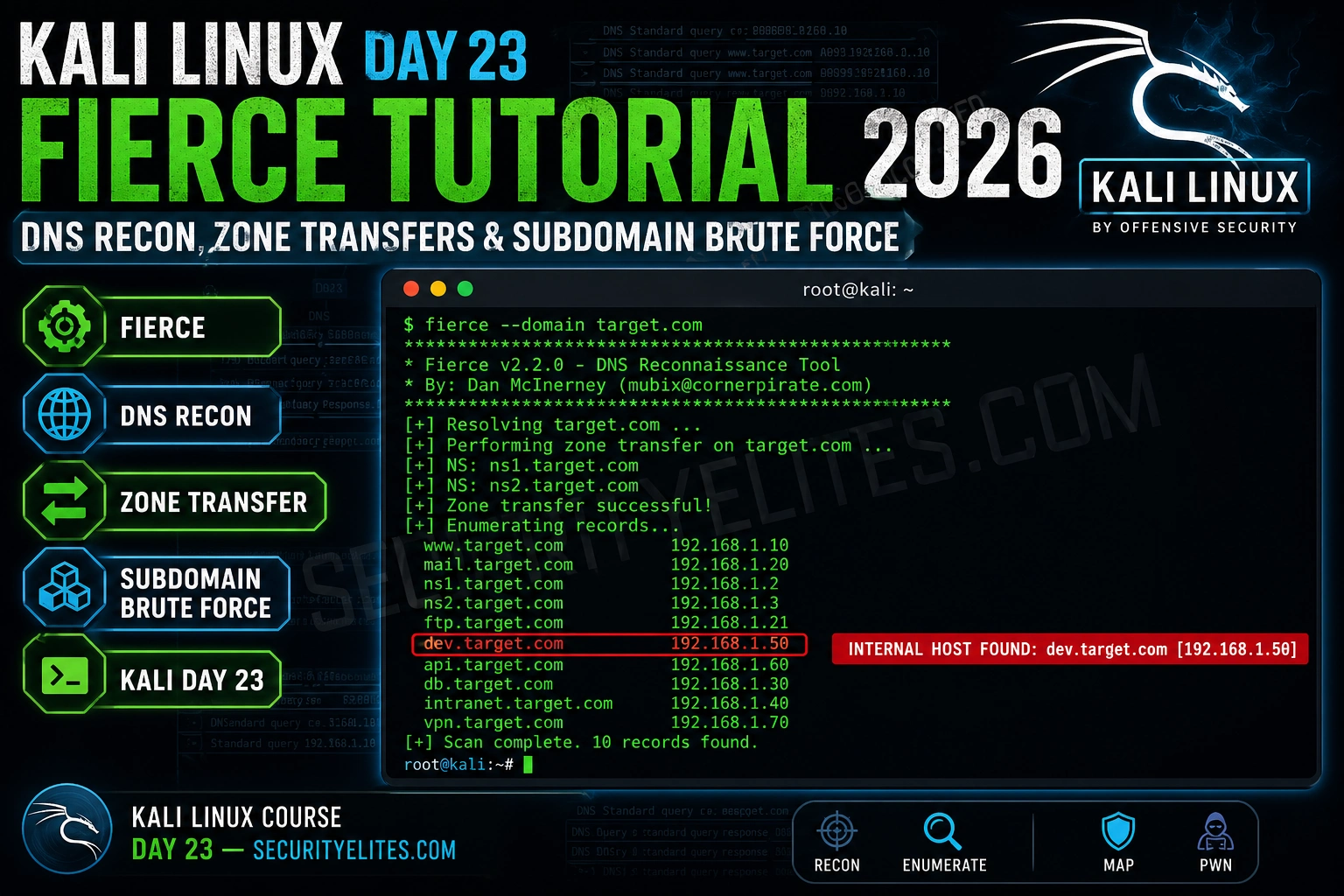
Fierce does one thing that most enumeration tools skip: it attempts a DNS zone transfer before brute forcing. A successful zone transfer hands you every DNS record in the domain — internal hostnames, mail servers, dev environments, the complete map — in a single query. It fails more often than it succeeds these days, but when it works, it’s the single most efficient recon operation you can run.
🎯 What You’ll Master in Day 23
⏱️ 20 min read · Kali Linux required for Exercises 2 & 3
📋 Kali Linux Day 23 — Fierce DNS Reconnaissance Tutorial – Contents
DNS Reconnaissance Fundamentals
DNS reconnaissance maps the network infrastructure attached to a domain. Every subdomain that resolves to an IP is a potential attack surface — a web application, an admin panel, a mail server, a VPN gateway. The DNS system is designed to be publicly queryable, which means a significant amount of infrastructure information is available without triggering any authentication or intrusion detection.
The DNS record types most valuable in recon are A records (domain to IPv4), AAAA records (domain to IPv6), MX records (mail servers — often direct access to mailservers bypassing front-end security), NS records (authoritative nameservers — the targets for zone transfer attempts), CNAME records (aliases — reveal internal naming conventions), and TXT records (SPF, DMARC, verification tokens that leak technology stack information).
Active DNS reconnaissance differs from passive in one critical way: your IP address hits the target’s nameservers. Every query is logged. This means you must be within scope before running active DNS recon tools like Fierce, and you should understand what “scope” means in the context of DNS — most bug bounty programs explicitly permit subdomain enumeration but not active port scanning, so clarify before you run.
Zone Transfers — The Misconfiguration That Reveals Everything
A DNS zone transfer (AXFR request) is a legitimate DNS operation where secondary nameservers synchronise their records from the primary. The security issue arises when the primary nameserver is configured to allow transfers from any IP address — not just authorised secondaries. When that misconfiguration exists, any attacker can request the complete zone and receive every DNS record: internal hostnames, internal IP addresses, mail servers, dev and staging environments, VPN gateways.
Zone transfers were a common misconfiguration in the early 2000s and remain present in older infrastructure — internal DNS servers, small hosting providers, and legacy corporate DNS deployments that haven’t been audited. I’ve encountered zone transfer success on internal network assessments far more often than on external targets, particularly against Active Directory DNS servers that weren’t hardened after initial deployment.
Running Fierce — Installation and Core Usage
Fierce is pre-installed on Kali Linux but may be an older version. I always run a quick update before DNS recon work — the wordlist and some detection logic have improved in recent versions. The core scan is a single command: fierce –domain target.com. What happens under the hood is: nameserver discovery via NS record query, AXFR zone transfer attempt against each nameserver, and wordlist-based subdomain brute forcing if the zone transfer fails.
⏱️ 5 minutes · No tools required
Before running any tools, I always spend a few minutes thinking about what I’m looking for and what I’d do with what I find. This exercise is about that analysis step — you have a fictional zone transfer output, and you need to prioritise the findings.
The zone transfer returned these records:
shop.example.com → 203.0.113.5
www.example.com → 203.0.113.5
mail.example.com → 203.0.113.10 (MX record)
dev.example.com → 192.168.1.50 (internal IP!)
staging.example.com → 192.168.1.51 (internal IP!)
vpn.example.com → 203.0.113.20
admin.example.com → 203.0.113.25
db-01.example.com → 10.0.0.5 (internal IP!)
jira.example.com → 203.0.113.30
gitlab.example.com → 203.0.113.31
QUESTIONS:
1. Which 3 subdomains are highest priority for immediate web testing?
Explain why each one.
2. What does ‘dev.example.com → 192.168.1.50’ tell you?
Why is an internal IP appearing in external DNS dangerous?
3. You see vpn.example.com — what does this reveal and what
would you check next?
4. This zone transfer is itself a finding. Write a one-line
finding title and severity rating for the bug bounty report.
📸 Share your priority list and finding title in #kali-linux.
Advanced Fierce Techniques
The –traverse option is the feature that separates Fierce from basic subdomain brute forcers. When Fierce finds an IP for a subdomain, it checks the surrounding IP space for reverse DNS entries. If dev.target.com resolves to 10.0.0.5, Fierce checks 10.0.0.1 through 10.0.0.10 for PTR records. This discovers servers that have PTR records but no forward A record — common for internal infrastructure where administrators set up reverse DNS but never intended to publish forward records externally.
⏱️ 15 min · Kali Linux · zonetransfer.me is a legal test domain
zonetransfer.me is maintained specifically as a practice target for zone transfer testing. Running Fierce against it gives you a real successful zone transfer output — the kind you might find on a vulnerable internal DNS server. Let me show you exactly what a successful zone transfer looks like in practice.
fierce –version
sudo apt install fierce -y # if needed
# Step 2: Run against the legal test domain
fierce –domain zonetransfer.me 2>&1 | tee fierce_zonetransfer.txt
# Step 3: Also try manual zone transfer with dig
dig axfr zonetransfer.me @nsztm1.digi.ninja
# Step 4: Count how many records were returned
grep -c “Found:” fierce_zonetransfer.txt
# Step 5: Identify interesting records
grep -E “internal|dev|staging|admin|vpn|mail” fierce_zonetransfer.txt -i
# Step 6: Run with traverse on the found IPs
fierce –domain zonetransfer.me –traverse 3 2>&1 | tail -20
📸 Screenshot your zone transfer output and share in #kali-linux.
Full DNS Recon Workflow
My DNS recon workflow starts passive and moves active — passive tools first so I understand the scope before my IP starts appearing in nameserver logs. I run Subfinder and crt.sh certificate lookups before anything active, build an initial subdomain list, then layer in Fierce for the zone transfer attempt and active brute forcing. The combined output from passive and active tools gives the most complete picture of the target’s DNS infrastructure.
⏱️ 20 min · Kali Linux · your own lab or practice targets only
Building the full workflow from scratch, end to end, is how the individual commands become muscle memory. I want you to run every phase below and have a combined subdomain list and live host report at the end.
OPTION B: Against hackerone.com itself (publicly scoped recon practice)
# Phase 1: Passive enumeration
subfinder -d [target] -o subs_passive.txt
echo “Passive count: $(wc -l < subs_passive.txt) subdomains"# Phase 2: Certificate transparency
curl -s "https://crt.sh/?q=%.[target]&output=json" | \
python3 -c "import json,sys; [print(x['name_value']) for x in json.load(sys.stdin)]" | \
sort -u >> subs_passive.txt
echo “With crt.sh count: $(wc -l < subs_passive.txt)"# Phase 3: Active — Fierce zone transfer attempt
fierce --domain [target] 2>&1 | tee fierce_out.txt
grep “Zones:” fierce_out.txt # Did zone transfer succeed?
# Phase 4: Extract fierce finds
grep “Found:” fierce_out.txt | awk ‘{print $2}’ >> subs_passive.txt
sort -u subs_passive.txt > all_subs.txt
echo “Total unique: $(wc -l < all_subs.txt)"# Phase 5: Live host check
httpx -l all_subs.txt -status-code -title -o live_hosts.txt
echo "Live hosts: $(wc -l < live_hosts.txt)"
cat live_hosts.txt | head -20
📸 Share your final live host count and most interesting finding in #kali-linux.
✅ Day 23 Complete — Fierce & DNS Recon
Zone transfer attempts, subdomain brute forcing, traverse scanning, and the full passive-to-active DNS workflow. Day 24 moves to OWASP ZAP for automated web application scanning.
🧠 Quick Check
❓ Frequently Asked Questions
What does Fierce do?
What is a DNS zone transfer?
Is Fierce legal to use?
How is Fierce different from Subfinder or Amass?
What wordlist does Fierce use by default?
What does the –traverse flag do?
Shodan Tutorial — Search Engine for Hackers
OWASP ZAP Tutorial — Automated Web Scanning
📚 Further Reading
- Kali Linux Course — Full 60-Day Programme — Complete Kali Linux mastery course with tools, techniques, and real lab exercises from Day 1 through Day 60.
- Subdomain Enumeration Tools 2026 — Deep comparison of Amass, Subfinder, Assetfinder, and passive sources — the full recon toolkit that Fierce active scanning complements.
- Kali Day 21 — Recon-ng Tutorial — Recon-ng’s modular OSINT framework for DNS and infrastructure reconnaissance — pairs naturally with Fierce for comprehensive target mapping.
- Fierce on GitHub — The official Fierce repository — source code, latest wordlists, and issue tracker for the most current version of the tool.
- zonetransfer.me — Legal DNS Zone Transfer Practice — Robin Wood’s deliberately vulnerable DNS zone transfer target — the standard practice domain for zone transfer technique development.
