This article compares three port scanning tools—Nmap, Masscan, and Rustscan—explaining their architectural differences, speed benchmarks, and optimal use cases. Rather than declaring one scanner universally fastest, the article demonstrates that each tool serves distinct purposes: Nmap excels at deep analysis with service detection and scripting, Masscan dominates large-scale discovery, and Rustscan bridges speed and detail for single or small host sets. The article matters because selecting the wrong scanner wastes hours during penetration testing and reconnaissance phases.
- Architectural trade-offs determine capabilitiesNmap (1997) prioritizes accuracy through careful packet crafting and state analysis, enabling service version detection, OS fingerprinting, and 600+ NSE scripts—but takes 20–100 seconds for the top 1,000 ports on a single host. Masscan sacrifices all analysis features to send raw packets at up to 25 million per second via a custom TCP/IP stack, completing entire internet scans but providing only port status with no service detection. Rustscan uses Rust's async I/O for rapid discovery, then automatically pipes results to Nmap for analysis, combining speed with depth.
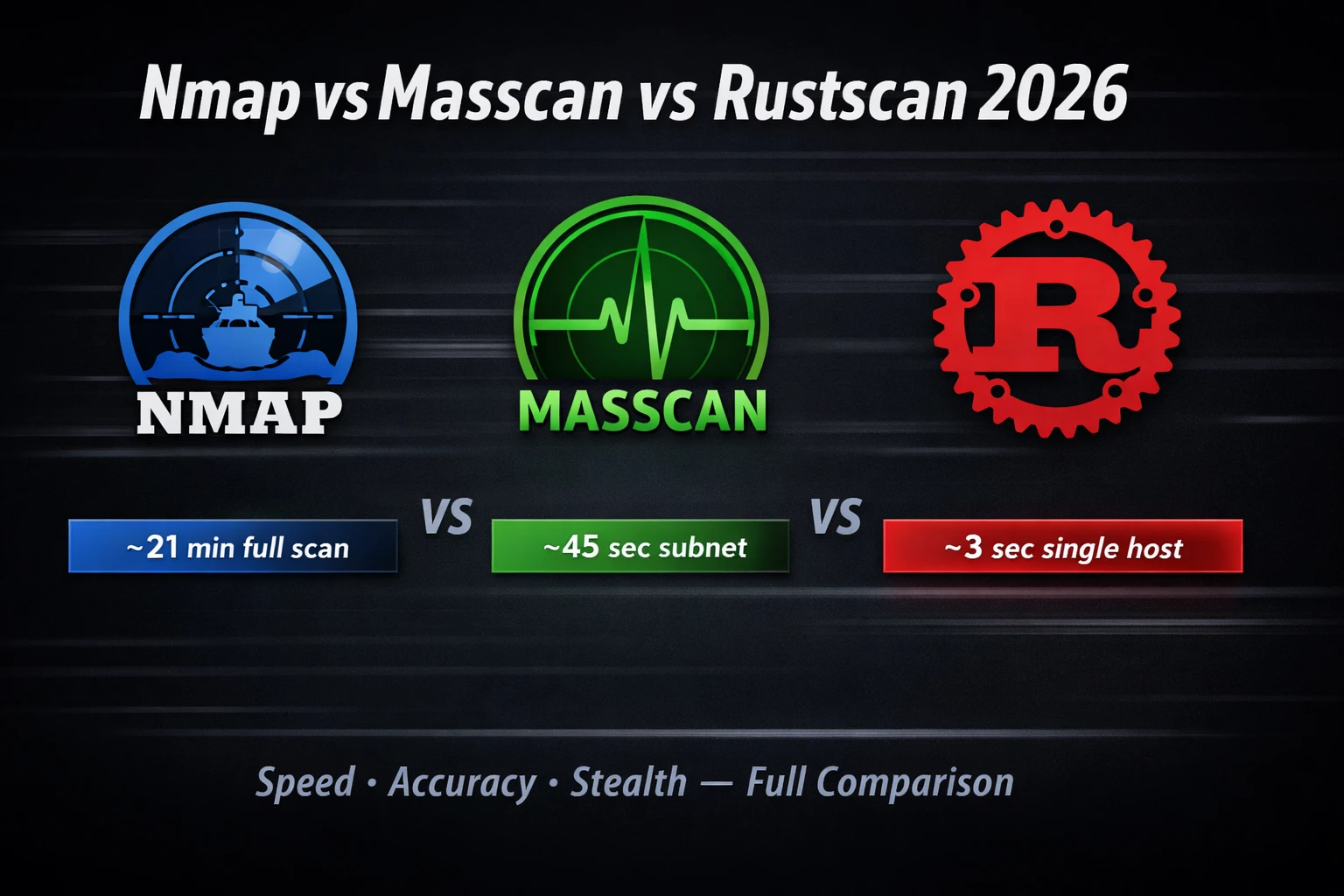
- Speed benchmarks show dramatic performance gapsOn identical targets scanning all 65,535 ports, Nmap requires ~21 minutes, Masscan completes in ~45 seconds, and Rustscan discovery alone finishes in ~3 seconds. However, Rustscan combined with Nmap for full service analysis takes only ~35 seconds total, beating standalone Nmap by a factor of 36 while delivering equal analytical depth. Results vary based on network conditions, target responsiveness, and configuration flags.
- Rustscan excels at single-target scenariosThe article recommends Rustscan when scanning 1–50 hosts, needing all 65,535 ports including non-standard ones, or competing in CTFs. Rustscan's adaptive batch-size algorithm adjusts simultaneous port probes based on network response, maximizing throughput without overwhelming targets. Installation on Kali Linux uses `apt install rustscan`, with core command `rustscan -a TARGET -- -sV -sC` automatically handing port discovery results to Nmap for service detection.
- Masscan dominates large-scale reconnaissanceMasscan is optimal for /16 or larger subnet sweeps and internet-scale research where initial asset discovery matters more than service details. The article's author scanned a 10.0.0.0/8 scope (16 million potential hosts) in 47 minutes to identify 2,300 live web servers, a task requiring months with Nmap. Rate control (e.g., `--rate=5000`) prevents packet loss, though high rates like 100,000+ packets/second are detectable and create obvious IDS signatures.
- Three-phase professional workflow combines all toolsPhase 1 uses Masscan for rapid discovery across all in-scope IPs, extracting live hosts to a list. Phase 2 applies Rustscan to those confirmed live hosts for complete 65,535-port coverage. Phase 3 runs targeted Nmap with `-sV -sC -O` on all discovered open ports, plus NSE vulnerability scripts on web services. This sequence delivers both speed and analytical depth required in real engagements.
- Stealth and IDS detection vary significantlyMasscan is loudest by default, creating obvious traffic spikes that trigger IDS alerts. Rustscan at high batch sizes is similarly noisy. Nmap offers the best stealth with flags like `-T1 -T2` timing templates and `--scan-delay` for slow, deliberate scanning. Nmap's stealth SYN scan (`-sS`) combined with timing controls minimizes detection risk during authorized engagements requiring evasion.
- NSE scripting capabilities differentiate NmapNmap's Script Engine (NSE) includes 600+ scripts for vulnerability detection, service enumeration, and authentication testing, with examples like `smb-vuln-ms17-010` and `ssl-heartbleed` transforming Nmap into a lightweight vulnerability scanner. Neither Masscan nor Rustscan provides scripting capabilities or equivalent detection depth, making Nmap essential for the final analytical phase of engagements.
- Tool selection depends on specific engagement contextExternal black-box pentests with IDS concerns require Nmap's stealth flags; CTF competitions demand Rustscan's speed with `--ulimit 5000 -- -A` for aggressive analysis; internal corporate assessments covering /16 networks benefit from Masscan's rapid web server discovery followed by targeted Rustscan+Nmap deep dives. Matching scanner to scenario is described as 'the professional difference,' not an academic exercise.
Bottom line: Professional penetration testers should deploy Masscan for large-scale discovery, Rustscan for single-target speed with full analysis, and Nmap for stealth and detailed vulnerability assessment—using all three in sequence rather than defaulting to one tool for every scenario. This multi-tool approach can reduce scanning time by 80% while maintaining analytical completeness and enabling testers to cover scope faster during real engagements.
🎯 What You’ll Master in This Guide
⏱️ 48 min read · 3 hands-on exercises
📊 Which port scanner do you use most?
📋 What You’ll Master — Nmap vs Masscan vs Rustscan 2026 Complete Comparison
- Nmap vs Masscan vs Rustscan 2026 — Architecture and Core Differences
- Real Speed Benchmarks — All Three Scanners on Identical Targets
- Rustscan Kali Linux — Installation, Configuration and Best Flags
- Masscan Tutorial 2026 — Large-Scale Discovery and Rate Control
- Fastest Port Scanner 2026 — Which Tool Wins in Each Scenario
- The Professional Three-Phase Scanning Workflow Used on Real Engagements
If you are working through the 180-Day Kali Linux Mastery Course, you covered Nmap in detail on Day 1. This guide goes beyond Nmap basics and puts all three major scanners head-to-head with real benchmark data. For anyone doing professional penetration testing, understanding when to deploy each tool is a foundational skill that saves hours on every engagement.
Nmap vs Masscan vs Rustscan 2026 — Architecture and Core Differences
The three scanners take fundamentally different approaches to the same problem — discovering which ports are open on target systems. Understanding their architectural choices explains every trade-off in speed, accuracy, and stealth.
Nmap was written by Gordon Lyon (Fyodor) and first released in 1997. It remains the gold standard because it does far more than port scanning — it performs service version detection, OS fingerprinting, and runs 600+ NSE scripts for vulnerability detection. Nmap’s accuracy comes from careful packet crafting and state analysis. Its relative slowness comes from the same careful analysis. On a single host, Nmap’s default SYN scan covers the top 1,000 ports in 20–100 seconds. Full 65,535-port scan: 10–30 minutes depending on timing flags.
Masscan was written by Robert Graham to achieve one specific goal: scan the entire internet in under 6 minutes. It achieves this by sending raw packets at astonishing rates — up to 25 million packets per second — with a custom TCP/IP stack that bypasses the operating system’s network stack entirely. The trade-off is that Masscan only tells you which ports are open. No service detection, no OS fingerprinting, no scripting. It is a discovery tool, not an analysis tool.
Rustscan takes a hybrid approach — it performs ultra-fast port discovery using Rust’s async I/O capabilities, then automatically pipes the results to Nmap for service analysis. The innovation is the adaptive batch-size algorithm: Rustscan adjusts how many ports it probes simultaneously based on the network’s response, maximising throughput without overwhelming the target. Full 65,535-port scan on a local target: under 3 seconds. Then Nmap handles service detection on only the open ports found.
| Feature | Nmap | Masscan | Rustscan |
|---|---|---|---|
| Port Discovery Speed | Medium | Fastest (large scale) | Fastest (single host) |
| Service Detection | ✅ Full | ❌ None | Via Nmap |
| OS Fingerprinting | ✅ Yes | ❌ No | Via Nmap |
| NSE Scripts | ✅ 600+ | ❌ None | ❌ None |
| IDS Stealth | Best (-T1/-T2) | Loudest | Configurable |
| Best Use Case | Deep analysis | Large-scale recon | Fast single-target |
Real Speed Benchmarks — All Three Scanners on Identical Targets
These benchmarks were run on a local Kali Linux machine scanning a test subnet of 10 hosts over a gigabit network connection. Results will vary significantly based on network conditions, target responsiveness, and configuration flags — but the relative performance ratios hold consistent across environments.
~21 minutes
~45 seconds
~3 seconds
~35 seconds total
Rustscan Kali Linux — Installation, Configuration and Best Flags
⏱️ Time: 8 minutes · Browser only
(free online Nmap scanner — no install required)
Step 2: Scan scanme.nmap.org (an authorised public test target)
using the default options
Step 3: Note what information you get:
– Which ports are listed as open?
– What services are detected?
– What OS information is shown?
Step 4: Now go to the Rustscan documentation at:
github.com/RustScan/RustScan/wiki/Usage
Read the “Flags” section
Step 5: Compare what the online Nmap scan showed vs what Rustscan
with — -sV -sC would add on top of port discovery
Step 6: Answer: If you only had 60 seconds to scan a CTF target,
which scanner would you choose, and with what flags?
📸 Screenshot the online Nmap results and share in #scanner-comparison on Discord.
Masscan Tutorial 2026 — Large-Scale Discovery and Rate Control
⏱️ Time: 10 minutes · No tools required
For each scenario, decide which scanner(s) to use and why:
SCENARIO A: External black-box pentest
– 200 IP addresses in scope across 4 different /24 subnets
– You have 5 days total
– The client wants to minimise IDS alerts during the scan phase
– You need full service details for your report
SCENARIO B: CTF competition
– Single target machine (one IP)
– 4-hour time limit
– You need to find ALL open ports including non-standard ones
– Speed is critical
SCENARIO C: Internal network assessment
– Full /16 corporate network in scope (~65,000 potential hosts)
– 2-week engagement
– No IDS evasion required
– You need to identify ALL web servers (port 80/443) quickly
– Then deep-dive individual hosts
For each scenario, write: Scanner(s) → Flags → Reason
📸 Write your scenario answers and share in #scanner-comparison on Discord.
Fastest Port Scanner 2026 — Which Tool Wins in Each Scenario
The “fastest scanner” question has no universal answer — it depends entirely on what you are scanning and what you need to know afterwards. Here is the definitive scenario-to-tool mapping based on real professional usage:
Use Rustscan when: You have a single target or small list of targets (1–50 hosts), you need all ports including non-standard ones, you are doing a CTF, or you want the fastest path to a full Nmap analysis. Rustscan’s full 65,535-port discovery in 3 seconds followed by automatic Nmap handoff is unbeatable for this use case.
Use Masscan when: You are scanning large IP ranges (/16 or larger), you need initial asset discovery only, you want raw speed over detail, or you are doing internet-scale research. Masscan’s raw packet engine has no equal for large-scale sweeps.
Use Nmap when: You need service version detection, OS fingerprinting, or NSE script output, you need stealth with timing controls, or you are doing the detailed analysis phase after initial discovery. Nmap’s script engine (-sC) alone provides value no other tool can match.
The Professional Three-Phase Scanning Workflow Used on Real Engagements
⏱️ Time: 20 minutes · Free TryHackMe account required
or “Blue” — both free)
Step 2: Deploy the machine and note the IP address
Step 3: Phase 1 — Rustscan for fast port discovery
rustscan -a [TARGET-IP] –ulimit 5000
Step 4: Note which ports are open
Step 5: Phase 2 — Targeted Nmap on discovered ports
nmap -p [OPEN-PORTS] -sV -sC [TARGET-IP]
Step 6: Compare: how long did each phase take?
– Rustscan discovery: _____ seconds
– Nmap service scan: _____ seconds
– Nmap alone (full -p-): _____ minutes (estimate based on rate)
Step 7: What services were identified by -sV that port numbers alone
did not tell you?
Step 8: Run one NSE script against an identified service:
nmap -p[PORT] –script=[relevant-script] [TARGET-IP]
📸 Screenshot both tool outputs side by side and share in #scanner-comparison on Discord.
🧠 QUICK CHECK — Scanner Comparison
📋 Key Commands — Scanner Comparison Reference Card
❓ Frequently Asked Questions
Is Rustscan faster than Nmap?
When should I use Masscan instead of Nmap?
Which scanner is most likely to be detected by IDS?
Can I use Rustscan on Kali Linux?
Does Nmap have scripting capabilities the others lack?
What is the professional workflow combining all three scanners?
Nmap Commands With Examples 2026
theHarvester Tutorial — OSINT Recon
📚 Further Reading
- Nmap Commands With Examples 2026 — Complete Nmap reference covering every flag, NSE script category, and output format with real-world command examples.
- Nmap Cheat Sheet — One-page Nmap command reference covering stealth scans, timing templates, output formats, and NSE script categories.
- 180-Day Kali Linux Mastery Course — The complete Kali Linux learning path from Nmap basics through advanced exploitation tools in a structured day-by-day sequence.
- Nmap Official Reference Guide — The complete Nmap documentation covering every flag, timing template, and NSE script interface — the definitive technical reference.
- Rustscan GitHub Repository — Official Rustscan documentation, installation instructions, and the full flag reference including adaptive batch size configuration.
