This educational article from a bug bounty mastery course teaches hunters how to identify, test, and exploit rate limiting vulnerabilities across authentication endpoints. It explains why rate limiting flaws are dangerously underestimated by bug bounty researchers, demonstrates concrete testing methodology using Burp Intruder and Turbo Intruder, and provides specific techniques to bypass IP-based rate limiters. The article matters because properly communicated rate limit findings with feasibility calculations earn significantly higher severity ratings and payouts than generic 'missing rate limit' reports.
- OTP endpoints: 83-minute account takeoverA 6-digit numeric OTP has exactly 1,000,000 possible values. Without rate limiting, an attacker receiving an OTP request on a victim's behalf can enumerate all codes at 100 requests per second, finding the correct code in approximately 2 hours 46 minutes on average. The article emphasizes this is not a Medium finding but Critical because it enables complete account takeover, demonstrating why severity hinges on feasibility calculation rather than the vulnerability existing in isolation.
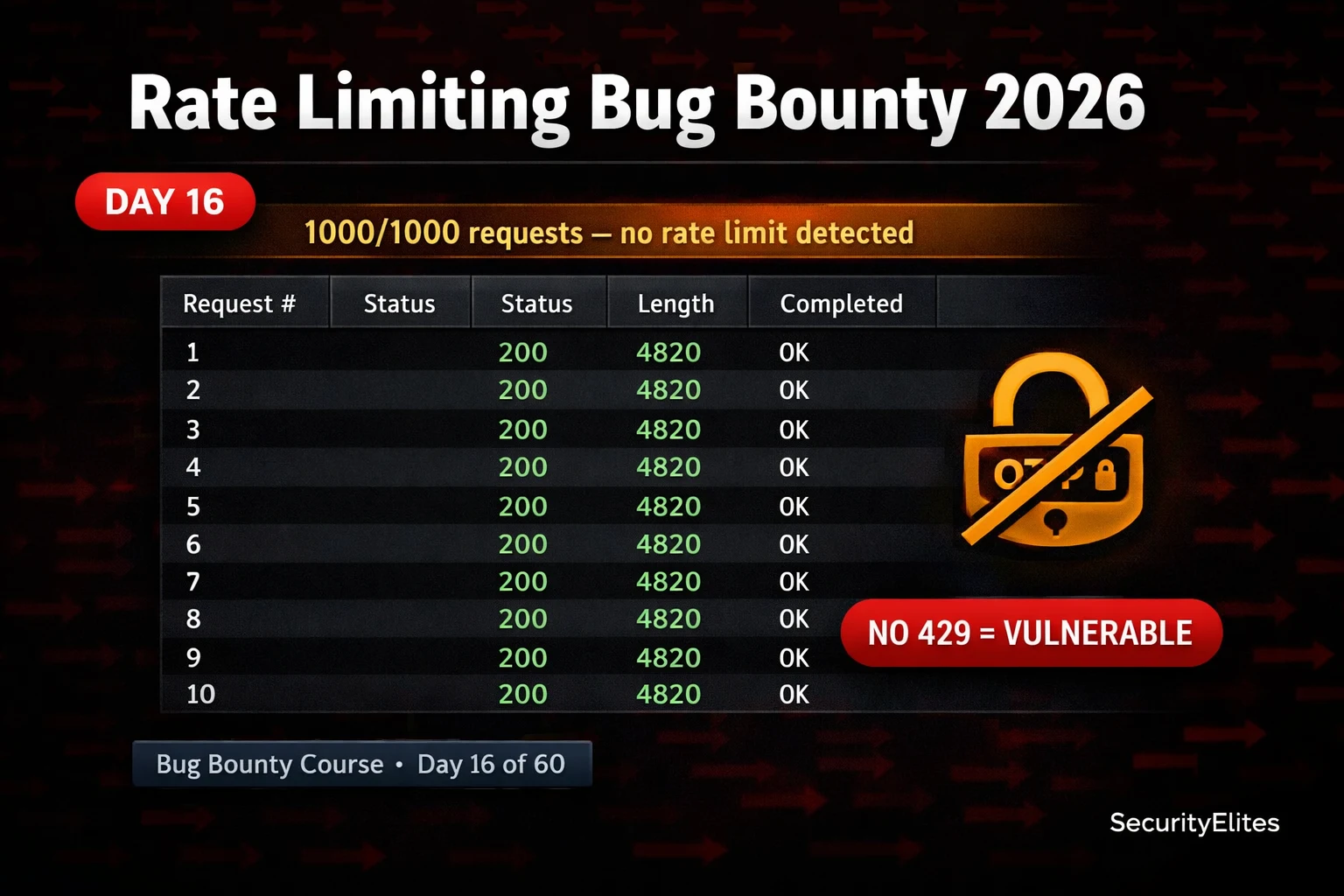
- Null payload testing detects missing limitsThe detection methodology involves capturing a target request in Burp Intruder, marking a credential field as payload position, generating 100 null payloads (which sends the same request 100 times), and observing response status codes. If all 100 requests return 200 with identical response length and no 429 status or lockout message appears, the endpoint has no rate limiting. This technique works because it measures whether the application changes its behavior under repeated requests, not whether specific payloads succeed.
- X-Forwarded-For header spoofing bypasses IP limitsMany applications implement IP-based rate limiting using request headers rather than network-layer source IPs, making the limits trivially bypassable. By adding or rotating the X-Forwarded-For header (or alternative headers like X-Real-IP, X-Client-IP, CF-Connecting-IP) in Burp Intruder payloads, each request appears to come from a different source IP, resetting the rate limit counter for each fake IP. The article identifies this as the most commonly successful bypass technique because it exploits a fundamental implementation flaw.
- Seven endpoint categories require priority testingThe article ranks endpoints by rate limit risk: OTP/2FA verification (highest priority), login forms, password reset (both token request and verification), account registration, API authentication endpoints, contact/messaging features, and search/data enumeration endpoints. For each category, the article provides specific testing instructions—for example, testing OTP by sending 50 requests with different code values and watching for 429 responses or lockout messages, or testing password reset by submitting 50 reset requests for one email address.
- Impact calculation drives severity ratingThe article emphasizes that generic 'rate limiting is missing' reports receive Low severity, while specific calculations earn High or Critical ratings. The formula is: (keyspace size / requests per second) / 2 = average time to success. For a 4-digit PIN: 10,000 ÷ 100 req/s ÷ 2 = 50 seconds. The article states that including explicit, quantified time-to-success numbers 'is what earns the higher severity rating' and provides a real example where a 4-digit banking PIN bypass was rated Critical because the calculation showed 50-second account takeover feasibility.
- Turbo Intruder enables high-speed practical PoCsBurp Community Edition's Intruder is rate-limited to one request per second, sufficient for detection but too slow to demonstrate real attack feasibility in a proof-of-concept. Turbo Intruder is a free Burp extension that sends requests at HTTP/2 pipeline speeds—hundreds to thousands per second. The article provides a basic Turbo Intruder script that queues 100 requests with sequentially generated payloads, allowing hunters to demonstrate that 1,000,000 OTP codes can actually be enumerated within the calculated timeframe.
- Testing methodology chains with authentication bypassThe article positions rate limiting within a larger authentication attack chain, noting that Day 15 covered business logic flaws and Day 17 will cover JWT attacks. Rate limiting vulnerabilities are most critical when combined with other weaknesses—the article explicitly states 'the value of rate limit testing multiplies dramatically once you combine it with other vulnerabilities,' establishing that rate limit findings on their own have lower impact but enable higher-severity chains when chained with business logic flaws or token vulnerabilities.
- Manual observation precedes automated testingExercise 1 instructs hunters to observe rate limit indicators manually before opening Burp: checking DevTools Network tab for 429 status codes, Retry-After headers, X-RateLimit-* headers, CAPTCHA appearance, or account lockout messages after multiple failures. The article states 'most rate limit vulnerabilities are visible through manual observation before you open Burp,' meaning an OTP flow that never changes error messages or locks after 10 manual attempts is almost certainly unbounded and worth automated testing.
Bottom line: Rate limiting vulnerabilities are systematically underestimated as Low severity by bug bounty hunters, but when properly tested for bypass techniques and reported with specific feasibility calculations—such as '1,000,000 OTP codes enumerable in 83 minutes at 100 req/s enabling account takeover'—they consistently earn Critical and High severity ratings. The key differentiator is combining concrete attack numbers with practical demonstration using tools like Burp Intruder and Turbo Intruder to sho
FREE
Part of the 60-Day Bug Bounty Mastery Course
🎯 What You’ll Master in Day 16
⏱️ 50 min read · 3 hands-on exercises
📊 Have you tested for rate limiting before?
📋 What You’ll Master — Rate Limiting Bug Bounty 2026
- What Rate Limiting Vulnerabilities Are and Why They Enable Account Takeover
- The 7 Endpoint Types You Must Test for Missing Rate Limits
- Detection Methodology — Null Payload Testing With Burp Intruder
- Rate Limit Bypass Techniques — X-Forwarded-For and Header Manipulation
- Turbo Intruder — High-Speed Parallel Attacks for Rate Limit Testing
- Calculating Real Attack Feasibility for Your Bug Bounty Report
In Day 15 we exploited business logic flaws in application workflows. Rate limiting is a specific type of business logic control — one that governs how frequently operations are allowed rather than whether the sequence is correct. Missing rate limits are listed in the OWASP API Security Top 10 as API4:2023 (Unrestricted Resource Consumption). The 60-Day Bug Bounty Mastery Course covers it Day 16 because it chains directly with authentication vulnerabilities in the days ahead.
What Rate Limiting Vulnerabilities Are and Why They Enable Account Takeover
Rate limiting is a control that restricts how many requests a client can make to an endpoint within a time window. Implemented correctly, it prevents brute force attacks, OTP enumeration, credential stuffing, and resource exhaustion. Missing or bypassable rate limiting makes every authentication endpoint exploitable by automation.
The most dangerous missing rate limit scenario is OTP verification. A 6-digit numeric OTP has exactly 1,000,000 possible values. If the application does not rate limit the verification endpoint, an attacker with a victim’s phone number can receive an OTP request on their behalf, then enumerate all 1,000,000 possible codes against the verification endpoint. At a conservative 100 requests per second, the correct code is found within 2 hours and 46 minutes on average.
The 7 Endpoint Types You Must Test for Missing Rate Limits
Not every endpoint needs aggressive rate limiting. The endpoints that do are those where automation enables authentication attacks. Test these seven categories on every target, in this order of priority:
1. OTP / 2FA Verification: The highest-value rate limit target. If an application sends a numeric code and verifies it via an API endpoint, that endpoint must rate limit aggressively — typically 5–10 attempts before lockout. Test by sending 50 requests with different code values and watching for 429 or lockout.
2. Login Endpoints: Classic brute force target. Send 100 requests with different passwords — no account lockout or 429 after 10+ failed attempts is a finding. Note that some programmes exclude this if the application has CAPTCHA — test the CAPTCHA separately.
3. Password Reset: Both the token request endpoint (can be abused to spam victims) and the token verification endpoint (brute-forceable if tokens are short). Send 50 password reset requests for one email address — application should limit this to prevent user harassment.
4. Account Registration: Missing rate limits here enable mass account creation, which feeds credential stuffing infrastructure and platform abuse. Less critical for direct account takeover but High severity for fraud programmes.
5. API Authentication: API key verification, OAuth token endpoints, and service-to-service authentication flows. Often implemented with less rate limiting than web UI flows.
6. Contact / Messaging Features: If the application can send emails or SMS via user action, missing rate limits enable SMS bombing and email spam abuse at the victim’s expense.
7. Search and Data Endpoints: Missing rate limits here enable mass data enumeration — particularly dangerous when combined with IDOR findings where sequential IDs can be iterated.
⏱️ Time: 10 minutes · Browser and DevTools only
(one with a login, OTP, or password reset feature)
Step 2: Open DevTools (F12) → Network tab
Step 3: Navigate to the login page and attempt 5 wrong password logins
Observe: does the response change after multiple failures?
Look for: 429 status, Retry-After header, CAPTCHA appearing,
or account lockout message
Step 4: Navigate to the password reset page (if it exists)
Observe: is there a CAPTCHA or any visible throttling?
Submit 3 password reset requests for the same email — does
anything change on request 2 or 3?
Step 5: In DevTools Network tab, look for any response headers:
X-RateLimit-Limit
X-RateLimit-Remaining
X-RateLimit-Reset
Retry-After
These indicate rate limiting is implemented — note the limit values
Step 6: If you find an OTP or 2FA flow — attempt 10 wrong codes manually
Does the application lock you out? Show a different message?
Or just keep saying “invalid code” indefinitely?
Do NOT automate anything in this exercise — manual observation only.
📸 Screenshot any rate limit headers found in DevTools and share in #day-16-ratelimit on Discord.
Detection Methodology — Null Payload Testing With Burp Intruder
Rate Limit Bypass Techniques — X-Forwarded-For and Header Manipulation
If a rate limit is detected, the next step is bypass testing. Many rate limiters are implemented at the IP address level — tracking requests per source IP. These are trivially bypassed by manipulating headers that the application uses to determine the client’s IP, or by rotating through IP addresses.
⏱️ Time: 20 minutes · Free PortSwigger Web Security Academy account
Step 2: Open: “Username enumeration via different responses” OR
“Broken brute-force protection, multiple credentials per request”
Step 3: The lab has a login form with limited protection
Use Burp Intruder to test the rate limit:
— Capture the login POST request
— Send to Intruder → mark password as payload position
— Payload type: Null payloads → 50 requests
— Start Attack → observe status codes
Step 4: Note at what request number (if any) the response changes
to indicate rate limiting or lockout
Step 5: If rate limit is detected, try the X-Forwarded-For bypass:
Add X-Forwarded-For: §1.2.3.§4 as a second payload position
Set up a pitchfork attack with incrementing IP addresses
Step 6: Document:
— Does the application rate limit? At what threshold?
— Did any bypass technique work?
— What severity would you assign this finding?
📸 Screenshot the Intruder results showing successful bypass and share in #day-16-ratelimit on Discord.
Turbo Intruder — High-Speed Parallel Attacks for Rate Limit Testing
Burp Suite Community Edition’s Intruder is rate-limited to one request per second — fast enough to test whether rate limiting exists, but too slow to demonstrate real attack feasibility in a PoC. Turbo Intruder is a free Burp extension that bypasses this limitation, sending requests at true HTTP/2 pipeline speeds — hundreds to thousands per second.
⏱️ Time: 20 minutes · DVWA running, Burp Suite configured
📸 Screenshot Intruder results showing all 200 responses with no 429 and share in #day-16-ratelimit on Discord. Tag #ratelimit2026
Calculating Real Attack Feasibility for Your Bug Bounty Report
The difference between a Low payout and a High payout for a rate limit finding is almost entirely in how you communicate impact. The calculation is simple: (keyspace size / requests per second) / 2 = average time to success. Include this calculation explicitly in your report.
For a 6-digit OTP with no rate limit: 1,000,000 ÷ 100 req/s ÷ 2 = 5,000 seconds average = 83 minutes. That is a concrete, specific, alarming number that a programme manager understands immediately. For a 4-digit PIN: 10,000 ÷ 100 ÷ 2 = 50 seconds. For a login form against a top-1000 password list: 1,000 ÷ 100 ÷ 2 = 5 seconds. The specificity of these numbers — not “rate limiting is missing” but “account takeover achievable in 83 minutes” — is what earns the higher severity rating.
🧠 QUICK CHECK — Day 16
📋 Rate Limit Testing Checklist — Day 16
🏆 Mark Day 16 as Complete
Rate limiting vulnerabilities are in more applications than most hunters test for. The OTP bypass chain you learned today — no rate limit + 6-digit code + 83-minute brute force — is a Critical finding that appears in real programmes regularly. You now know how to find it, bypass protections, and report it at the right severity.
❓ Frequently Asked Questions
What is a rate limiting vulnerability?
What HTTP status code indicates a rate limit?
What are the most common rate limit bypass techniques?
Is missing rate limiting always a valid bug bounty finding?
What is the difference between missing rate limiting and CAPTCHA bypass?
What comes after rate limiting in the Bug Bounty course?
Day 15: Business Logic Vulnerabilities 2026
Day 17: JWT Attacks Bug Bounty 2026
📚 Further Reading
- Business Logic Vulnerabilities 2026 — Day 15 covers workflow bypass and price manipulation — the logic flaw category that combines with rate limiting to create high-severity authentication attack chains.
- Burp Suite Setup for Bug Bounty — Day 2 covers Burp Suite configuration including Intruder setup, payload types, and Turbo Intruder installation — the tools used for all rate limit testing.
- 60-Day Bug Bounty Mastery Course — The complete course hub from beginner recon through advanced vulnerability chaining including the authentication attack days that build on rate limiting.
- PortSwigger Authentication Labs — Official PortSwigger Web Academy authentication vulnerability track — 14 labs covering brute force, broken authentication, and multi-factor authentication bypass techniques.
- OWASP API Security — Unrestricted Resource Consumption — The OWASP API Security Top 10 entry for rate limiting vulnerabilities in API contexts, with real-world examples and defensive implementation guidance.
