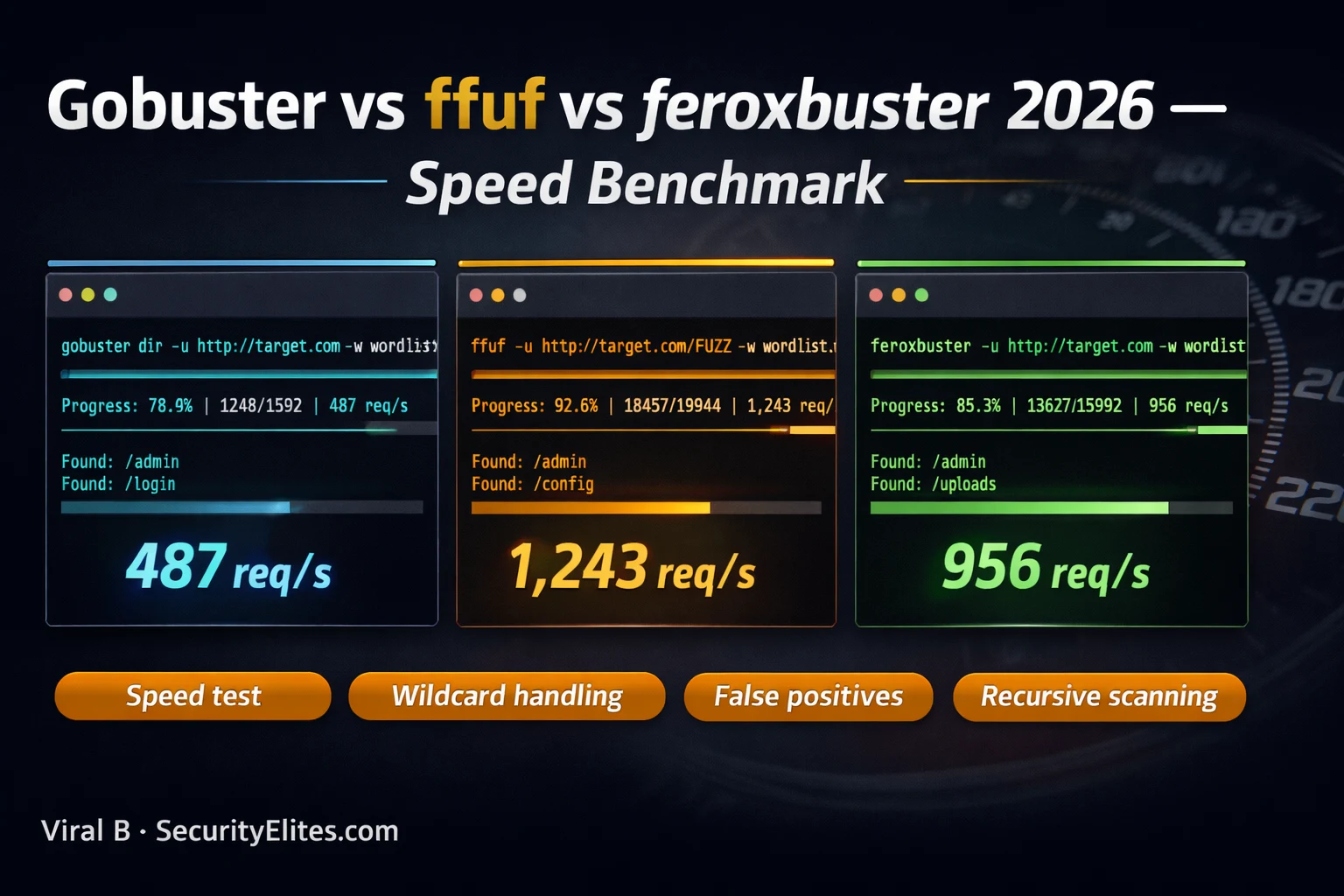
This article benchmarks three Go-based web directory fuzzing tools—Gobuster, ffuf, and feroxbuster—explaining their architectural differences, speed performance, wildcard handling capabilities, and practical applications in web reconnaissance. Rather than declaring a single winner, it demonstrates that these tools solve different problems and should be used sequentially as part of a professional three-phase recon workflow, with specific emphasis on how single-pass scanning misses nested directory structures that recursive scanning discovers.
- Three tools, three different design philosophiesGobuster prioritizes simplicity and reliability with predictable behavior and minimal configuration, making it the default 'first tool' choice. ffuf prioritizes flexibility by allowing the FUZZ placeholder anywhere in an HTTP request (URL path, headers, body, query parameters), enabling general-purpose HTTP fuzzing beyond directories. Feroxbuster prioritizes completeness through automatic recursive scanning that immediately queues discovered directories for their own full scan, building complete multi-level directory maps without manual intervention.
- Speed benchmarks mislead on real targetsRaw throughput numbers show ffuf at ~1,400 req/s, feroxbuster at ~950 req/s, and gobuster at ~500 req/s, but these reflect local network performance where server responsiveness dominates. Against real internet targets with 50–200ms latency, network round-trip time becomes the limiting factor and all three tools perform nearly identically, completing typical scans in 1–4 minutes. Speed differences matter only for large wordlists (20,000+ entries), internal network assessments with low latency, or localhost scans.
- Automatic wildcard detection differs significantlyFeroxbuster automatically detects wildcard responses by sending random path probes, fingerprinting responses by size and word count, then filtering matches during the real scan—no manual configuration required. Gobuster has basic wildcard detection that triggers a manual prompt rather than automatic filtering. Ffuf requires manual filter specification using -fs (filter size) or -fw (filter words) flags after manually testing one random path. This automatic vs. manual distinction makes feroxbuster the most resilient against targets returning 200 OK for all paths.
- Recursive scanning unlocks nested high-value findingsNon-recursive scanning discovers only top-level paths; interesting content like admin panels, configuration files, and API endpoints typically sit several levels deep. Feroxbuster's automatic recursion queues discovered directories (identified by 301 responses or trailing slash patterns) for full wordlist scans at each level, with --depth flag limiting recursion depth. The article demonstrates discovering /admin/config/database.php and /api/v1/users/ at three and four levels deep—findings that gobuster's flat scan would completely miss after finding only /admin/ and /api/.
- ffuf's FUZZ placement enables parameter discoveryWhile gobuster and feroxbuster restrict wordlist substitution to URL paths, ffuf places the FUZZ keyword anywhere in the HTTP request: query parameters for GET parameter fuzzing, POST body for login form or API fuzzing, Host headers for virtual host enumeration, or any HTTP header. This single architectural difference transforms ffuf from a directory scanner into a general-purpose HTTP fuzzer capable of discovering hidden parameters, internal environments, and virtual hosts that the other two tools cannot touch.
- Three-phase professional workflow combines all toolsPhase 1 uses gobuster with a small wordlist (4,600 entries) for a quick 1–2 minute surface scan revealing obvious paths (admin, login, API prefixes). Phase 2 runs feroxbuster with medium wordlist and --depth 3 for 10–30 minutes of recursive discovery into nested structures missed by Phase 1. Phase 3 applies ffuf for targeted parameter fuzzing, virtual host enumeration, and POST body testing on endpoints discovered in Phases 1–2. Each tool's output informs which paths justify deeper investigation with the next tool.
- Wordlist selection matters as much as tool choiceThe article emphasizes that SecLists provides different wordlists for different purposes: small directory lists (~4,600 entries) complete in under 2 minutes for quick wins, medium lists (~10,000 entries) take 5–15 minutes for thorough coverage, and API-specific wordlists exist separately from general directory lists. A 220,000-entry wordlist against a 200ms latency target requires 10–15 minutes with any tool, while the small wordlist completes quickly. Professional practice starts with small wordlists for rapid reconnaissance, then runs medium lists overnight on promising targets.
- Wildcard responses create thousands of false positivesWeb frameworks configured to return 200 OK for all paths (including non-existent ones) generate overwhelming noise in unfilterd fuzzer output, making it appear that thousands of valid paths exist when none do. The article provides concrete detection methodology: curl a random path to identify the response size/word count, then filter that signature during the scan. Without filtering, gobuster reported 4,000 findings from a 4,000-entry wordlist against a wildcard target—demonstrating complete false-positive saturation that feroxbuster's automatic detection prevents automatically.
Bottom line: No single directory fuzzer is universally superior; professional web reconnaissance requires using all three tools sequentially for different phases and purposes—gobuster for quick surface mapping, feroxbuster for complete recursive directory discovery into nested structures, and ffuf for parameter and header fuzzing that the others cannot perform. The most critical insight from real bug bounty experience is that fast, shallow scanning misses high-value findings nested several directory levels d
Which directory fuzzer do you use most?
Here’s the core insight: these aren’t interchangeable. They solve different problems. Gobuster is a single-pass scanner that’s fast and predictable. ffuf is a parameter fuzzer that happens to do directories. Feroxbuster is a recursive scanner that finds paths the other two never reach because they don’t recurse. Knowing which one to use first — and which one to run when the first one comes back empty — is what separates a thorough recon from a surface scan.
I’m going to benchmark all three on identical targets, explain the architecture differences that produce different results, and give you the exact command flags I use on real bug bounty programmes.
🎯 What You’ll Learn
⏱️ 30 min read · 3 exercises
📋 Gobuster vs ffuf vs feroxbuster — Contents
Gobuster vs ffuf vs feroxbuster — Tool Overview
Before the benchmark, understand why three tools exist for what sounds like the same job. All three are written in Go, all use thread-based parallelism, all focus on web directory and resource discovery. Their differences reflect different philosophy about what a fuzzer should optimise for.
Gobuster prioritises simplicity and reliability. Clear syntax, predictable behaviour, minimal configuration. It does directory and DNS enumeration well. It doesn’t recurse deeply by default. It’s the tool you reach for when you want results in under two minutes without thinking about configuration. Pre-installed on Kali Linux. Stable. Fast enough for most cases.
ffuf prioritises flexibility. The FUZZ placeholder can appear anywhere in the HTTP request — URL path, query parameters, request body, headers. This makes it a general-purpose HTTP fuzzer rather than just a directory scanner. Parameter discovery, virtual host enumeration, API endpoint discovery, header injection testing — ffuf handles all of these with the same syntax. Its filtering system is the most powerful of the three. Slightly higher learning curve but the most versatile tool in the set.
feroxbuster prioritises completeness. Automatic recursion means it doesn’t stop at the top level — it queues discovered directories for their own scan immediately, building a complete map of the site’s directory structure without manual intervention. Its wildcard detection is the most automatic. Its output is the most detailed — showing the full discovered path hierarchy in real time. The tool of choice when thoroughness matters more than raw speed.
| Feature | Gobuster | ffuf | feroxbuster |
| Raw speed | ~500 req/s | ~1,400 req/s ✓ | ~950 req/s |
| Recursion | Manual (-r flag) | Manual (-recursion) | Automatic ✓ |
| Wildcard detection | Basic | Manual filters ✓ | Automatic ✓ |
| FUZZ placement | URL path only | Anywhere ✓ | URL path only |
| Learning curve | Low ✓ | Medium | Medium |
| Kali pre-installed | Yes ✓ | Yes ✓ | apt install |
Speed Benchmark — Real Numbers
Speed benchmarks for directory fuzzers are consistently misunderstood in online comparisons. The raw requests-per-second numbers (ffuf fastest, feroxbuster second, gobuster third) reflect local network performance against a fast responding server. Against real internet targets, network round-trip time becomes the dominant factor — all three tools spend most of their time waiting for responses rather than processing them. On a target with 100ms response latency, the throughput difference between ffuf and gobuster shrinks to near-irrelevant levels.
Where speed differences are meaningful: large wordlists (SecLists Big.txt at 20,000+ entries), internal network assessments with low latency, and localhost scans. In these scenarios, ffuf’s higher thread efficiency produces a measurable advantage. For typical bug bounty internet targets with 50-200ms latency and a standard medium wordlist (4,600-10,000 entries), any of the three tools completes the scan in 1-4 minutes — a difference that rarely matters.
⏱️ 15 minutes · Browser only
gobuster: github.com/OJ/gobuster
ffuf: github.com/ffuf/ffuf
feroxbuster: github.com/epi052/feroxbuster
Note the star count, last commit date, and open issues.
Which is most actively maintained in 2026?
Step 2: Explore SecLists wordlists for web content discovery
github.com/danielmiessler/SecLists/tree/master/Discovery/Web-Content
What wordlist files are available?
What is the difference between:
– directory-list-2.3-small.txt (~87k lines)
– directory-list-2.3-medium.txt (~220k lines)
– raft-large-directories.txt (~62k lines)
When would you use each?
Step 3: Compare the filter options for each tool
gobuster: –exclude-length, -s (status codes)
ffuf: -fc, -fs, -fw, -fl, -fr (filter by code/size/words/lines/regex)
feroxbuster: –filter-size, –filter-status, –filter-words
Which tool has the most granular filtering?
Which filter type is most useful for wildcard targets?
Step 4: Check the OWASP Testing Guide section on fuzzing
owasp.org/www-project-web-security-testing-guide/
Find the section on “Testing for Sensitive Information in Files”
What wordlists do they recommend?
📸 Screenshot the SecLists web-content directory listing. Share in #bug-bounty on Discord.
Wildcard Handling — The False Positive Problem
Wildcard responses are the primary source of useless output from directory fuzzers. A wildcard target returns a 200 OK response for every URL path — whether it exists or not. Some web frameworks return 200 with an error message embedded in the body. Some redirect all paths to a landing page with 301. Without wildcard detection, a fuzzer reports thousands of false positives that all look like legitimate discoveries.
feroxbuster handles this automatically: it sends requests for randomly generated non-existent paths before the main scan. If those return 200, feroxbuster fingerprints the response (size, word count, content hash) and automatically filters responses matching that fingerprint during the real scan. gobuster has basic wildcard detection but it triggers a manual prompt rather than automatic filtering. ffuf relies on manual filter configuration: you must identify the wildcard response size or word count and specify -fs [size] or -fw [wordcount] as filters before the scan is useful.
Recursive Scanning — feroxbuster’s Winning Feature
Recursion is the feature that matters most for thorough web reconnaissance. Non-recursive directory scanning only discovers paths one level deep from the starting URL. A target with the structure /admin/users/active/ requires three levels of recursion to discover — a flat scan finds /admin/ but misses /admin/users/ and everything below it. In real web applications, the most interesting content — admin panels, API endpoints, configuration files — is often nested several levels deep.
feroxbuster’s approach: when it discovers a directory (a 301 or a path that looks like a directory based on trailing slash), it immediately adds that directory to the scan queue and runs the full wordlist against it. The depth can be limited with --depth [n] to prevent infinite recursion on sites with generated URLs. gobuster’s -r flag enables recursion but the implementation is less automatic — it doesn’t always queue new directories immediately. ffuf’s -recursion flag works similarly. In practice, feroxbuster’s recursive output is typically 2-3× more complete than gobuster on complex targets with nested directory structures.
ffuf’s FUZZ Flexibility — Beyond Directory Scanning
ffuf’s defining capability is FUZZ placement. In gobuster and feroxbuster, the wordlist is substituted into the URL path. In ffuf, the FUZZ keyword can be placed anywhere in the HTTP request — the URL path, query string, POST body, or any HTTP header. This makes ffuf the only general-purpose HTTP fuzzer of the three, not just a directory scanner.
⏱️ 25 minutes · Kali Linux + DVWA required
# Wordlist for all tests (small for speed)
WL=”/usr/share/wordlists/dirb/common.txt”
TARGET=”http://127.0.0.1″
# GOBUSTER TEST
echo “=== GOBUSTER ===” && date
time gobuster dir -u $TARGET -w $WL -t 50 -q 2>/dev/null | tee gobuster_out.txt
echo “Gobuster found: $(wc -l < gobuster_out.txt) paths"# FFUF TEST
echo "=== FFUF ===" && date
time ffuf -u $TARGET/FUZZ -w $WL -t 100 -mc 200,301,302,403 \
-o ffuf_out.json -of json -s 2>/dev/null
echo “ffuf found: $(cat ffuf_out.json | python3 -c ‘import json,sys; d=json.load(sys.stdin); print(len(d[“results”]))’ 2>/dev/null || echo “check ffuf_out.json”) paths”
# FEROXBUSTER TEST
echo “=== FEROXBUSTER ===” && date
time feroxbuster -u $TARGET -w $WL -t 50 –depth 2 -q \
-o ferox_out.txt 2>/dev/null
echo “feroxbuster found: $(wc -l < ferox_out.txt) paths"# COMPARISON
echo ""
echo "=== RESULTS COMPARISON ==="
echo "Gobuster: $(wc -l < gobuster_out.txt) paths discovered"
echo "feroxbuster unique (deeper): $(comm -13 <(sort gobuster_out.txt) <(sort ferox_out.txt) | wc -l) additional paths"# Check if feroxbuster found any paths gobuster missed
echo ""
echo "Paths feroxbuster found that gobuster missed:"
diff <(grep "http" gobuster_out.txt | awk '{print $1}' | sort) \
<(grep "http" ferox_out.txt | awk '{print $1}' | sort) 2>/dev/null | grep “^>” | head -10
📸 Screenshot the results comparison table. Share in #kali-tools on Discord.
The Three-Phase Professional Recon Workflow
The debate “which tool is best” misses the point that experienced bug bounty hunters and penetration testers use all three tools in sequence, each filling the role it’s best suited for.
Phase 1 — Quick Surface Scan (gobuster): Start every new target with gobuster + small wordlist (4,600 entries). Completes in 1-2 minutes. Gives you a quick map of the obvious surface — admin paths, login pages, API prefixes, backup files. This informs what to pursue in Phase 2.
Phase 2 — Deep Recursive Scan (feroxbuster): Run feroxbuster + medium wordlist with –depth 3 against any interesting directories found in Phase 1. Let it run — this takes 10-30 minutes on a real target but discovers the nested structure that gobuster’s flat scan missed. Set it running and investigate Phase 1 findings while it works.
Phase 3 — Targeted Parameter and Header Fuzzing (ffuf): Once you have a map from Phases 1-2, use ffuf for specific targeted tests: parameter fuzzing on interesting endpoints, virtual host enumeration, POST body fuzzing against login and API endpoints. ffuf’s FUZZ flexibility handles everything Phase 1 and 2 can’t.
⏱️ 15 minutes · No tools required
It’s a SaaS application with a web interface, mobile app, and API.
You’ve already done subdomain enumeration and found:
– app.company.com (main web app)
– api.company.com (API server)
– admin.company.com (admin panel — responds with login page)
– dev.company.com (dev environment — 200 responses on some paths)
Design your complete directory/path fuzzing workflow:
For each target, answer:
1. Which tool runs first and why?
2. What wordlist for the first pass?
3. Does this target need recursive scanning? Why?
4. What ffuf-specific tests would you run on each?
5. What findings from each tool inform the next tool?
Specifically for api.company.com:
– What wordlist is most appropriate for API endpoints?
(hint: SecLists has API-specific wordlists)
– How do you handle authentication for authenticated endpoints?
– Would gobuster or ffuf be more useful for REST vs GraphQL APIs?
For admin.company.com:
– What does a login page on admin suggest to try next?
– After discovering admin paths, what tool handles POST body fuzzing?
📸 Share your workflow design in #bug-bounty on Discord.
🧠 QUICK CHECK — Directory Fuzzer Selection
📋 Directory Fuzzer Quick Reference 2026
🏆 Mark as Read — Gobuster vs ffuf vs feroxbuster 2026
❓ Frequently Asked Questions — Gobuster vs ffuf vs feroxbuster 2026
What is the difference between Gobuster, ffuf, and feroxbuster?
Which is fastest — Gobuster, ffuf, or feroxbuster?
How does feroxbuster handle wildcards?
When should I use ffuf instead of Gobuster?
Is feroxbuster better than Gobuster for recursive scanning?
Which directory fuzzer should beginners start with?
Burp Suite Community vs Professional 2026
TryHackMe vs HackTheBox 2026
📚 Further Reading
- Subdomain Enumeration Tools 2026 — Phase 0 before directory fuzzing — enumerate subdomains first to find the full attack surface, then apply directory fuzzing to each one.
- Nmap vs Masscan vs RustScan 2026 — The same comparison framework applied to port scanners — picking the right tool for each phase of network reconnaissance.
- Burp Suite Community vs Professional 2026 — After directory fuzzing discovers interesting endpoints, Burp Suite is the next tool in the professional web application testing workflow.
- SecLists — Security Testing Wordlists — The essential wordlist collection for all three tools — covers directory lists, API endpoints, subdomains, parameters, and more. Install with sudo apt install seclists on Kali.
- feroxbuster Official GitHub — Complete documentation, configuration examples, and the latest release with full feature list and installation instructions.
