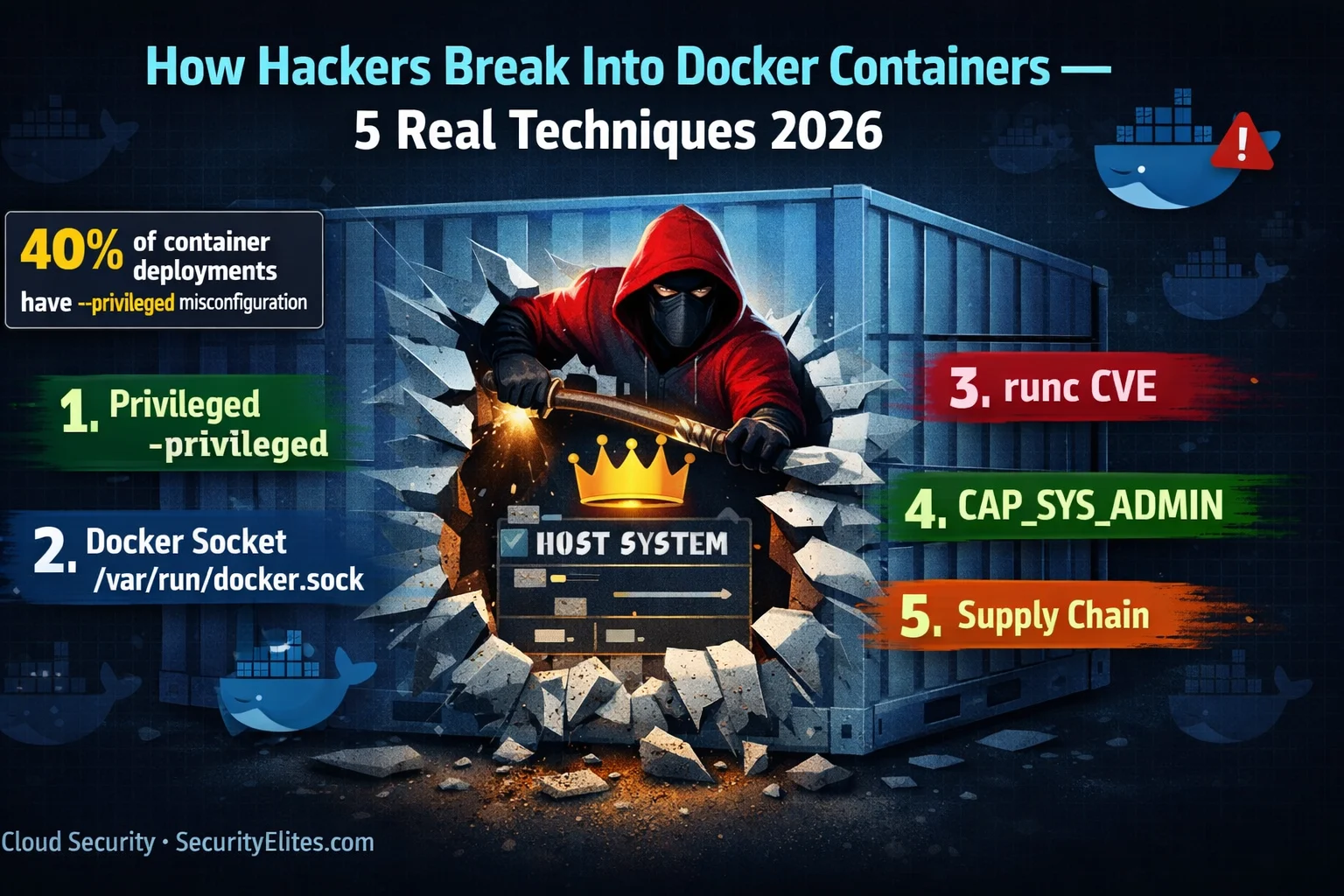
This article explores five real-world Docker container escape techniques that attackers exploit in production environments, examining how misconfigured containers and runtime vulnerabilities enable direct code execution on the host kernel. The article demonstrates that containers provide isolation through Linux namespaces and cgroups—which are software-based mechanisms, not hardware boundaries—making them fundamentally different from virtual machines and far more vulnerable when misconfigured. The author, drawing from security assessments across numerous deployments, shows that approximately 40% of containerized environments contain at least one escape path exploitable in fewer than five commands, making container security hardening essential for any organization running Docker workloads.
- Containers share kernel, VMs do notVirtual machines execute a complete guest OS atop a hypervisor that emulates hardware, creating a narrow attack surface requiring hypervisor exploitation to escape. Containers share the host kernel directly—when a process in a container makes a system call, it goes directly to the same kernel the host uses. This architectural difference means container escapes exploit misconfigured namespaces, excessive capabilities, or runtime vulnerabilities rather than requiring an exploit of a separate abstraction layer.
- Privileged containers enable four-command escapeThe --privileged flag disables all security controls: seccomp filters, AppArmor/SELinux profiles, and capability restrictions. A privileged container can see host devices directly, mount the host disk, chroot into it, and achieve full host root access in four commands (fdisk, mkdir, mount, chroot). The author notes this is the most prevalent misconfiguration encountered, found in roughly 40% of assessed deployments, typically justified by administrators for convenience rather than genuine application requirements.
- Docker socket in CI/CD bypasses isolation/var/run/docker.sock is a Unix socket through which the Docker daemon (running as root) receives API commands. Mounting it in CI/CD containers to enable image building grants any code running in that container full daemon control: creating privileged containers, modifying host filesystem via volume mounts, and executing host code. The article documents a real 2023 supply chain attack where a compromised npm dependency used mounted socket access to escape the container and exfiltrate AWS credentials.
- runc CVEs undermine runtime isolationCVE-2019-5736 allowed malicious containers to overwrite the host runc binary via a race condition while runc was executing into a container, exploiting writable access to /proc/self/exe. Because the runc binary is shared across all containers and runs as root, replacing it meant attacker code executed on the host the next time any container started. This was not a misconfiguration but a fundamental vulnerability in a core component, present regardless of how individual containers were configured.
- CAP_SYS_ADMIN enables cgroup release_agent escapeLinux capabilities divide root privilege into approximately 38 distinct units. CAP_SYS_ADMIN grants filesystem mounting and namespace manipulation. A container with this capability can mount a cgroup filesystem, create a cgroup, set a release_agent to execute a host script, and trigger that script to run with host privileges when the cgroup exits—executing outside the container namespace on the host kernel directly.
- Supply chain poisoning precedes container startContainer image compromise differs from runtime escapes: malicious code reaches every environment pulling that image without requiring environment compromise. Common forms include typosquatting (ngnix instead of nginx), uploading to Docker Hub with malicious backdoors, or compromising official image build pipelines. Using floating tags like 'latest' means deployed images change silently when registries update; pinning to digest hashes (sha256:...) guarantees immutability and prevents uncontrolled image mutation.
- Hardening combines five specific control layersThe article presents five direct mitigations: never use --privileged (closes technique 1), never mount Docker socket in production (closes technique 2), keep container runtimes patched and monitored for CVEs (closes technique 3), drop all capabilities and add back only specific ones (closes technique 4), scan images with Trivy in CI and pin to digest hashes (closes technique 5). A fully hardened docker run command applies --cap-drop ALL with selective --cap-add, --read-only filesystems, --user non-root, --security-opt seccomp=default, and digest-pinned images.
- Real-world assessment reveals widespread gapsThe author reports that most container deployments assessed are missing several security controls simultaneously despite these controls being well-understood, tooling being mature and often free, and implementation requiring minimal application changes. One documented assessment found a CI environment with a mounted docker.sock that had been running compromised dependencies for two weeks, with the container providing zero isolation protection because the socket mount granted full host access.
Bottom line: Container security is not achieved through architecture alone—it requires explicit configuration choices: never use --privileged, never mount /var/run/docker.sock in production, drop all Linux capabilities by default and add back only what application code actually requires, and pin container images to digest hashes while scanning them for CVEs in CI/CD pipelines. The gap between security theory and practice is substantial: containers share the host kernel directly, making misconfiguration or ne
How familiar are you with Docker container security?
🎯 What You’ll Understand After This Article
⏱️ 35 min read · 3 exercises · All techniques require authorised testing environments
📋 How Hackers Break Into Docker Containers 2026 — Contents
- Why Containers Are Not VMs — The Shared Kernel Attack Surface
- Technique 1 — Privileged Container Escape
- Technique 2 — Docker Socket Abuse (/var/run/docker.sock)
- Technique 3 — runc Container Runtime CVEs
- Technique 4 — CAP_SYS_ADMIN and Namespace Escape
- Technique 5 — Container Image Supply Chain Compromise
- Detection and Hardening — All Five Techniques
Docker container hacking techniques overlap significantly with cloud-native attack methodology — read Cloud Security Hacking 2026 for the AWS, Azure, and GCP layer that sits above containerised infrastructure. If you’re building a container security testing practice, the penetration testing methodology hub provides the broader framework. Understanding these five Docker attack techniques also prepares you for Kubernetes security testing, where many of the same misconfiguration classes appear at a cluster level with even wider blast radius.
Why Containers Are Not VMs — The Shared Kernel Attack Surface
The security model difference between virtual machines and containers is not a matter of degree — it is architectural. A virtual machine runs a complete guest operating system on top of a hypervisor that emulates hardware. The guest kernel talks to virtual devices. There is no legitimate path from the guest OS to the host kernel — any attempt to break out requires exploiting the hypervisor itself, which is a very small and heavily audited attack surface. Container isolation is built on a completely different model.
Containers share the host kernel. When a process inside a container makes a system call — opening a file, creating a socket, forking a process — it makes that call directly to the same kernel that the host uses. The isolation comes from Linux namespaces, which provide process, network, mount, and user isolation by giving the container its own view of those resources, and cgroups, which enforce resource limits. These are powerful isolation mechanisms when correctly configured. But they are not a hard security boundary in the same sense as a hypervisor.
The practical implication for security is this: every Docker container hacking technique exploits either a misconfiguration that gives the container excessive privileges (techniques 1, 2, and 4), a vulnerability in the container runtime itself that blurs the namespace boundary (technique 3), or a compromise of trust in the image layer before the container even starts (technique 5). In every case the ultimate target is the shared kernel — executing code on the host outside the container’s namespace.
Technique 1 — Privileged Container Escape
Privileged containers are the most prevalent container security misconfiguration I encounter. In a study of container deployments I have personally assessed across consulting engagements, approximately 40% had at least one container running with the --privileged flag. The flag is a blunt instrument — it disables every security control Docker applies to containers. Seccomp filters that restrict dangerous system calls: disabled. AppArmor or SELinux profiles that limit file access: disabled. Every Linux capability: granted. The container can see and interact with host devices directly.
The escape from a privileged container requires four commands and no CVEs. The container has access to the host disk as a device. You mount the host disk inside the container. You chroot into the mounted filesystem. You are now executing commands in the host’s root filesystem with host root privileges. Your container namespace is gone. You have full control of the host. The entire process takes under a minute and works on any Linux kernel version where the –privileged flag is available.
⏱️ 15 minutes · Browser only — no install, no Docker required
Search for any popular application image (nginx, wordpress, mysql).
Click on the image. Go to the “Tags” tab.
Note: how many tags exist? Which is the “latest” tag?
Why is using “latest” in production a security problem?
(Hint: what happens to “latest” when a new version is released?)
Step 2: Understand image layers
Go to: https://dive.safetycli.com/ or search for “Docker image explorer online”
Alternatively, go to: https://hub.docker.com/r/nginx/nginx/tags
Find the image digest hash for the nginx:stable-alpine image.
Note the format: sha256:xxxxxxxx…
This is what you should pin to in production — not “nginx:latest”
Step 3: Check CVE exposure on a real image
Go to: https://trivy.dev/latest/docs/references/
Read what Trivy scans and how it reports CVEs.
Then go to: https://snyk.io/advisor/ (or vulndb.io)
Search for “python:3.9” Docker image security.
How many known CVEs are in the official Python 3.9 image base?
Which severity category dominates?
Step 4: Find a real vulnerable Dockerfile
Search GitHub: Dockerfile –privileged site:github.com
Find one example that uses the –privileged flag or mounts /var/run/docker.sock
Identify exactly which line creates the vulnerability and write the fix.
📸 Screenshot the CVE count from your Trivy/Snyk lookup and the vulnerable Dockerfile line you found on GitHub. Post to #docker-security on Discord.
Technique 2 — Docker Socket Abuse
The Docker socket at /var/run/docker.sock is the Unix socket through which all Docker API commands pass. The Docker daemon that listens on this socket runs as root on the host. Any process that can communicate with this socket can issue Docker API commands — create containers, start containers, list running containers, mount volumes, modify network configuration. It has essentially the same power as root on the host.
This socket gets mounted inside containers most commonly in CI/CD pipelines. The pattern is logical-seeming: a Jenkins build agent, a GitLab runner, or a GitHub Actions runner needs to build Docker images as part of the CI process. The simplest way to give it that capability is to mount the Docker socket from the host. This works — the CI container can now run docker build. It also means that any code that runs in that CI pipeline has full control of the host. A malicious dependency, a compromised package, a miswritten build script — any of these can now create privileged containers, dump credentials, and modify the host filesystem.
The Docker socket exposure in CI/CD is an industry-wide problem. The solution is Docker-in-Docker using rootless Docker, Buildah, or Kaniko — tools that can build container images without requiring access to the host Docker daemon. These approaches are more complex to set up but eliminate the socket exposure entirely. For existing deployments where socket mounting cannot be immediately removed, a mitigation is to use an authorization plugin that restricts which Docker API operations the mounted socket can perform — though this adds complexity and is not a true fix.
Technique 3 — runc Container Runtime CVEs
The container runtime — the low-level software that actually creates and manages containers — has its own vulnerability history. runc is the standard container runtime used by Docker, containerd, and Kubernetes. CVE-2019-5736, disclosed in February 2019, was one of the most significant container security vulnerabilities ever found. It allowed a malicious container to overwrite the host’s runc binary by exploiting the way runc accesses its own executable via /proc/self/exe when exec-ing into a running container.
The attack worked as a race condition: while runc was in the process of exec-ing into the container, the container could open a writable file descriptor to the runc binary through the proc filesystem before runc sealed its own memory. By repeatedly opening and overwriting this fd, the container could replace the host runc binary with a malicious one. The next time any container on the host was started, the attacker’s binary executed as root on the host. This was not a Docker misconfiguration — it was a vulnerability in a fundamental component of the container stack, present regardless of how the container was configured.
Technique 4 — CAP_SYS_ADMIN and Namespace Escape
Linux capabilities divide root’s monolithic privilege set into approximately 38 distinct units. Docker drops most capabilities by default — containers get a reduced capability set that covers typical application needs without dangerous system-level access. The most dangerous capability from a container escape perspective is CAP_SYS_ADMIN, which grants a container the ability to perform system administration operations including mounting filesystems and manipulating namespaces. When this capability is granted to a container, the cgroup release_agent technique becomes available.
The cgroup release_agent technique, originally documented by security researcher Felix Wilhelm, works as follows: a container with CAP_SYS_ADMIN mounts a cgroup filesystem, creates a cgroup under it, sets the release_agent file to the path of a script on the host, and then causes a process in that cgroup to exit. When the last process in a cgroup exits, the release_agent is executed — but on the host, not inside the container. Because the release_agent is on the host filesystem and is executed by the kernel on behalf of cgroup cleanup, it runs with host-level privileges outside any container namespace.
Technique 5 — Container Image Supply Chain Compromise
The four techniques above require code execution inside a running container as a starting point. Supply chain compromise is different — it happens before the container ever runs. By poisoning the container image at any point in the build and distribution chain, an attacker gets their malicious code executed in every environment that pulls and runs that image, without needing to compromise any of those environments individually.
Supply chain attacks against container images have occurred at significant scale. The most common form is typosquatting — uploading malicious images to Docker Hub with names similar to popular official images (nginx vs ngnix, alpine vs alpline). These images contain hidden backdoors that phone home, mine cryptocurrency, or exfiltrate credentials from the environment they run in. A more sophisticated form is compromising the build pipeline that produces legitimate official images, as happened with several npm packages in the Node.js ecosystem that had Docker image counterparts. Understanding this threat requires thinking about the entire lifecycle of an image from its base layer through every RUN command in the Dockerfile to the final distribution tag.
Detection and Hardening — Closing All Five Docker Container Attack Paths
Every technique in this article has a specific mitigation. The good news about Docker container hacking is that the security controls are well-understood, the tooling to enforce them is mature and in many cases free, and implementing all five mitigations does not require significant application changes. The bad news is that “well-understood” does not mean “widely implemented.” Most container deployments I assess are missing several of these controls simultaneously.
The five core controls map directly to the five attack techniques: never use --privileged (closes technique 1), never mount the Docker socket in production containers (closes technique 2), keep container runtimes patched and monitored for CVE disclosure (closes technique 3), drop all capabilities and add back only specific ones required by the application (closes technique 4), scan images with Trivy in CI pipelines and pin to digest hashes (closes technique 5). Beyond these five, the deeper hardening layer includes: running containers as non-root users, using read-only root filesystems, enabling seccomp profiles for syscall filtering, and deploying Falco for runtime detection of escape attempts.
⏱️ 12 minutes · Paper or text editor — no tools required
1. Developer pushes code to GitHub
2. GitHub Actions triggers a build runner (a Docker container)
3. The build runner has /var/run/docker.sock mounted (to build images)
4. The build runner pulls base image: python:3.9-slim (by tag, not digest)
5. The build runner runs: pip install -r requirements.txt
6. The built image is pushed to Docker Hub (public repository)
7. Production servers pull from Docker Hub and run with –privileged
For each of the 5 Docker attack techniques in this article, answer:
a) Which step(s) in this pipeline is vulnerable to that technique?
b) What is the worst-case impact of exploiting that vulnerability?
c) What single change would close that specific vector?
Then identify which single change would provide the most risk reduction
across all five techniques simultaneously.
📸 Post your threat model analysis for all 5 techniques to #docker-security on Discord. Which single change would you recommend the company implement first if they could only do one?
⏱️ 20 minutes · Browser only — free accounts required for some tools
Go to: https://snyk.io/advisor/docker
Search for “nginx:latest” — read the security report.
Note: total vulnerabilities, critical count, maintenance score.
Now search “nginx:stable-alpine” — compare the two reports.
Which is safer? Why does Alpine Linux consistently show fewer CVEs?
Step 2: Dockerfile linting
Go to: https://hadolint.github.io/hadolint/
Paste this Dockerfile and identify all security issues:
FROM ubuntu:latest
RUN apt-get update && apt-get install -y curl wget
ADD https://example.com/app.tar.gz /app/
RUN tar -xzf /app/app.tar.gz -C /app
EXPOSE 8080
CMD [“/app/run.sh”]
How many issues does hadolint flag? Which are security-critical?
Step 3: Real-world CVE research
Go to: https://nvd.nist.gov/
Search for CVE-2024-21626 (Leaky Vessels runc CVE from 2024).
Read the description. What CVSS score does it have?
What specific behaviour made this CVE exploitable?
Which version of runc patched it?
Step 4: Shodan for exposed Docker APIs
Go to: https://www.shodan.io
Search: port:2375 product:Docker
(This finds Docker daemons with unauthenticated API exposed on TCP port 2375)
How many results appear? What countries have the most exposed instances?
What can an attacker do with unauthenticated access to the Docker API on port 2375?
📸 Screenshot the Snyk comparison between nginx:latest and nginx:stable-alpine, and the hadolint results from the Dockerfile above. Post to #docker-security on Discord with tag #container-audit.
🧠 QUICK CHECK — Docker Container Security
📋 Docker Container Security — Key Commands Reference
❓ Frequently Asked Questions — Docker Container Hacking 2026
Can Docker containers be escaped by attackers?
What does –privileged do and why is it dangerous?
What is Docker socket abuse and how does it enable container escape?
What is CAP_SYS_ADMIN and how does it enable container escape?
How do I harden Docker containers against escape attacks?
What tools are used to test Docker container security?
Cloud Security Hacking 2026
📚 Further Reading
- Cloud Security Hacking 2026 — Container security fits within the broader cloud-native attack surface — this article covers the AWS, Azure, and GCP layers above containerised infrastructure.
- How to Set Up a Hacking Lab 2026 — Container security testing requires an isolated lab environment — this guide covers spinning up DVWA and vulnerable containers safely for hands-on practice.
- Penetration Testing Hub — Container escape techniques belong within a broader penetration testing methodology that covers network, web application, and infrastructure testing.
- Trivy — Container Image and IaC Security Scanner — The industry-standard free and open-source container image scanner — CVE reporting per layer, Dockerfile misconfiguration detection, and Kubernetes manifest scanning.
- Falco — Cloud-Native Runtime Security — CNCF runtime security project that monitors Linux system calls to detect container escape attempts, privilege escalations, and anomalous behaviour in real time.
