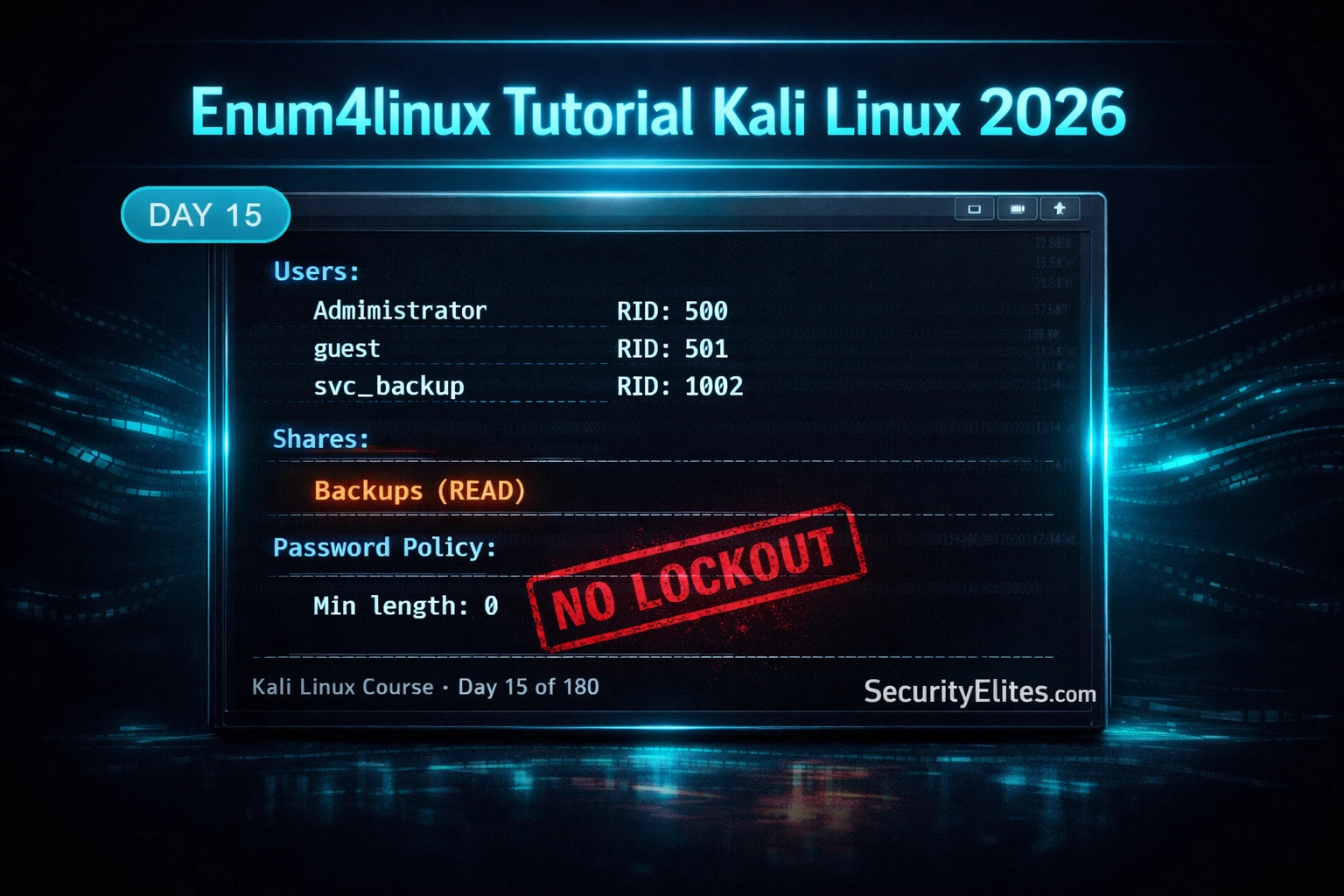
This article is Day 15 of a 180-day Kali Linux course covering enum4linux, an automated SMB enumeration tool for Windows and Samba servers. It addresses how penetration testers extract user accounts, shares, password policies, and OS information from unauthenticated network connections. The material matters because SMB enumeration is described as one of the most information-rich phases of internal network assessments and foundational to credential-based attacks that follow.
- SMB Null Sessions Enable Unauthenticated EnumerationThe article explains that enum4linux exploits SMB's null session feature — an anonymous, unauthenticated connection that exposes the IPC$ share on older Windows (pre-Server 2008) and most Samba installations. Through IPC$, attackers query user accounts, group memberships, and domain policy information without any credentials, which administrators often assume is private. This mechanism is why enum4linux can extract complete enumeration data in a single command before obtaining even one valid password.
- RID Cycling Finds Hidden Service AccountsThe article presents RID cycling as enum4linux's most valuable technique, which iterates through Windows Security Identifier RID values (typically 500-1200+) to discover all accounts regardless of group visibility. The method works because every Windows account has a unique RID, including hidden service accounts like 'svc_sql' or 'svc_mssql' that standard enumeration queries miss. Finding these service accounts is critical because compromising a SQL Server service account typically grants sysadmin database privileges and often local admin rights on the server.
- Password Policy Determines Attack FeasibilityThe article emphasizes checking the password policy output, specifically minimum password length and account lockout threshold, to determine whether online brute force is viable. A policy showing 'Min length: 0' and 'No lockout' enables targeted password spraying with tools like Hydra or CrackMapExec without triggering account lockouts. This policy check is presented as a critical decision point before launching credential attacks against the extracted user list.
- Accessible Shares Often Contain Critical FindingsThe article states that shares with READ access are where experienced penetration testers look for immediate findings, particularly IT backup shares, configuration exports, and database dumps accessed anonymously. It presents a real-world case where an HR_Backups share on a Samba server contained a two-year-old SQL database with employee salaries, performance reviews, and tax identifiers — accessible with no credentials required. The article stresses manually browsing readable shares with smbclient before running other automated tools to gather evidence before generating network noise.
- Enum4linux-ng Addresses Modern Windows HardeningThe article explains that the original enum4linux fails against Windows Server 2016, 2019, and 2022 because Microsoft progressively restricted null session access starting with Vista and completing the restriction in Server 2016. Enum4linux-ng is a Python3 rewrite that handles authenticated enumeration more robustly, supports SMBv2/v3, and outputs JSON for automation pipelines. The article recommends running enum4linux first for speed, then enum4linux-ng if the original returns incomplete data or fails against hardened targets.
- Complete SMB Enumeration Workflow SequenceThe article presents a six-phase workflow: identify SMB hosts via Nmap, run enum4linux against all hosts, extract unique usernames, check password policy for lockout settings, spray passwords if lockout is absent, and manually browse readable shares. This structured approach ensures that user extraction, policy analysis, and share assessment occur in a logical order that informs each subsequent attack phase and prevents premature noise generation.
- Enum4linux Wraps Multiple Lower-Level ToolsThe article notes that enum4linux is a Perl wrapper automating queries from smbclient (for share listing), rpcclient (for RPC-based queries), net (for group and policy information), and nmblookup, combining their output into a single structured report. This automation is presented as the primary advantage over running manual rpcclient queries — 'one command, full enumeration' delivers users, shares, password policy, OS version, workgroup, and group memberships simultaneously.
- Null Session Restrictions Vary by Platform and AgeThe article indicates that older Windows configurations and most Samba installations allow null sessions that expose the IPC$ share, while modern Windows by default blocks them. This platform-specific behavior explains why enum4linux succeeds against legacy systems and Linux/Samba targets but fails on hardened modern Windows, necessitating the enum4linux-ng tool with authenticated enumeration capabilities for comprehensive coverage across diverse environments.
Bottom line: Enum4linux is the immediate tool to run after discovering SMB ports (139/445) during internal network assessments, extracting user lists via RID cycling, identifying accessible shares, and reading password policies to determine attack viability — all without credentials through null session mechanisms that remain enabled on many Samba and legacy Windows systems. Understanding both enum4linux and enum4linux-ng ensures complete SMB enumeration regardless of target OS age or hardening level, making
FREE
Part of the 180-Day Kali Linux Mastery Course
🎯 What You’ll Master in Day 15
⏱️ 45 min read · 3 hands-on exercises
📋 What You’ll Master — Enum4linux Tutorial Kali Linux 2026
- What Enum4linux Does and Why SMB Null Sessions Expose So Much
- The Full Enumeration Scan — Every Flag You Need
- RID Cycling — Finding Every User Account Including Hidden Ones
- Share Enumeration and Password Policy Extraction
- Enum4linux-ng — The Modern Replacement for Windows Server 2016+
- The Complete SMB Enumeration Workflow for Internal Assessments
In Day 14 you used Netdiscover to find all live hosts via ARP. Once you have a live host list and Nmap shows port 445 or 139 open, enum4linux is the immediate next step. SMB enumeration is one of the most information-rich phases of any internal network assessment and is a core component of the 180-Day Kali Linux Mastery Course‘s enumeration phase.
What Enum4linux Does and Why SMB Null Sessions Expose So Much
Enum4linux is a Perl wrapper that automates a series of SMB enumeration queries against Windows and Samba servers. It uses several underlying tools — smbclient for share listing, rpcclient for RPC-based queries, net for group and policy information — and combines their output into a single structured enumeration report.
The reason enum4linux extracts so much information from unauthenticated connections comes down to SMB’s null session feature. A null session is an anonymous, unauthenticated SMB connection. Older Windows configurations (pre-Server 2008) and most Samba installations allow null sessions that expose the IPC$ share — a special inter-process communication share that accepts a range of RPC queries without credentials. Through IPC$, an unauthenticated attacker can query user accounts, group memberships, and domain policy information that most administrators assume is private.
⏱️ Time: 8 minutes · Paper or text editor
and found 14 live hosts. A quick nmap -sV pass shows:
– 192.168.10.5 → ports 139, 445 open (Windows Server, SMB)
– 192.168.10.12 → ports 139, 445 open (Linux/Samba)
– 192.168.10.20 → ports 139, 445 open (Windows Server, SMB)
Before running any tool, answer these questions:
1. In what order would you enumerate these three hosts and why?
(Hint: which is likely most vulnerable to null sessions?)
2. What five specific pieces of information would you most
want to extract from each host via SMB enumeration?
3. If enum4linux returns a user named “svc_sql” on 10.5 —
what does that tell you and what would you do next?
4. If the password policy shows “Min length: 0, No lockout” —
what attack does this immediately enable against the user list?
5. If a share named “IT_Backups” appears with anonymous READ
access — what should you do before running any other tool?
📸 Write your five answers and share in #day-15-enum4linux on Discord.
The Full Enumeration Scan — Every Flag You Need
RID Cycling — Finding Every User Account Including Hidden Ones
RID cycling is the most valuable enum4linux technique for professional assessments. Standard user enumeration queries only return users in visible groups. RID cycling bypasses this by iterating through Windows Security Identifier RID values — every account has one, and by querying sequentially from RID 500 (always Administrator) through 1200+, you find every account that exists regardless of group visibility.
⏱️ Time: 20 minutes · Kali VM + Metasploitable 2 on Host-Only network
📸 Screenshot enum4linux output showing the user list and password policy and share in #day-15-enum4linux on Discord. Tag #enum4linux2026
Share Enumeration and Password Policy Extraction
The two most actionable outputs from enum4linux are the share list and the password policy. Shares with READ access that are not explicitly protected are the first place experienced penetration testers look for immediate findings — IT backup shares, configuration exports, and database dumps accessed anonymously are consistently Critical-severity findings in real assessments.
Enum4linux-ng — The Modern Replacement for Windows Server 2016+
The original enum4linux fails against modern Windows Server 2016, 2019, and 2022 targets because Microsoft progressively restricted null session access starting with Windows Vista and completing that restriction in Server 2016. Enum4linux-ng is a Python3 rewrite that supports authenticated enumeration more robustly, handles SMBv2/v3, and produces JSON output that integrates cleanly into automated recon pipelines.
⏱️ Time: 15 minutes · Kali terminal
📸 Screenshot the enum4linux-ng JSON output and share in #day-15-enum4linux on Discord.
The Complete SMB Enumeration Workflow for Internal Assessments
🧠 QUICK CHECK — Day 15
📋 Commands Used Today — Day 15 Reference Card
🏆 Mark Day 15 as Complete
You can now perform complete SMB enumeration against Windows and Samba targets — extracting users via RID cycling, identifying accessible shares, and reading password policies to determine attack viability. This is a foundational internal network assessment skill used on every engagement.
❓ Frequently Asked Questions
What is Enum4linux and what does it enumerate?
What is the difference between enum4linux and enum4linux-ng?
Does enum4linux require credentials?
What is RID cycling in SMB enumeration?
What comes after Enum4linux in the Kali Linux course?
Day 14: Netdiscover Tutorial 2026
Day 16: Dirbuster Tutorial 2026
📚 Further Reading
- Netdiscover Tutorial Kali Linux 2026 — Day 14 covers ARP-based host discovery that finds every live host on a local segment — the step before enum4linux in the internal network assessment workflow.
- Enumeration in Ethical Hacking — The complete enumeration category covering SMB, SNMP, LDAP, HTTP, and DNS enumeration techniques used across the full assessment lifecycle.
- 180-Day Kali Linux Mastery Course — The complete course hub — Day 15 enum4linux sits within the network enumeration phase covering Days 12–20, building from host discovery to full service enumeration.
- Enum4linux-ng GitHub Repository — The official enum4linux-ng source and documentation covering all flags, JSON output format, and Windows Server 2019+ compatibility notes.
- Samba Official Documentation — Understanding Samba’s SMB implementation helps explain why Linux/Samba servers often expose more via null sessions than modern Windows Server configurations.
