There’s a specific feeling that every developer knows: the moment when “it works on my machine” turns into “I’d actually show this to someone.” That transition isn’t about adding features. It’s about the invisible work — the security review that catches the input that crashes the app, the performance check that stops the UI freezing on a hundred entries, the final audit that makes you confident the code does what you think it does and nothing else.
Working code and production-ready code are different things. Working code passes your test cases. Production-ready code handles inputs you didn’t think to test, resists attacks you didn’t anticipate, and runs fast enough that users don’t notice it. With AI-assisted development, that gap is smaller than it used to be — but it doesn’t close automatically. It closes through the work we do today.
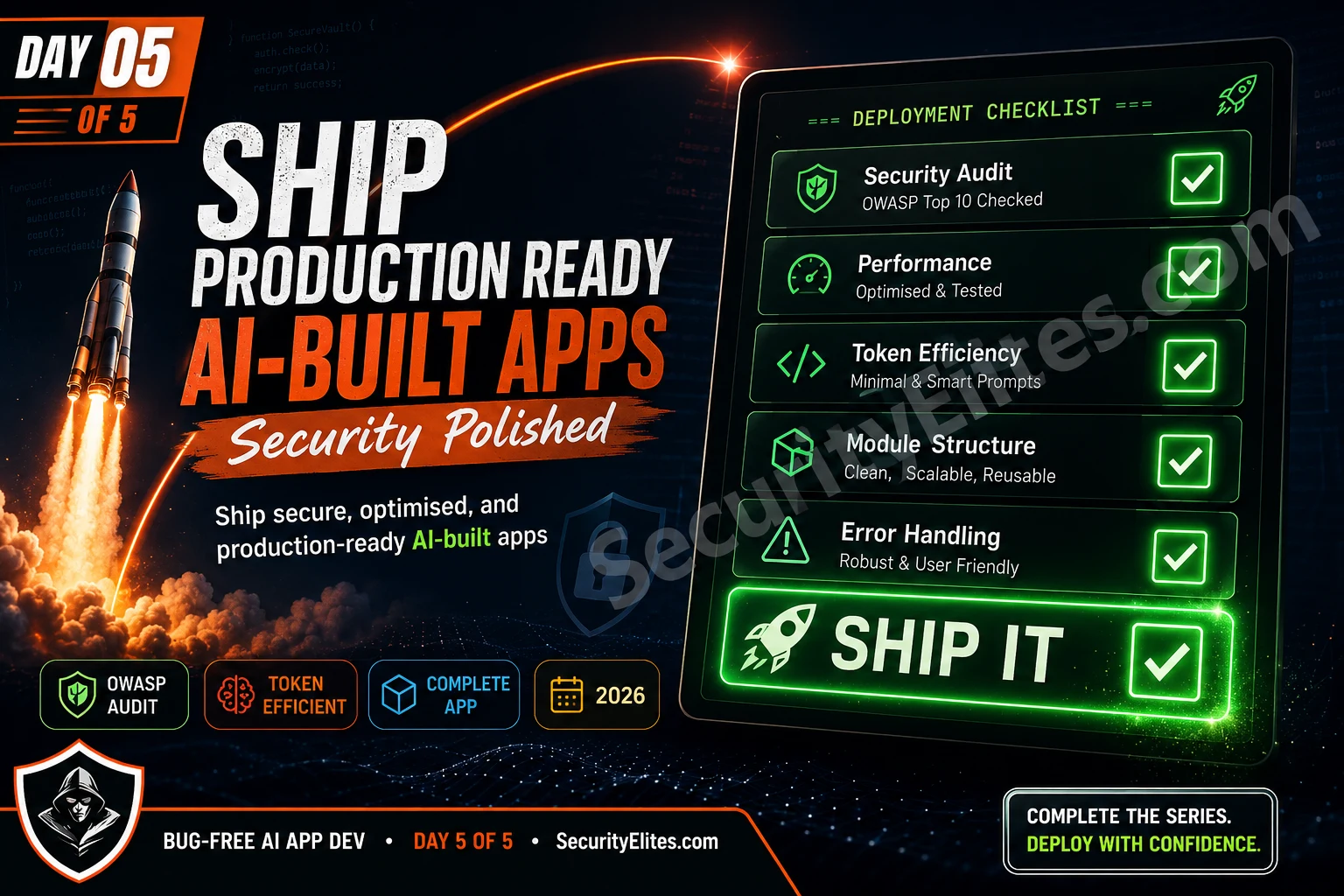
Day 5 has three parts: a token efficiency optimisation that makes every future session with Claude faster and cheaper, a comprehensive security audit using OWASP standards, and the final polish that takes SecureVault from working prototype to something you could genuinely deploy. You leave today with a complete app, a security clearance, and a prompt system you can reuse for anything.
🎯 What You’ll Master in Day 5
⏱ 25 min read · 3 exercises · Claude.ai + working SecureVault needed
- Day 1: 7-Component Formula + 5 copy-paste templates
- Day 2: Spec → Modules → Contracts → Build order, contracts.js + utils.js + crypto.js built
- Day 3: 4 module patterns + validation.js + storage.js + entry-service.js + ui-components.js built
- Day 4: 5-Step debug protocol + app.js + index.html + full integration working
Ship production-ready AI-built apps — Day 5 of 5
Day 5 closes the loop that started on Day 1 with the formula. The AI Coding Day 5 covers the ship decision conceptually. Today gives you the exact prompts to execute it. The SSL certificate checker is one gate on any web deployment — it verifies the transport security layer that protects the communication. The security audit we run today verifies the application layer. Both matter; today covers the one most developers skip.
Token Efficiency — The Session Compression System
By now you have a complete application with nine files. Every future session — adding features, fixing bugs, making changes — requires re-establishing context with Claude. Without a compression system, that context re-establishment costs hundreds of tokens per session just to bring Claude up to speed on what already exists.
The session compression system solves this by maintaining a living “context snapshot” document — a compact summary of the application state that fits in a few hundred tokens rather than the full code. Before each session, paste the snapshot. Claude immediately has full architectural context.
I keep my context snapshot updated after every session where I add or modify an exported function. That habit takes thirty seconds and consistently saves five to ten minutes of context re-establishment at the start of the next session. Across a project with twenty sessions, that’s over an hour of recovered time — and it produces better results because Claude is working from accurate, complete context rather than inferring the architecture from partial clues.
The delta prompt pattern is the other piece of this system that I find genuinely valuable. My first instinct when adding a feature used to be re-describing the full requirement from scratch — “here’s the whole project, add this feature.” Now I describe only what changes. A feature that affects two functions in one module is a fifty-word delta prompt, not a five-hundred-word full context prompt. Same output quality. Eighty percent fewer tokens.
Save this snapshot as CONTEXT.md in your project folder. Update it whenever you add a module or change a public function signature. At the start of every new session: paste CONTEXT.md + “Continue development: [what you want to do today].” That’s it — Claude is fully contextualised in one message.
The delta prompt pattern for ongoing development. When adding features after the initial build, use the delta prompt format:
Feature to add: [NAME]. Required behaviour: [EXACT SPEC — what it does, inputs, outputs, error cases]. Affected modules: [LIST — only modules that need to change]. Constraints: (1) do not change any existing function signatures, (2) new functions follow the OperationResult return pattern, (3) add the new feature as [new function / extension of existing function / new module]. Deliver: only the changed/added code sections, each clearly marked with “// ADD TO [filename]:” or “// MODIFY IN [filename]:”. Quality gates: [same as original project]. No preamble. Changes + “Delta: [N] additions, [N] modifications”.
The “only affected modules” constraint is critical for token efficiency. If a feature only touches entry-service.js and ui-components.js, you don’t need to paste storage.js or crypto.js — Claude has their signatures from the snapshot. Pasting only what changes saves 50-80% of context tokens on feature additions.
The OWASP Security Audit Prompt
A security audit isn’t optional for any application that handles user data. SecureVault handles encrypted notes — the kind of data people trust with sensitive personal information. The fact that encryption is built in doesn’t mean the implementation is correct or that other attack surfaces are protected. The audit is how you find out before users do.
The OWASP Top 10 for web applications is the standard checklist — the ten most critical security risks. For browser-based applications built with Claude Opus 4.8, the most relevant risks are: injection (via innerHTML or eval), broken authentication (weak password handling, insecure storage of keys), cryptographic failures (wrong algorithm parameters, predictable IVs), insecure design (logic flaws that bypass security features), and security misconfiguration (overly permissive defaults).
I run this audit on every module that handles user-supplied data, and I do it before I consider anything production-ready. Not after deployment, not “someday when I have time” — before the first user touches it. My experience: Claude Opus 4.8 catches the majority of OWASP-relevant issues when you use the structured audit prompt, particularly injection risks and cryptographic parameter mistakes. The one category it occasionally misses is insecure design — logic-level flaws where technically correct code implements a security-relevant feature incorrectly. That’s why the “Think Like a Hacker” exercise in this day exists: the audit prompt catches the known vulnerability patterns; adversarial thinking finds the logic gaps.
When I get the audit results back, I process CRITICAL findings first (anything with this severity is a blocking deployment issue), then HIGH, then MEDIUM. I document LOW findings rather than fixing them immediately — they’re real but not deployment blockers. That triage discipline prevents the audit from becoming a never-ending rabbit hole while ensuring the most dangerous issues are resolved.
“`javascript
// [PASTE MODULE CODE HERE]
“`
Check specifically for: (1) Injection — any innerHTML, eval(), or dynamic code execution with user-supplied data. (2) Broken authentication — are passwords ever stored in plaintext, localStorage, or sessionStorage? Are keys ever logged? (3) Cryptographic failures — correct algorithm (AES-256-GCM), correct PBKDF2 iteration count (≥100,000), random IV per operation, no static IV or key. (4) Insecure design — can any security check be bypassed by calling functions out of order? (5) Input validation — is all user-supplied data sanitised before display? (6) XSS — any user data rendered via innerHTML without escaping?
Format: severity table first (CRITICAL / HIGH / MEDIUM / LOW / PASS for each check). Then: detailed findings for any non-PASS items. Then: hardened code with all issues fixed, each fix marked “// SECURITY FIX: [issue]”. After code: “Audit: [N] issues found, [N] fixed. Clean checks: [N]/6”.
Run this audit on every module that handles user data: crypto.js, storage.js, entry-service.js, ui-components.js, and app.js. Contracts, utils, and validation.js are lower priority but worth running if you have time. The critical path for SecureVault is crypto.js first (where an implementation mistake would mean data isn’t actually encrypted), then ui-components.js (where an XSS vulnerability would let attacker-controlled content execute in the page).
The Performance Audit Prompt
Performance issues in browser apps fall into three categories: render blocking (slow initial load), interaction latency (slow response to user actions), and memory leaks (app slowing down over time). Each requires a different audit.
Code to review:
“`javascript
// [PASTE MODULE OR FULL APP CODE]
“`
Identify performance issues in three categories:
1. RENDER BLOCKING — synchronous operations on the main thread that delay initial paint
2. INTERACTION LATENCY — operations in event handlers that take more than 16ms (one frame)
3. MEMORY LEAKS — event listeners added without corresponding removal, closures holding large objects, growing collections never pruned
For each issue found: [SEVERITY: High/Medium/Low] — [WHERE] — [WHAT] — [FIX]. Then deliver the optimised code. Do not add complexity — simplest fix that addresses the issue. After code: “Performance: [N] issues fixed. Estimated improvement: [description].”
The 12-Gate Ship-Readiness Checklist
Before any application built with this system goes anywhere a user can access it, run through these twelve gates. All twelve must pass. Any that fail are bugs — use the Day 4 protocol to fix them.
I treat this checklist as a non-negotiable final step, not a nice-to-have. Every time I’ve skipped any gate because “this is just a quick release” or “I’ll fix that in the next version,” I’ve regretted it. The most expensive lesson: shipping with a console.log statement that logged partial user input in the browser console. Users with DevTools open could see it. That was a GDPR concern and an embarrassing find for someone using our security tool. Gate 9 — “no console.log in production code” — exists because of that exact experience.
My workflow: I run gates 1-8 using the automated checklist prompt (paste all JS concatenated, get a pass/fail table). Gates 9-12 I check manually — they’re faster to eyeball than to automate. The full checklist run takes about fifteen minutes on a project SecureVault’s size. That fifteen minutes is my insurance policy against the kind of issue that surfaces at 2am on a Saturday.
□ 1. All user-supplied content escaped before rendering via innerHTML
□ 2. No passwords, tokens, or keys stored in localStorage or sessionStorage
□ 3. No eval(), no Function(), no dynamic script creation from user input
□ 4. OWASP audit run on all modules handling user data — no CRITICAL issues open
RELIABILITY GATES:
□ 5. All OperationResult returns checked for .success before accessing .data
□ 6. All async functions awaited at every call site
□ 7. App handles gracefully: localStorage unavailable, WebCrypto unavailable, quota exceeded
□ 8. Smoke test passes 100% in Chrome, Firefox, Safari
QUALITY GATES:
□ 9. No console.log statements in production code (use a flag or remove entirely)
□10. No TODO or FIXME comments in shipped code
□11. All functions have JSDoc comments with param and return types
□12. Context snapshot (CONTEXT.md) updated with current module state
You can run gates 1-8 automatically with this prompt:
Checklist:
1. All innerHTML assignments use escaped content (no raw user variable interpolation)
2. localStorage contains no passwords, tokens, or crypto keys
3. No eval() or Function() calls
4. Every OperationResult access checks .success first
5. Every async function call has await
6. localStorage unavailability is handled with OperationResult error
7. No console.log in production paths
8. No TODO/FIXME comments
Code:
“`
// [PASTE ALL JS FILES CONCATENATED]
“`
Format: checklist table (Item | Status | Evidence). After table: “Checklist: [N]/8 PASS. Issues: [list any FAIL items].” No preamble.
Ongoing Improvement — The Prompt System for Any Feature
The system you’ve built across five days isn’t just for SecureVault — it’s a reusable framework for any application. Here’s the complete prompt sequence you run for any new project:
1. Spec document prompt → get sign-off on scope
2. Module map prompt → review dependency graph
3. Data contracts prompt → generate contracts.js
4. Build order prompt → get file structure + script tag order
SESSION 2 — FOUNDATION MODULES (Days 2-3):
5. Template 1 prompt × [N foundation modules] → zero-dependency modules first
6. Isolation test prompt × each module → verify before continuing
SESSION 3 — BUSINESS LOGIC (Day 3):
7. Pattern 3 (service) prompt → business logic module
8. Pattern 4 (UI) prompt → render module
9. Smoke test prompt → verify all modules load and connect
SESSION 4 — INTEGRATION (Day 4):
10. App.js + index.html prompts → integration layer
11. Full user flow test → diagnose any integration bugs with 5-step protocol
SESSION 5 — SHIP (Day 5):
12. OWASP audit prompt × data-handling modules → fix all findings
13. Performance audit prompt → fix top 3 issues
14. Automated checklist prompt → confirm 12/12 gates pass
15. Context snapshot prompt → generate CONTEXT.md for future sessions
Run the security audit on SecureVault’s two most security-critical modules. This is a real OWASP review — the same type that’s done before production deployments. Fix anything that comes back non-PASS.
- Open your Claude session. Send the OWASP audit prompt with crypto.js pasted in. Review the results: are all six checks passing? The IV generation and PBKDF2 configuration are the most likely findings.
- Send the audit prompt with ui-components.js. The escapeHtml() function and its usage in renderEntryCard() are the critical items — verify title and category values are escaped before any innerHTML assignment.
- If any CRITICAL or HIGH findings appear: apply the fix using Day 4’s minimal fix protocol (not the full refactor).
- After fixes: run the automated checklist prompt on all your JS files concatenated. Target: 8/8 PASS.
The OWASP audit covers known vulnerability patterns. But thinking like an attacker means looking for the non-obvious ways a system can be abused — the logic flaws and edge cases that checklist audits miss. I want you to find SecureVault’s remaining attack surface.
- Think through SecureVault’s security model from an attacker’s perspective. The encryption is strong. The XSS protection is in place. What’s left?
- What happens if someone can read the localStorage entries directly? Are the encrypted values meaningful without the key?
- What if someone watches over your shoulder while you type the master password in the unlock form? Is the password field type=”password”?
- What if an attacker can run JavaScript on the same domain (e.g., via a different XSS vector not in SecureVault itself)? Can they access the CryptoKey object from window?
- What if the user forgets their master password? Is there a recovery mechanism? Should there be?
- For each attack surface you identified: is it a bug (something you should fix), a design limitation (acceptable trade-off you should document), or a feature gap (something you’d add in a future version)?
- Write the one-sentence security disclaimer you’d include in the app’s README — the honest statement of what SecureVault does and doesn’t protect against.
Generate the context snapshot and the final README — the two documents that make this a complete, shareable project rather than a personal exercise. Then download the complete SecureVault package.
- Send the context snapshot prompt in your Claude session. Save the output as CONTEXT.md in your securevault/ folder.
- Send this README prompt:README PROMPT — COPY AND SENDGenerate a README.md for SecureVault — a browser-based encrypted notes app. Include: (1) one-paragraph description, (2) Features list, (3) Security model (how encryption works, what’s protected, what’s not), (4) How to use (3 steps: open index.html, set password, create notes), (5) Technical architecture (modules listed with one-line responsibility), (6) Browser support, (7) “Built with” section mentioning Claude Opus 4.8 and the SecurityElites AI App Dev course. Tone: professional, honest about security trade-offs. No marketing language. After file: “README: [N] words”.
- Save README.md to securevault/. Your complete package: contracts.js, utils.js, crypto.js, validation.js, storage.js, entry-service.js, ui-components.js, app.js, index.html, CONTEXT.md, README.md.
- Open index.html one final time. Create two notes. Refresh the page. Enter your password. Verify both notes are still there. This is your acceptance test.
Questions and Answers
Can I deploy SecureVault as a public website?
Yes, with one important requirement: it must be served over HTTPS. The WebCrypto API (which handles all the encryption) is only available in secure contexts — it will not work on HTTP. This means hosting on GitHub Pages (which provides HTTPS automatically), Netlify, Vercel, or any HTTPS-capable static host is fine. Serving index.html directly from a local filesystem (using a file:// URL) may also work in some browsers for testing, but is not reliable. Serving over plain HTTP will disable WebCrypto and the app will fail at any encryption operation. For a production deployment, use SSL certificate checker to verify HTTPS is correctly configured after deployment.
How do I add new features after the course?
Use the delta prompt template from the token efficiency section. The key steps: (1) paste your CONTEXT.md to re-establish project context, (2) describe the new feature precisely using the Task component of the formula, (3) list only the modules that need to change, (4) specify whether it’s a new function, an extension of an existing function, or a new module. After adding: update CONTEXT.md with any new exports, run the isolation test on modified modules, run the smoke test on the full application, and if the feature handles user data, run the OWASP audit on the modified modules. That sequence prevents feature additions from introducing new bugs or security issues.
What’s the best way to learn more about the security aspects of what we built?
The LLM Hacking Hub and the broader Web Application Security section cover the attack landscape that makes these patterns matter. Specifically: the XSS protection in ui-components.js maps to the cross-site scripting articles, the prompt injection constraints in the formula map to the LLM hacking series, and the OWASP audit format maps directly to the OWASP Top 10 standard. Understanding what you’re defending against makes the defences meaningful rather than just boxes to check.
How do I know when to use claude-opus-4-8 vs claude-sonnet or other models?
Opus 4.8 is the right choice for: architectural decisions, complex multi-constraint prompts (like the full module templates in this course), security reviews, and any prompt where getting it wrong on the first response means expensive rework. Sonnet is the right choice for: straightforward feature additions with clear specs, simple bug fixes where root cause is already identified, test generation for existing code, and documentation generation. A rough rule: if you’d want a senior architect reviewing the output, use Opus. If you’d trust a competent mid-level developer, Sonnet is fine and significantly cheaper. For this course specifically, Opus produces meaningfully better architectural coherence across five days of prompts.
I can’t code at all. Can I use this system for non-JavaScript apps?
Yes — the formula, architecture process, module patterns, debug protocol, and ship checklist all apply to Python, TypeScript, Go, or any language with a concept of modules and function contracts. The specific templates use JavaScript because SecureVault is JavaScript, but every template has a clear find/replace structure: JavaScript function syntax → Python function syntax, JSDoc → Python type hints, browser APIs → Python standard library. The Role component is the one to change most carefully — “senior Python developer with expertise in type-annotated clean code” instead of “senior vanilla JavaScript developer.” The rest of the formula structure transfers directly.
Further Reading
- AI Coding Day 5 — the decision framework for when code is ready to ship
- Web Application Security — the attack landscape behind the security patterns in this course
- LLM01 Prompt Injection — how attackers exploit the AI-human interface in systems like what you just built
- OWASP Top 10 — the security standard underlying the audit prompt
- Claude Models Reference — official claude-opus-4-8 documentation and capabilities
