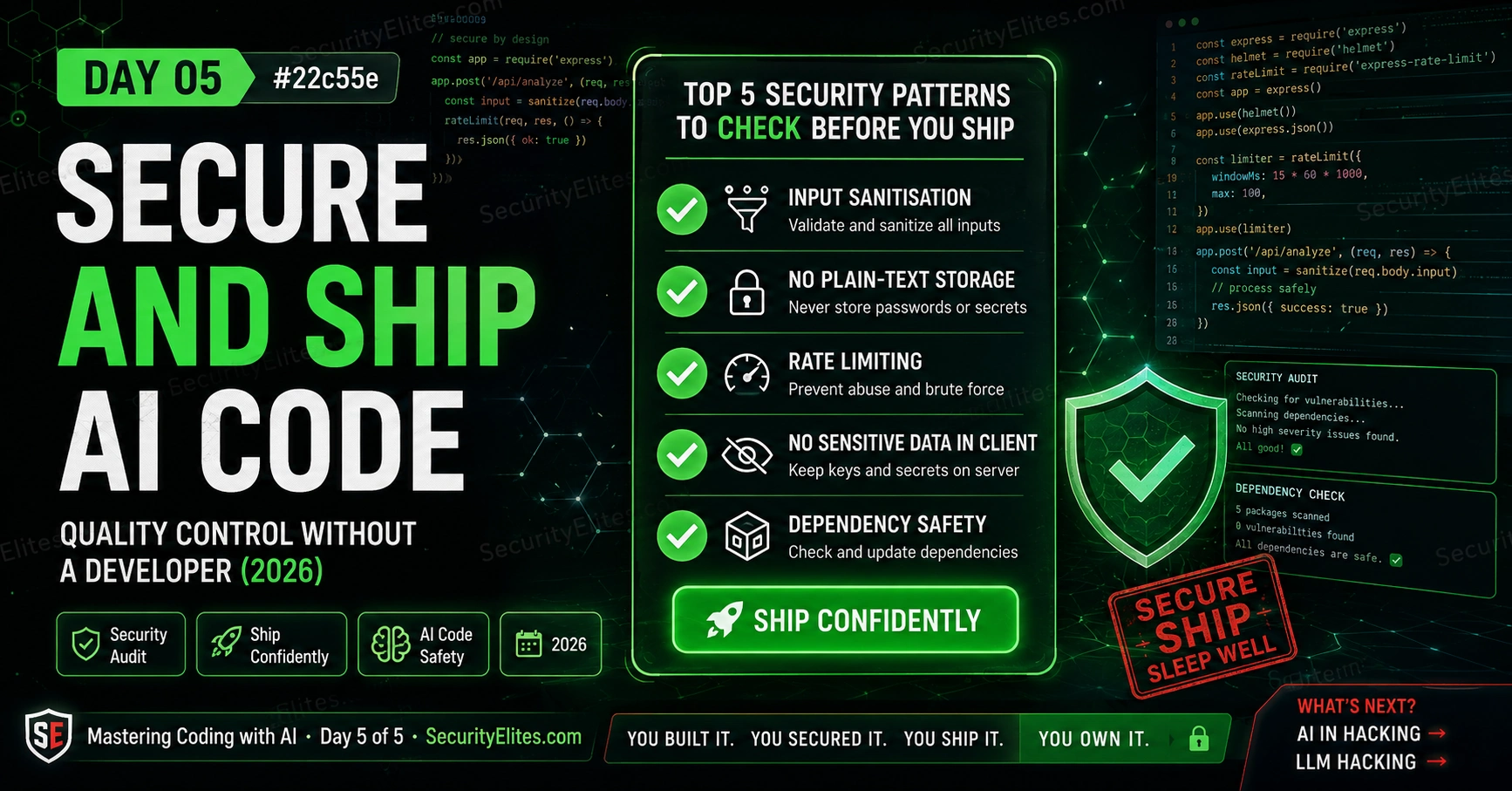
This article presents a practical security framework for AI-generated code, focusing on the five most common vulnerabilities that appear in tools built with AI assistance and how to audit and remediate them before deployment. The article argues that AI can be used to review its own code for security issues, enabling non-technical founders and small builders to ship tools confidently without requiring extensive security expertise. The security checklist and audit methodology matter because they transform developers from hoping code is safe to verifying it is safe through repeatable, concrete checks that catch real exploitable vulnerabilities.
- Five recurring AI code vulnerabilitiesThe article identifies XSS (unescaped user input allowing script injection), plain-text credential storage, missing rate limiting on forms, exposed secrets in client-side code, and untrusted input in queries or commands as the most frequent issues. Each appears repeatedly because they require explicit specification in prompts to prevent—most prompts omit these requirements. Testing for XSS involves typing `` in input fields; fixing plain-text storage requires bcrypt or argon2 hashing; rate limiting requires server-side enforcement of submission caps (e.g., 5 per minute per IP).
- AI security audit loop methodologyThe article provides a structured three-step process: run a seven-question audit prompt in a fresh AI conversation (separate from the generation conversation to avoid bias), fix all Critical and High findings before shipping, and re-audit the fixed code to confirm no new issues were introduced. Question seven—'What is the worst thing an attacker could do?'—forces adversarial thinking. The author states this loop catches issues AI missed during code generation because the review prompt activates different patterns than generation prompts.
- Dependency and supply chain attack risksExternal libraries introduce attack surface that AI may not recognize; attackers publish packages with similar names to popular ones (typosquatting) or compromise legitimate packages, gaining execution on systems that install them. The article recommends four rules: prefer built-in language features over external libraries, verify every library on npm or PyPI by checking weekly downloads (high = trustworthy), last update date, maintainer count, and name spelling; ask AI to justify each dependency; and pin versions to specific numbers rather than using open ranges to prevent automatic vulnerabi
- Shipping decision framework by risk levelThe article provides three categories: ship confidently after checklist completion if the tool is browser-only, stores no user data, and failure means non-function rather than data leak. Pause and request professional review if the tool collects and stores user data, runs on a server, has authentication, or handles money. Absolutely require professional review if serving large audiences or processing health, financial, or legal information. The author states that for customer-facing tools handling real user data, professional security review before launch is worth its cost compared to breach r
- XSS vulnerability testing and remediationXSS (cross-site scripting) is identified as the most common and immediately exploitable vulnerability in AI-generated web tools. Testing involves typing `` in any input field; if a popup appears, the tool is vulnerable. The fix requires escaping all HTML special characters before displaying user input, specifically using the browser's built-in textContent property instead of innerHTML to prevent script tag interpretation.
- Rate limiting for automated form attacksForms without rate limiting can be hammered by automated scripts thousands of times per second to brute-force passwords, submit spam, or overwhelm servers. The article specifies that rate limiting matters less for browser-only tools without servers but is essential for any form calling a backend. The fix example provided is allowing maximum 5 submissions per IP per minute with a friendly error message when exceeded, preventing credential brute-force and resource exhaustion attacks.
- Client-side secrets exposure preventionAPI keys, database passwords, and internal URLs embedded in browser JavaScript are visible to anyone viewing page source, as browser-side code is inherently public. The article recommends checking code for long random strings, passwords, or connection strings that indicate secrets. The fix requires moving secrets to server-side components so the browser only calls the server without exposing credentials, which is critical because attacker possession of API keys enables unlimited unauthorized API calls.
- Parameterized queries prevent injection attacksSQL injection, command injection, and path traversal all stem from using unvalidated user input in contexts where it executes as commands rather than data. The article specifies that fixes require parameterized queries for all database operations (never concatenating user input into SQL strings) and path validation against allowlists of permitted directories. The founder anecdote opens with a real example where simple SQL injection exposed all user emails.
Bottom line: Developers can use a repeatable five-step AI security audit loop and a personal checklist to ship AI-generated tools with confidence: identify the five most common vulnerabilities, use AI to review its own code in a fresh conversation, fix Critical and High findings, and re-audit to confirm fixes. This transforms building from hoping code is safe to verifying it through concrete, reproducible checks that catch the exploitable vulnerabilities most likely to appear in AI-generated applications.
Here’s a situation I’ve seen play out more times than I’d like: a non-technical founder uses AI to build a customer-facing tool in a weekend. The tool works. Users start signing up. Three months later, someone finds a simple SQL injection vulnerability that exposes every user’s email address. The tool worked. The tool was not safe.
The goal of Day 5 isn’t to scare you out of building things. It’s to give you the specific security checks that catch the most common AI code vulnerabilities — checks you can run entirely by asking AI the right questions, with no coding knowledge required. I’ve distilled five years of reviewing AI-generated code into the patterns that appear most often, and the audit questions that reliably surface them.
By the end of today you’ll have a personal security checklist that you run on every tool before sharing it with anyone who matters. You’ll know when you can ship confidently and when to get a human reviewer. And you’ll understand exactly where this course leads next.
🎯 What You’ll Master in Day 5
⏱ 25 min read · 3 exercises · Browser needed
Secure AI Generated Code — Day 5 of 5
- The Five Most Common AI Code Security Issues
- The AI Audit Loop — Using AI to Security-Review Its Own Code
- Dependency Risk — The Invisible Attack Surface
- The Shipping Decision — When to Ship, When to Pause
- Your Personal AI Coding Security Checklist
- Where to Go Next — Your Learning Path
- Questions and Answers
Day 5 is the security practitioner’s perspective on everything you’ve built this week. The vibe coding security risks article covers the broader landscape of what goes wrong when AI-generated code gets shipped without review. Our phishing URL scanner demonstrates what security-conscious tool building looks like in production — client-side only, no data storage, clear about what it can and can’t do. That’s the standard to aim for.
The Five Most Common AI Code Security Issues
I’ve reviewed hundreds of AI-generated tools and the same security issues appear repeatedly. Not randomly — they appear because they’re the things that require explicit specification to include, and most prompts don’t include them. Here’s the list, with what to check and how to fix each one.
Issue 1 — Unescaped output (XSS). If your tool takes user input and displays it on screen without “escaping” HTML special characters, an attacker can inject `<script>` tags that run malicious code in other users’ browsers. This is the most common and most immediately exploitable vulnerability in AI-generated web tools.
Check: type `<script>alert(‘xss’)</script>` in any input field. If a popup appears, you’re vulnerable.
Fix: “Update this code to escape all HTML special characters in any user input before displaying it. Use the browser’s built-in textContent property instead of innerHTML for displaying user input.”
Issue 2 — Plain text data storage. If your tool stores passwords, API keys, or sensitive personal information without encryption or hashing, anyone who gains access to the storage sees everything. For browser-based tools: avoid storing sensitive data at all. For server-side tools: passwords must always be hashed with bcrypt or argon2, never stored in plain text.
Check: ask AI “does this code store any passwords, tokens, or sensitive information? If so, how are they stored?”
Fix: “Update the password storage to use bcrypt hashing. Never store the plain text password.” Or, for browser tools: “Remove any storage of the password — it should only be evaluated, never saved.”
Issue 3 — No rate limiting on forms. A form without rate limiting can be hammered by an automated script thousands of times per second — to brute-force passwords, submit spam, or overwhelm a server. For simple browser-only tools this matters less (there’s no server to overwhelm). For any form that calls a backend: rate limiting is essential.
Check: ask AI “does this code have any rate limiting on form submissions or API calls?”
Fix: “Add rate limiting — allow a maximum of 5 submissions per IP address per minute. Return a friendly error message if exceeded.”
Issue 4 — Sensitive data in client-side code. API keys, database passwords, internal server URLs, and business logic embedded in JavaScript that runs in the browser can be viewed by anyone who looks at the page source. Browser-side code is public by definition.
Check: look through your code for anything that looks like a secret — long random strings, passwords, database connection strings, API keys.
Fix: “Move the [secret] to a server-side component. The browser code should call your server, which uses the secret without exposing it.”
Issue 5 — Untrusted input used in queries or commands. SQL injection (user input used directly in a database query), command injection (user input passed to a system command), and path traversal (user input used to construct a file path) are all instances of the same problem: using unvalidated user input in a context where it could be interpreted as a command rather than data.
Check: ask AI “does this code use any user input in database queries, file system operations, or system commands? If so, how is it validated or parameterised?”
Fix: “Use parameterised queries for all database operations — never concatenate user input directly into SQL strings. For file operations, validate the path against an allowlist of permitted directories.”
The AI Audit Loop — Using AI to Security-Review Its Own Code
The most useful thing I’ve discovered in two years of building with AI coding tools: AI is surprisingly good at reviewing AI-generated code for security problems. It will catch issues in its own output that it didn’t catch during generation — because the review prompt activates different patterns than the generation prompt.
The AI security audit loop has three steps:
Step 1 — Run the comprehensive security review prompt. Paste your complete code and this audit prompt into a fresh AI conversation (not the one that wrote the code — a fresh context means no biases toward what it already built):
Review this code and answer each question:
1. Does this code display any user input on screen? If yes, does it escape HTML characters first?
2. Does this code store any passwords, tokens, or sensitive user data? If yes, how?
3. Does this code accept form submissions that could be automated? Does it rate limit?
4. Does this code contain any API keys, database passwords, or secrets? Where are they?
5. Does this code use user input in database queries, file operations, or system commands?
6. Does this code make any external network requests? To where, with what data?
7. What is the worst thing an attacker could do if they used this tool maliciously?
For each issue found: explain it simply, rate severity (Low/Medium/High/Critical), and provide the specific code fix.
[PASTE YOUR CODE HERE]
Step 2 — Fix every Critical and High finding before shipping. Medium findings should be fixed if time allows. Low findings can be documented and addressed in the next version. If AI identifies something Critical: don’t ship until it’s fixed, full stop.
Step 3 — Re-run the audit on the fixed code. One audit pass finds issues. The second pass confirms the fixes didn’t introduce new issues. I always run at least two rounds for anything that will be used by anyone other than myself.
The question that does the most work in the audit is number 7: “What is the worst thing an attacker could do?” This forces AI to think adversarially about the code rather than just checking boxes. The answer is often more alarming than you’d expect — and more specific than generic security advice.
Dependency Risk — The Invisible Attack Surface
Dependencies — external libraries and packages your code imports — are one of the most underappreciated risks in AI-generated code. When AI generates code using a library, it may not know whether that library is maintained, trusted, or secure. And attackers know this.
The attack pattern is called a supply chain attack: publish a package with a similar name to a popular one (or compromise the popular one directly), wait for AI to include it in generated code, and gain code execution on every system that installs the infected package. This is not theoretical — it has happened repeatedly in npm (JavaScript packages) and PyPI (Python packages).
My rules for AI-generated dependencies:
Rule 1: Prefer built-in over external. My Day 2 constraint “use only standard language features” is specifically about this. If something can be done without an external library, do it without one. The built-in functions of Python, JavaScript, and HTML don’t have supply chain risks.
Rule 2: Verify every library before installing. For any library AI recommends: search its name on npm (npmjs.com) or PyPI (pypi.org). Check: weekly downloads (millions = well-used and likely trustworthy), last updated (abandoned libraries don’t get security fixes), number of maintainers, and whether the name looks slightly off from a well-known package (typosquatting).
Rule 3: Ask AI to justify every dependency. “You included [library name] — is there a way to do the same thing without an external library? If not, tell me how many weekly downloads it has and when it was last updated.” This either eliminates the dependency or gives you the information to assess it.
Rule 4: Pin dependency versions. “Lock all dependency versions to specific version numbers — don’t use ‘latest’ or open-ended version ranges.” This prevents a library update introducing a vulnerability into your deployed tool without you knowing.
The Shipping Decision — When to Ship, When to Pause
Not every tool needs to meet the same security bar before shipping. A password strength checker that runs entirely in the browser with no data storage has very low risk — even if someone found a theoretical issue, there’s nothing to steal and no users to harm. A tool that stores user email addresses and sends them newsletters has much higher responsibility.
My shipping decision framework:
Ship confidently (after your checklist) when:
The tool is browser-only with no server component. No user data is stored anywhere. No sensitive information is collected. The tool’s failure mode is “doesn’t work” rather than “leaks user data.” You’ve run the full behavioural testing checklist and the AI security audit.
Pause and get review when:
The tool collects and stores user data (email addresses, names, payment information). The tool runs on a server that other people connect to. The tool has authentication (login system). The tool handles money or anything with real financial consequence. Other people will be depending on it for security decisions.
Absolutely get a professional review when:
The tool will be used by a large number of people. The tool processes health, financial, or legal information. The tool is part of a business that could face regulatory consequences. The security failure could harm people beyond data loss.
The honest truth: for personal tools, hobby projects, and internal team tools with no sensitive data, your checklist + AI audit is enough. For customer-facing tools handling real user data, a professional security review before launch is worth every penny of the cost — especially compared to the cost of a data breach.
The AI security audit loop is the single most valuable exercise in the course, because it gives you a repeatable process you can run on every tool you build from today forward. I want you to run it on your Day 4 tool right now — not as practice, but as an actual audit that might find real issues. Don’t be surprised if it does. That’s what it’s for.
- Open a fresh AI conversation (new chat, not the one that wrote your Day 4 tool).
- Paste the complete AI security audit prompt from Section 2 of this day.
- Paste your complete Day 4 tool code immediately after the prompt.
- Read the AI’s responses to all seven questions carefully. For each finding:
- What severity did AI rate it?
- Do you understand what the vulnerability means in plain English?
- What fix did AI provide?
- Fix every High and Critical finding using an iterative prompt in your original code conversation. Re-run the audit on the fixed code.
- Decision: based on your shipping decision framework, is this tool ready to share more widely, or does it need more work?
Your Personal AI Coding Security Checklist
Every course I teach ends with something the student keeps permanently. Here’s yours: a complete checklist for every tool you build with AI from today forward. Print it, bookmark it, paste it into a notes app. Use it every time before you share code with someone who isn’t you.
□ IPO spec written out in full
□ Five components ready: Context / Task / Language / Format / Constraints
□ Constraints include: no external requests, input sanitisation, edge case handling
□ Project decomposed into named pieces
AFTER SCAFFOLD, BEFORE RUNNING:
□ Structural audit: ask AI to list all functions and describe each
□ Network request check: does it call any external services?
□ Edge case check: what happens on empty or invalid input?
BEHAVIOURAL TESTING:
□ Happy path test: valid input → expected output
□ Empty input test: no crash, no confusing behaviour
□ Invalid input test: wrong type handled gracefully
□ Edge case test: boundary values work correctly
□ Security test: <script>alert(‘xss’)</script> in every input field
AI SECURITY AUDIT:
□ Full seven-question audit run in a fresh conversation
□ Every Critical and High finding fixed and re-audited
□ Dependency list reviewed: every library verified on npm/PyPI
DEPLOYMENT:
□ Environment matches specification (browser vs server)
□ No sensitive data in client-side code
□ Three-sentence documentation written
□ Shared with one person and feedback collected
SHIPPING DECISION:
□ Browser-only, no data storage → ship after checklist
□ Stores user data → pause, professional review recommended
Where to Go Next — Your Learning Path
Five days. You went from “I have no idea how code works” to “I built, deployed, tested, and security-audited a live tool.” That’s a real capability shift. Here’s where each possible next step takes you:
If you want to understand what you’re building more deeply: The LLM Basics course explains what’s happening inside the AI when it writes your code. The Prompt Engineering course takes the prompting skills from Day 2 to a much deeper level — covering meta-prompting, chain-of-thought, and the full offensive/defensive spectrum.
If you want to build more ambitious tools: Python with Flask for server-side tools. Add a database (SQLite for simple tools, PostgreSQL for production). Connect to real APIs. The LLM Hacking Hub shows what sophisticated AI-powered tools look like — the same building approach but with greater scale and complexity.
If you want to understand the security side more deeply: The AI generated code security audit article goes much further than today’s checklist. The vibe coding risks article documents real cases of AI-generated security vulnerabilities. And the Ethical Hacking course gives you the attacker’s perspective — understanding how these vulnerabilities get exploited makes you dramatically better at preventing them.
If you want to use dedicated AI coding tools: Cursor is the AI-native code editor used by professional developers who build with AI — it understands your entire codebase rather than just one chat window, makes multi-file changes, and provides much better context for complex projects. The mental model and prompting skills from this course transfer directly.
Code // Sequential unambiguous instructions to a computer
IPO // Input → Process → Output — maps every program ever written
Architect // You specify; AI builds; clarity of spec = quality of output
// DAY 2 — PROMPTING
Five components // Context · Task · Language · Format · Constraints
Constraints // Where security lives in your prompt — never skip
Iterate // Acknowledge what works, specify change, request complete file
// DAY 3 — DEBUGGING
Structural audit // 4 patterns: definitions / input handling / processing / output
Debug loop // Run → capture → return → describe → replace — 5 steps
Behavioural test // Happy / empty / invalid / edge / repeat / security
// DAY 4 — BUILD
Six stages // Specify → Decompose → Scaffold → Test → Deploy → Document
Audit before run // Functions / network / empty input — 3 questions before running
// DAY 5 — SECURITY
Five issues // XSS / plain-text storage / no rate limit / client secrets / injection
AI audit loop // Fresh chat → 7 questions → fix critical/high → re-audit
Shipping decision // Browser-only/no storage → ship; user data → review first
The best way to cement security thinking is to apply it adversarially to a specification before it gets built. I want you to read a project spec and find the attack vectors — not to exploit them, but to fix them before the code is written. This is security engineering’s most valuable preventive skill.
- Read this project specification:
- “Build a contact form. Users enter their name, email, and message. When they submit, the form sends the information to our company email using an email API key embedded in the JavaScript. Save a copy of each submission to a SQLite database. Display a ‘thank you’ message with the user’s name after submission. Allow unlimited submissions.”
- Identify how many of the five security issues from today’s lesson appear in this spec. List each one and where in the spec it comes from.
- Write the improved specification that addresses all the vulnerabilities. Add or modify the constraints section specifically.
- Identify the single change that would do the most to reduce the security risk if you could only make one change.
Your personal checklist is only useful if it’s somewhere you’ll actually find it before starting a project. I want you to take the complete checklist from this day, adapt it to your own workflow (add anything I missed that matters for your type of projects, remove anything that doesn’t apply), and save it somewhere permanent. This is the last exercise of the course — make it count.
- Open the complete checklist from Section 5 in a document editor (Google Docs, Notion, Apple Notes, whatever you actually use).
- Go through each item. For each one: does it apply to the types of projects you’re most likely to build? Are there items you’d add based on your use case?
- Add a “PROJECT TYPE” section at the top with three categories:
- Category A (personal / browser-only / no user data): which checklist items apply?
- Category B (internal team tool / some user data): which additional items apply?
- Category C (public-facing / real user data): which additional items apply?
- Open any AI and ask: “Based on the projects I’m likely to build [describe your use case], are there any security checks I should add to my AI coding checklist that aren’t already covered by: XSS, plain-text storage, rate limiting, client secrets, and input injection?”
- Finalise your checklist. Bookmark it or pin it. Commit to using it on the next thing you build.
Questions and Answers
Do I need to do a security review every time I update a tool?
For major changes — new features, new data handling, new external connections — yes, run the AI audit loop on the changed sections. For minor iterative improvements — appearance changes, copy edits, small UX fixes — a full audit isn’t necessary, but you should still run the XSS test if you changed anything that touches user input. The principle: any time the data flow changes (new inputs, new processing, new outputs, new storage), re-audit that path. Changes that only affect what users see without touching data flow are lower risk.
Can I use this process to build tools for clients?
Yes — and many freelancers and small agencies already do. The important caveats: be honest about what you built and how (you directed AI, you specified the security requirements, you tested and audited the output). For client tools handling sensitive data, professional security review is part of responsible delivery. Price your work fairly — “AI-assisted development” that produces quality, tested, audited deliverables is genuinely valuable. Misrepresenting AI-generated work as hand-coded work from scratch is a trust issue. But transparent AI-assisted development is a competitive advantage if done with the discipline this course teaches.
What’s the difference between a security vulnerability and a bug?
A bug is unintended behaviour — the code does something different from what was specified. A security vulnerability is a bug (or a deliberately omitted feature) that an attacker can exploit to cause harm — steal data, modify records, impersonate users, crash the system. Every security vulnerability is a bug, but most bugs are not security vulnerabilities. The difference is whether the wrong behaviour can be deliberately triggered by an adversary to cause harm beyond the tool simply not working. A form that crashes on empty input is a bug. A form that executes arbitrary database commands from user input is a security vulnerability. The first is an annoyance. The second can destroy a database.
How do I know if my tool needs GDPR/privacy compliance?
If your tool collects, stores, or processes personal data about people in the European Union (names, email addresses, IP addresses, device identifiers), GDPR applies regardless of where your tool or business is located. The same applies for similar laws in other jurisdictions (CCPA in California, PIPL in China, PDPB in India). The simplest compliance approach for beginner builders: collect only what you need, don’t store it longer than necessary, tell users what you collect in plain language, and give them a way to delete their data. Ask AI: “I’m building a tool that collects [data types] from users in [regions]. What privacy compliance requirements should I be aware of and include in the tool?” AI can give you a starting point — professional legal advice is needed for production tools handling significant data.
I found a security issue in someone else’s tool built with AI. What should I do?
Report it responsibly to the owner — privately, not publicly. Explain what you found, how you found it, what the potential impact is, and give them reasonable time to fix it before disclosing to anyone else. This is called responsible disclosure and it’s the ethical standard in the security community. Don’t exploit the vulnerability even to “prove” it’s real — document it with screenshots of the behaviour without extracting actual data. If the owner is unresponsive after a reasonable period (typically 90 days), you can consider disclosure to a relevant security community or organisation. Never use a vulnerability you find for personal gain.
Can I build tools that interact with AI APIs?
Yes — and this is one of the most valuable skill combinations you can have right now. Tools that take user input, send it to an AI API, and return a processed response are at the heart of most commercial AI products. The security considerations multiply though: your API key must stay server-side (browser-visible API keys get stolen quickly), user input going to an AI API is subject to prompt injection, and you’re responsible for the AI’s output being used appropriately. Ask AI to scaffold “a Python Flask app that takes user text input, sends it to the OpenAI API with a specific system prompt, and returns the AI’s response — with the API key stored as an environment variable, never in the code.”
Further Reading
- How to Audit AI Generated Code Security — the full professional audit methodology
- Vibe Coding Security Risks — real cases and what they teach us
- Ethical Hacking Course — the attacker’s perspective that makes you a better defender
- OWASP Top 10 — the definitive list of web application vulnerabilities your code must defend against
- PortSwigger Web Security — free hands-on labs for the vulnerabilities covered in Day 5
